Start every day knowing exactly how your Amazon sales are trending
Every morning, WebRun opens Helium 10 Profits and Amazon Seller Central, collects yesterday's revenue, units sold, and net margin by ASIN, and posts a tidy sales digest to your Slack channel so you always know where you stand before the day begins.
- No credit card
- Under $0.01 per run
- Cancel anytime
 Amazon Seller Central
confirm order counts and any fee changes
Amazon Seller Central
confirm order counts and any fee changes
What does WebRun do on every run?
The exact actions WebRun takes, in order - in plain language, so you can adjust anything.
-
WebRun signs in and gets to work
Opens
helium10.com/profitsin a real browser with your saved login - no setup, no API keys. -
1
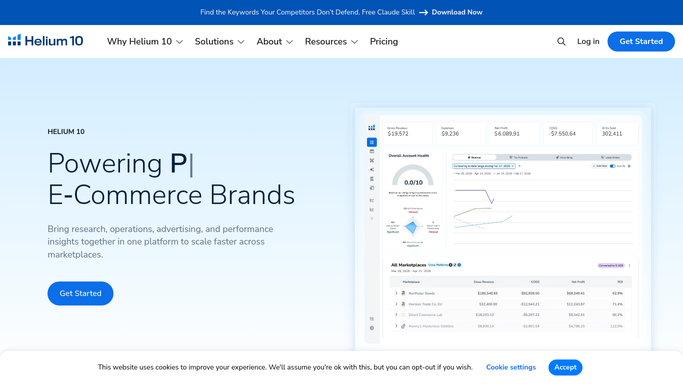
Helium 10 - pull revenue, units, and margins from Profits dashboard
helium10.com How to Automate Helium 10

WebRun opens Helium 10 to pull revenue, units, and margins from Profits dashboard. - Open Helium 10 and navigate to the Profits dashboard
- Set the date range to yesterday and capture total revenue, units sold, and net profit
- Break down revenue and margin by top-selling ASIN
- Note any ASINs with unusual dips or spikes compared to the prior 7-day average
Done when Yesterday's revenue, units, margin, and ASIN breakdown are captured.
-
2
Amazon Seller Central - confirm order counts and any fee changes
WebRun opens Amazon Seller Central to confirm order counts and any fee changes. - Open Seller Central and go to Business Reports
- Confirm total order count and average selling price for yesterday
- Check for any new fee adjustments or FBA storage charges that affect margin
Done when Order count and fee data are confirmed against the Helium 10 figures.
-
3
Slack - post the daily sales digest
slack.com How to Automate Slack
WebRun opens Slack to post the daily sales digest. - Post the daily digest to your designated Slack channel
- Lead with total revenue and net profit, then list top 5 ASINs by units
- Flag any ASIN with a more than 20 percent day-over-day drop
Done when Your team has the full daily sales digest in Slack.


How do I automatically get a daily Amazon sales summary each morning?
WebRun opens Helium 10 Profits and Amazon Seller Central every morning, collects yesterday's revenue, units sold, and net margin by ASIN, then posts a ranked digest to Slack. Any ASIN with a significant day-over-day swing is flagged so your team can act before the trading day is under way.
- Your team sees yesterday's full sales picture before 7 AM
- Unusual ASIN dips are flagged before they become bigger problems
- No manual log-ins to Helium 10 or Seller Central just to check numbers
Built for Amazon FBA sellers · Amazon FBM sellers · private-label brands · ecommerce teams
How is each run configured?
Secure by default
Connect once, stays signed in
WebRun signs in once and keeps each session in a persistent environment, so every run picks up right where it left off.
Amazon Seller Central
Sign in once
Every action is checked against this policy before it runs.
Questions, answered
Will it change any listings or settings in Seller Central?
No. WebRun is read-only for this workflow. It opens Seller Central and Helium 10 only to read data, never to edit listings, prices, or account settings.
What if Helium 10 Profits and Seller Central show different numbers?
Helium 10 Profits estimates some fees; Seller Central is the source of truth for finalized orders. WebRun notes both figures in the digest so you can spot any discrepancy.
Can I change which Slack channel it posts to?
Yes. Set your preferred channel in the WebRun run settings before the first run, and it will always post there.
Related templates
Amazon Seller Central›Amazon Seller Central›Amazon Seller Central›Put this on autopilot.
Turn it on in minutes - or have our team set it up for you.