Win back repeat buyers who have gone quiet with a personalized outreach draft
Every Monday, WebRun opens Amazon Seller Central to identify buyers who have placed two or more orders in the past year but have not ordered in the last 90 days, cross-checks their top purchased ASINs in Helium 10 Profits, and drafts a personalized win-back email campaign in Mailchimp for your review and approval before any message is sent.
- No credit card
- Under $0.01 per run
- Cancel anytime
 Amazon Seller Central
identify lapsed repeat buyers from order history
Amazon Seller Central
identify lapsed repeat buyers from order history
How do I automatically draft win-back emails for lapsed Amazon repeat buyers?
WebRun identifies repeat Amazon buyers who have gone quiet in the past 90 days by reviewing Seller Central order history each Monday, finds their top purchased ASINs in Helium 10 Profits, and saves a personalized win-back email campaign in Mailchimp for your approval before any message is ever sent to a customer.
- Lapsed repeat buyers are identified every week before they become permanently lost
- Win-back copy is personalized with the buyer's top products so it reads relevant, not generic
- Human approval is required before any customer receives a message
Built for Amazon private-label brand owners · Amazon FBA sellers with repeat buyer programs · ecommerce email marketing teams · DTC brands selling on Amazon
What does WebRun do on every run?
The exact actions WebRun takes, in order - in plain language, so you can adjust anything.
-
WebRun signs in and gets to work
Opens
sell.amazon.comin a real browser with your saved login - no setup, no API keys. -
1
Amazon Seller Central - identify lapsed repeat buyers from order history

WebRun opens Amazon Seller Central to identify lapsed repeat buyers from order history. - Open Seller Central and go to Orders, then Manage Orders
- Filter for buyers with two or more orders in the past 12 months whose last order date is more than 90 days ago
- Capture the buyer's order history: number of orders, total spend, and most recent order date
- Note that Amazon does not share buyer email addresses directly, so outreach must be routed through Amazon's buyer-seller messaging or an off-Amazon list you have built
Done when Lapsed repeat buyer list is compiled with order frequency, spend, and last order date.
-
2
Helium 10 - look up each buyer's top purchased ASINs for personalization
helium10.com How to Automate Helium 10
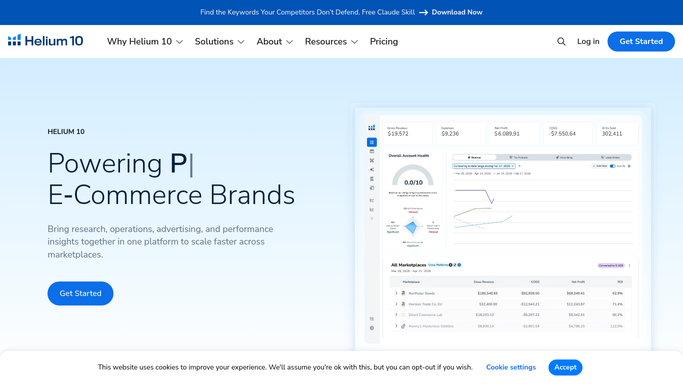
WebRun opens Helium 10 to look up each buyer's top purchased ASINs for personalization. - Open Helium 10 Profits and identify the top 3 ASINs purchased by the lapsed buyer segment over the past 12 months
- Note current pricing and whether any of those ASINs have a current promotion or seasonal relevance
- Use this data to personalize the win-back campaign angle
Done when Top repurchase ASINs and any current promotions are identified for the win-back angle.
-
3
Mailchimp - draft the win-back email campaign for approval
mailchimp.com How to Automate Mailchimp

WebRun opens Mailchimp to draft the win-back email campaign for approval. - Draft a win-back email campaign in Mailchimp for the lapsed buyer segment
- Lead with a 'We miss you' subject line referencing the buyer's most-purchased product category
- Include the top 3 frequently repurchased ASINs with current pricing and a call to action
- Save the campaign as a draft with status Pending Approval. Do not schedule or send it
Done when Win-back email campaign is saved as a draft in Mailchimp, not yet scheduled or sent.
How is each run configured?
Secure by default
Connect once, stays signed in
WebRun signs in once and keeps each session in a persistent environment, so every run picks up right where it left off.
Amazon Seller Central
Sign in once
Every action is checked against this policy before it runs.
Questions, answered
Will it send any emails to customers automatically?
No. The win-back campaign is saved as a Mailchimp draft with Pending Approval status. A human reviews the copy, confirms the segment, and schedules or sends it. Nothing goes to a customer without approval.
Can it send win-back messages through Amazon's buyer-seller messaging?
Amazon restricts buyer-seller messaging to order-related topics, so win-back outreach must go through an off-Amazon list. This template uses Mailchimp for buyers who have opted into your email list outside of Amazon.
What defines a lapsed repeat buyer?
By default, a buyer with two or more orders in the past 12 months whose last order is more than 90 days ago. You can adjust both the order frequency threshold and the lapse window in the WebRun run settings.
Related templates
Amazon Seller Central›Amazon Seller Central›Amazon Seller Central›Put this on autopilot.
Turn it on in minutes - or have our team set it up for you.