Recover failed payments before customers lose monitoring coverage
Every morning, WebRun opens AlarmBiller, finds accounts with a failed or declined payment, logs each one to a Google Sheet with the outstanding amount and attempt count, and drafts an SMS via Twilio for each customer so your billing team can review and send before coverage lapses.
- No credit card
- Under $0.01 per run
- Cancel anytime
What does WebRun do on every run?
The exact actions WebRun takes, in order - in plain language, so you can adjust anything.
-
WebRun signs in and gets to work
Opens
billing.alarmbiller.comin a real browser with your saved login - no setup, no API keys. -
1
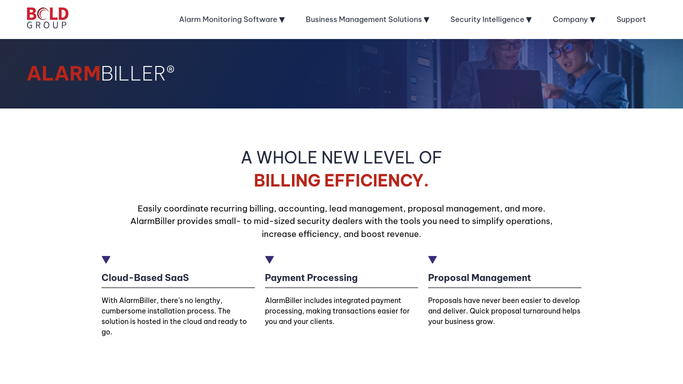
AlarmBiller - find accounts with failed payments
alarmbiller.com How to Automate AlarmBiller

WebRun opens AlarmBiller to find accounts with failed payments. - Open AlarmBiller and filter accounts to those with a failed or declined payment status
- Capture the customer name, phone number, outstanding amount, and number of failed attempts
- Skip any account where a recovery message was sent within the last 3 days
Done when All accounts with a failed payment are listed with their details and attempt history.
-
2
Google Sheets - log recovery cases and attempt count
google.com How to Automate Google Sheets
WebRun opens Google Sheets to log recovery cases and attempt count. - Open the payment recovery tracker sheet and add a row for each new failed payment
- Record the customer name, amount, attempt count, and date of last contact
- Flag any account with 3 or more failed attempts for escalation to a phone call
Done when Every failed payment case is logged in the recovery tracker with its escalation status.
-
3
Twilio - draft SMS recovery messages
twilio.com How to Automate Twilio
WebRun opens Twilio to draft SMS recovery messages. - Draft an SMS for each customer with the payment amount and a link to update their payment method
- For accounts flagged for escalation, draft a call-first note rather than an SMS
- Leave all messages as drafts for your billing team to review. Do not send without human approval
Done when One draft SMS recovery message is queued in Twilio for every eligible failed-payment customer.


How can I automatically recover failed payments for my alarm monitoring customers?
WebRun checks AlarmBiller every morning for accounts with failed or declined payments, logs each case to a Google Sheet with the attempt count, and drafts an SMS recovery message in Twilio for your billing team to review and send. Accounts with repeated failures are flagged for a personal call before monitoring coverage lapses.
- Every failed payment is spotted and logged within hours of the decline, with no manual checking
- Recovery drafts are ready for one-click send, cutting time-to-contact from days to same-morning
- Accounts with repeated failures are escalated before monitoring coverage lapses
Built for alarm company billing teams · security monitoring operators · alarm dealers · RMR revenue managers
How is each run configured?
Secure by default
Connect once, stays signed in
WebRun signs in once and keeps each session in a persistent environment, so every run picks up right where it left off.
Every action is checked against this policy before it runs.
Questions, answered
Will it text customers without my billing team reviewing the messages first?
No. Every SMS is drafted in Twilio and left for your team to approve. No message reaches a customer until a human sends it.
How does it avoid contacting the same customer multiple times in a day?
It checks the last-contact date in the recovery tracker and skips any customer who was messaged within the past 3 days.
What happens to customers with 3 or more failed attempts?
They are flagged in the tracker for escalation to a personal phone call rather than an SMS, so your team knows to reach out directly.
Related templates
Put this on autopilot.
Turn it on in minutes - or have our team set it up for you.