Catch expiring monitoring contracts before customers churn
Every Monday, WebRun opens AlarmBiller, finds monitoring contracts expiring in the next 60 days, logs each one to a Google Sheet with the renewal value and expiry date, and drafts a personalized renewal offer for each customer in Gmail for your account team to review and send.
- No credit card
- Under $0.01 per run
- Cancel anytime
What does WebRun do on every run?
The exact actions WebRun takes, in order - in plain language, so you can adjust anything.
-
WebRun signs in and gets to work
Opens
billing.alarmbiller.comin a real browser with your saved login - no setup, no API keys. -
1
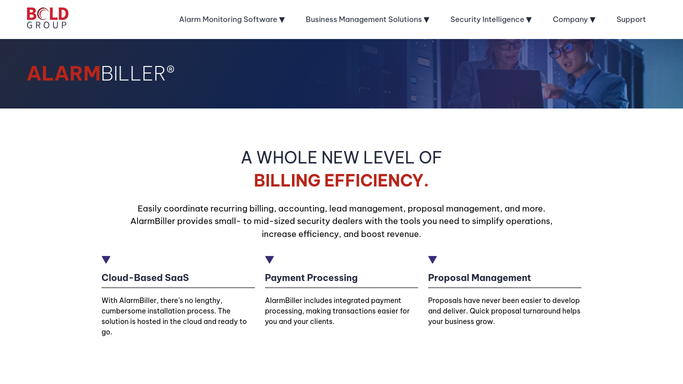
AlarmBiller - find contracts expiring in 60 days
alarmbiller.com How to Automate AlarmBiller

WebRun opens AlarmBiller to find contracts expiring in 60 days. - Open AlarmBiller and navigate to the customer contracts section
- Filter contracts to those expiring within the next 60 days
- For each contract, capture the customer name, service address, expiry date, monthly rate, and contract term
- Skip any customer already in a renewal conversation this month
Done when All contracts expiring within 60 days are captured with their renewal value and customer details.
-
2
Google Sheets - log the renewal pipeline
google.com How to Automate Google Sheets
WebRun opens Google Sheets to log the renewal pipeline. - Open the contract renewal pipeline sheet and add a row for each upcoming expiry
- Record the customer, expiry date, monthly RMR, and days remaining
- Sort by days remaining so the most urgent renewals appear at the top
- Mark any high-value accounts (above your RMR threshold) for priority outreach
Done when The renewal pipeline sheet is updated with all expiring contracts sorted by urgency.
-
3
Gmail - draft personalized renewal offers
gmail.com How to Automate Gmail
WebRun opens Gmail to draft personalized renewal offers. - Draft a personalized renewal email for each customer, referencing their current service and expiry date
- Include your standard renewal offer or incentive for early renewal
- Leave every draft unsent for your account team to review and personalize before sending
- Do not send any renewal email without a human reviewing it first
Done when One personalized renewal draft is in Gmail for every customer with an expiring contract.


How can I automatically track and follow up on expiring alarm monitoring contracts?
WebRun opens AlarmBiller every Monday, finds monitoring contracts expiring in the next 60 days, logs the full renewal pipeline to Google Sheets sorted by urgency, and drafts a personalized renewal email in Gmail for every customer. Your account team reviews each draft before it goes out, so no contract quietly lapses without an outreach attempt.
- Every expiring contract appears in the renewal pipeline weeks before lapse, not the day after
- Account team opens the week with a prioritized renewal queue and drafts ready to personalize
- High-value accounts are flagged for priority outreach so top RMR is protected first
Built for alarm dealers · security monitoring companies · account managers at security firms · RMR retention teams
How is each run configured?
Secure by default
Connect once, stays signed in
WebRun signs in once and keeps each session in a persistent environment, so every run picks up right where it left off.
Every action is checked against this policy before it runs.
Questions, answered
Will it send renewal emails to customers automatically?
No. Every renewal email is drafted in Gmail and left for your account team to review, personalize, and send. Nothing goes to a customer without human approval.
How far in advance does it start flagging contracts?
It flags contracts expiring within the next 60 days by default, giving your team enough time for two rounds of outreach before the expiry date.
What if a contract is already in a renewal negotiation?
You can mark accounts as in-negotiation in the Google Sheet and WebRun will skip them on the next run, so your team is not bombarded with duplicate drafts.
Related templates
Put this on autopilot.
Turn it on in minutes - or have our team set it up for you.