Track licensing and compliance deadlines so your alarm company never lapses
Every Monday, WebRun checks your compliance deadline tracker in Google Sheets for licensing, technician certifications, and permit renewals coming due in the next 90 days, cross-references any open renewal work orders in AlarmBiller, and posts a compliance calendar update to the operations Telegram channel so nothing lapses without a warning.
- No credit card
- Under $0.01 per run
- Cancel anytime
What does WebRun do on every run?
The exact actions WebRun takes, in order - in plain language, so you can adjust anything.
-
WebRun signs in and gets to work
Opens
billing.alarmbiller.comin a real browser with your saved login - no setup, no API keys. -
1
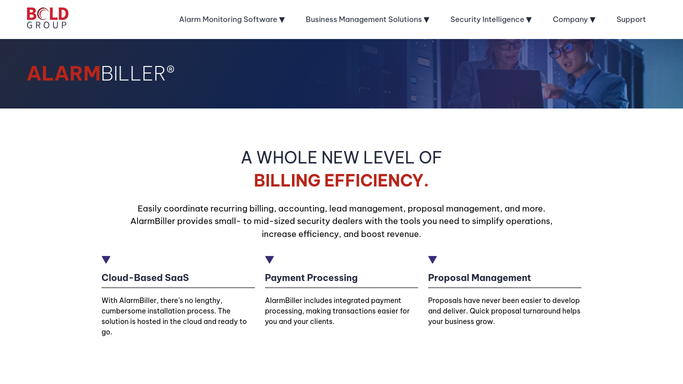
AlarmBiller - check for renewal work orders and permit notes
alarmbiller.com How to Automate AlarmBiller

WebRun opens AlarmBiller to check for renewal work orders and permit notes. - Open AlarmBiller and search work orders and notes for any permit, license, or certification renewal tasks
- Capture the deadline, jurisdiction or authority, responsible team member, and current status for each
- Note any items flagged as overdue or at risk
Done when All compliance-related work orders and notes are reviewed in AlarmBiller.
-
2
Google Sheets - review and update the compliance deadline tracker
google.com How to Automate Google Sheets
WebRun opens Google Sheets to review and update the compliance deadline tracker. - Open the compliance deadline tracker sheet
- Update the status of each item based on the AlarmBiller check
- Flag any deadline within 30 days as urgent (red), 31 to 60 days as approaching (yellow), and beyond 60 days as on-track (green)
- Add any new deadlines discovered in AlarmBiller to the tracker
Done when The compliance tracker is up to date with current statuses and color-coded urgency.
-
3
Telegram - post weekly compliance calendar alert
telegram.org How to Automate Telegram
WebRun opens Telegram to post weekly compliance calendar alert. - Post the weekly compliance calendar to the operations Telegram channel
- List all items due in the next 30 days with their deadline and responsible person
- Flag any items that are overdue or have no owner assigned for immediate attention
Done when The operations team has a compliance calendar alert in Telegram with this week's deadlines.


How can I automatically track alarm company licensing and compliance renewal deadlines?
WebRun checks AlarmBiller every Monday for permit and licensing notes, updates your compliance deadline tracker in Google Sheets with color-coded urgency flags, and posts a compliance calendar to the operations Telegram channel. Your team sees every upcoming renewal in one place, with no manual chasing or spreadsheet hunting.
- Every licensing and permit deadline is visible in one tracker, color-coded by urgency
- Operations team gets a Telegram reminder every Monday before anything lapses
- No compliance deadline slips through because it lived in a work order note nobody checked
Built for alarm company compliance managers · security dealer operations teams · alarm company owners · alarm technician managers
How is each run configured?
Secure by default
Connect once, stays signed in
WebRun signs in once and keeps each session in a persistent environment, so every run picks up right where it left off.
Every action is checked against this policy before it runs.
Questions, answered
Does it file or submit any regulatory documents automatically?
No. WebRun only tracks deadlines and posts reminders. All filings and renewals are completed by your team. Nothing is submitted to any authority without human action.
How do we add new licensing or permit deadlines to the tracker?
You add new rows directly to the Google Sheet, and WebRun picks them up on its next Monday run. You can also log a note in AlarmBiller and WebRun will carry it over.
What if a deadline was already renewed and can be closed out?
Mark the item as completed in the Google Sheet and WebRun will exclude it from future weekly digests while keeping a record for audit purposes.
Related templates
Put this on autopilot.
Turn it on in minutes - or have our team set it up for you.