Kick off every new alarm customer with a smooth onboarding sequence
The moment a new customer account is created in AlarmBiller, WebRun reads the account details, creates an onboarding checklist row in Google Sheets, drafts a welcome email in Gmail for the account manager to personalize and send, and pings the install coordinator in Slack so the installation can be scheduled immediately.
- No credit card
- Under $0.01 per run
- Cancel anytime
What does WebRun do on every run?
The exact actions WebRun takes, in order - in plain language, so you can adjust anything.
-
WebRun signs in and gets to work
Opens
billing.alarmbiller.comin a real browser with your saved login - no setup, no API keys. -
1
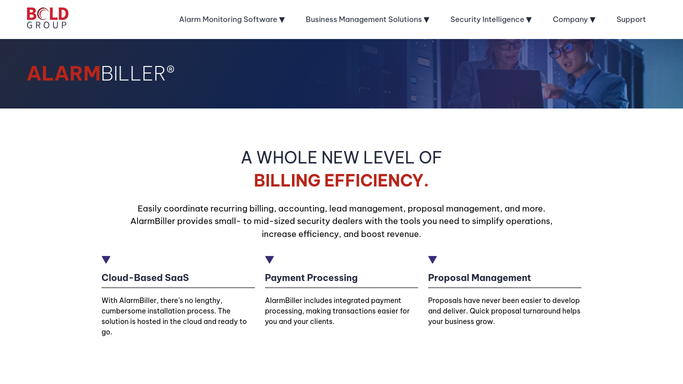
AlarmBiller - read the new customer account details
alarmbiller.com How to Automate AlarmBiller

WebRun opens AlarmBiller to read the new customer account details. - Open AlarmBiller and navigate to the newly created customer account
- Capture the customer name, address, service type, system package, and assigned account manager
- Note any special instructions or notes added during the sales process
Done when All new customer account details are captured from AlarmBiller.
-
2
Google Sheets - create an onboarding checklist row
google.com How to Automate Google Sheets
WebRun opens Google Sheets to create an onboarding checklist row. - Open the customer onboarding tracker sheet and add a new row for this account
- Populate the customer name, address, service type, account manager, and a checklist of standard onboarding steps
- Set all checklist items to incomplete so the team can tick them off as tasks are done
Done when An onboarding checklist row is created in Google Sheets for the new customer.
-
3
Gmail - draft the welcome email
gmail.com How to Automate Gmail
WebRun opens Gmail to draft the welcome email. - Draft a personalized welcome email to the customer introducing their account manager and outlining next steps
- Include the installation scheduling process and a contact number for questions
- Leave the draft unsent for the account manager to review and personalize before sending
Done when A welcome email draft is in Gmail ready for the account manager to review.
-
4
Slack - alert the install coordinator
slack.com How to Automate Slack
WebRun opens Slack to alert the install coordinator. - Post a new-customer alert to the install coordinator channel with the customer name, address, and service type
- Tag the assigned account manager and note that a welcome email draft is waiting in Gmail
- Flag any special installation requirements noted during the sales process
Done when The install coordinator has a Slack alert and can begin scheduling the installation.



How can I automatically kick off onboarding for new alarm monitoring customers?
The moment a new account is created in AlarmBiller, WebRun reads the customer details, adds a full onboarding checklist row to Google Sheets, drafts a personalized welcome email in Gmail for the account manager to review, and pings the install coordinator in Slack. New customers are set up and scheduled faster, with no tasks falling through the cracks on day one.
- Every new customer has a checklist, a welcome draft, and an install alert within minutes of account creation
- No onboarding step is missed: the tracker shows exactly which tasks are open for each new account
- Install coordinators are notified instantly so scheduling starts the same day
Built for alarm company account managers · security dealer operations teams · install coordinators · alarm customer success teams
How is each run configured?
Secure by default
Connect once, stays signed in
WebRun signs in once and keeps each session in a persistent environment, so every run picks up right where it left off.
Every action is checked against this policy before it runs.
Questions, answered
Will it send the welcome email to the new customer automatically?
No. The welcome email is drafted in Gmail and left for the account manager to personalize and send. The customer receives nothing until a human approves and sends it.
Can we customize the onboarding checklist steps?
Yes. The checklist columns in the Google Sheet are fully configurable during setup. You define your standard onboarding steps once and WebRun applies them to every new account.
What if the new customer account is missing some details?
WebRun logs whatever is available and flags incomplete fields in the Google Sheet row so the account manager knows which details to gather before the first customer contact.
Related templates
Put this on autopilot.
Turn it on in minutes - or have our team set it up for you.