How to Automate AlarmBiller
AlarmBiller already automates the billing file: recurring invoices, autopay, proposals that turn into work orders, and a customer portal. Recurring revenue leaks outside it, in the central station's dealer portal, the city's alarm permit site and the payment processor. An agent like WebRun signs into those and compares them with the account list.
 Written by
Owen Hartley
Workflow engineer
Written by
Owen Hartley
Workflow engineer
 Reviewed by
Hannah Vogel
Finance operations
Reviewed by
Hannah Vogel
Finance operations
AlarmBiller is where the monthly revenue gets counted
A security dealer sells an installation once and a monitoring contract forever. The install pays for the truck. The contract is the business, and the number the whole trade is valued on is recurring monthly revenue: what every account together bills, every month, without anybody selling anything again.
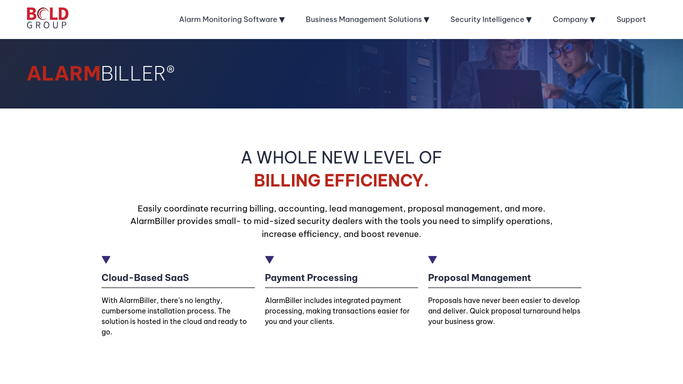
AlarmBiller is the cloud billing and business management system Bold Group sells to small and mid-sized security dealers to run that. Recurring invoices, autopay, proposals, work orders, accounts payable, inventory and a customer portal, priced monthly on the number of active customers a dealer has, which tells you plainly what it thinks it is counting.
The people in it are an office manager, a bookkeeper and whoever schedules the technicians. Their real job is not billing. It is making sure the number at the bottom of the month is the same as last month, plus the new accounts, minus nothing.
The permit, the signal and the licence live in three other places
An alarm account is a contract in one system and a live thing in several others.
The panel talks to a central station, and whether an account is armed, on test, or has been failing to communicate for a fortnight is recorded in the monitoring platform, not in the billing file. A customer who cancels monitoring and a customer who stops paying are two different events in two different systems, and only one stops the invoice.
The municipality holds an alarm permit in the customer's name, with a renewal date and a false alarm count attached, and once that count passes a threshold the fines start and police response can be suspended. Fire work brings inspection and testing reports that a fire district often wants filed through its own reporting site.
Then the company's own credentials: a state alarm licence, technician registrations, insurance. Every one is a website with a date on it, and not one of them is in AlarmBiller.
Recurring billing is the part AlarmBiller genuinely solves
Inside its own boundary AlarmBiller does the thing dealers most need doing, and a dealer still raising invoices by hand should fix that before anything else.
Invoices automates recurring billing and lets customers set up autopay, with work order invoices a technician can collect against in the field. Proposals are created and delivered for an immediate signature, and a signed proposal turns into a work order. Work Orders manage and track the job and notify technicians and customers, and the Calendar shows whether an appointment is dispatched, arrived or completed. Accounts Payable organises vendors, purchase orders, bills and cheques. Inventory tracks the panels, sirens and sensors sitting in the van. A Customer Portal lets a customer manage their own account, and Time and Attendance, eForms, Sales Automation and Sedona-X Mobile sit alongside as further modules.
Read that list back. Everything on it is an invoice, a job or a document that starts inside the company.
Nothing on it goes and looks. It cannot ask the central station whether a panel has stopped reporting, cannot check whether a city renewed a permit, and cannot see that a card on autopay was declined last night.
Recurring revenue leaks one account at a time
Attrition never announces itself. It is one account, then another, and the month is down before anybody can say which ones.
Signing into the systems around the billing file is what changes that. The central station's dealer portal read each morning and set against the billing list, so an account being invoiced but no longer monitored, or monitored and never invoiced, appears as a line rather than a discrepancy found at an audit. Panels that have stopped communicating raised as a service call before the customer finds out, which is the phone call that ends a contract.
Declined cards caught at the processor within a day, while a short message will still fix it. Alarm permits checked on the city's site for renewal dates and false alarm counts, so a customer heading for a fine hears it from their dealer. Fire inspection reports lodged on the district's reporting site, so a passed inspection is actually on record. Company licences, technician registrations and insurance certificates checked before a job gets refused at the door.
Keep customers on the other side of a person. Gathering and comparing can run unattended. A notice about somebody's alarm system should be read before it goes.
The accounts that go quiet can be found early
The difference between a dealer who holds their revenue and one who slowly loses it is not effort. It is whether anyone looked at the other systems this week.
WebRun is an AI agent that works a real Chrome browser, signed in as you. It opens the central station's dealer portal, the city's permit site, the payment processor or a state licensing board, reads what is there, and compares it with the account list AlarmBiller already holds.
It runs on a schedule you set, in your own private environment, and you can watch a run and stop it. Anything a customer would receive is drafted and waits.
The workflows below are built already, and each one names the sites it opens.
Questions people ask
Can it tell us which accounts stopped being monitored?
Yes. It reads the central station's dealer portal and compares it with the account list in AlarmBiller, so accounts billed but not monitored, and monitored but not billed, come back as two short lists.
Will it message our customers about a permit or a fine?
Only as a draft. It gathers the permit status and the false alarm count and prepares the message, then leaves it for a person. A notice about somebody's alarm system is not something to send unread.
Do we need an integration with AlarmBiller or our central station?
No. It works a browser signed in as you, using the logins your office already has. Nothing is connected to your AlarmBiller account, and no integration has to be built by either vendor first.
13 ready-made AlarmBiller workflows
Each one names the apps it touches and the exact steps it takes. Open one to read what it will do, then turn it on.







Want one of these running on your own AlarmBiller?
Show WebRun the process once and it will run it on schedule, in your own private browser environment.