Follow up on false alarms before fines reach your customers
Every morning, WebRun opens AlarmBiller, finds any false alarm events from the previous day, logs each one to a Google Sheet with the site address and dispatch count, and drafts a courtesy notice for each affected customer in Gmail so your team can review and send before a fine escalates.
- No credit card
- Under $0.01 per run
- Cancel anytime
What does WebRun do on every run?
The exact actions WebRun takes, in order - in plain language, so you can adjust anything.
-
WebRun signs in and gets to work
Opens
billing.alarmbiller.comin a real browser with your saved login - no setup, no API keys. -
1
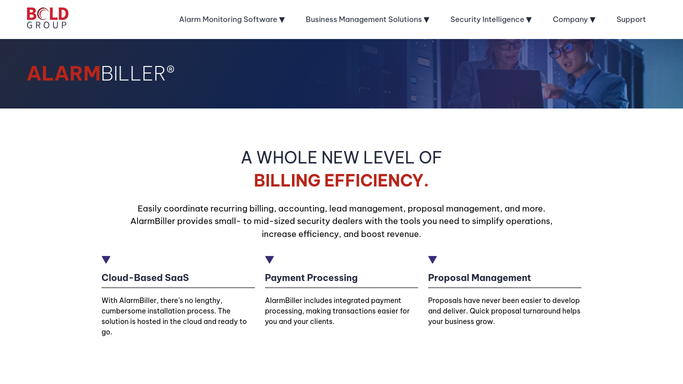
AlarmBiller - find yesterday's false alarm events
alarmbiller.com How to Automate AlarmBiller

WebRun opens AlarmBiller to find yesterday's false alarm events. - Open AlarmBiller and filter alarm event history to the previous day
- Identify events classified as false alarms or unverified dispatches
- Capture the customer name, site address, event time, and dispatch count for each
Done when All false alarm events from yesterday are listed with their customer and site details.
-
2
Google Sheets - log incidents and flag repeat sites
google.com How to Automate Google Sheets
WebRun opens Google Sheets to log incidents and flag repeat sites. - Open the false alarm incident log sheet and add a row for each event
- Record the customer, address, date, and running dispatch count for the site
- Highlight any site that has reached 3 or more false alarms this quarter as a repeat offender
Done when Every false alarm is logged and repeat sites are flagged in the incident sheet.
-
3
Gmail - draft courtesy notices for customers
gmail.com How to Automate Gmail
WebRun opens Gmail to draft courtesy notices for customers. - Draft a brief, polite courtesy notice for each affected customer noting the event date and site
- For repeat offenders, include a note recommending a system check or false alarm reduction plan
- Leave all drafts unsent for your team to review. Do not send without human approval
Done when One draft courtesy notice is ready in Gmail for every customer with a false alarm event.


How can I automatically track and follow up on false alarm events for my alarm company?
WebRun checks AlarmBiller every morning for false alarm events from the previous day, logs each incident to a Google Sheet with a running dispatch count, flags repeat-offender sites, and drafts a courtesy notice in Gmail for every affected customer. All drafts wait for human review before reaching any customer.
- Every false alarm is logged within hours with no manual entry
- Repeat-offender sites are flagged before fines escalate
- Customer notices are drafted and ready for one-click send, cutting response time from days to hours
Built for alarm monitoring companies · security dealers · central station operators · alarm company dispatch teams
How is each run configured?
Secure by default
Connect once, stays signed in
WebRun signs in once and keeps each session in a persistent environment, so every run picks up right where it left off.
Every action is checked against this policy before it runs.
Questions, answered
Will it send notices to customers without my team reviewing them first?
No. WebRun drafts every customer notice in Gmail and leaves it unsent. Your team must review and send each one manually.
How does it identify repeat offenders?
It tracks the running dispatch count per site in the Google Sheet and flags any location that hits your repeat-offender threshold, such as 3 or more false alarms in a quarter.
What if an alarm event was a genuine alarm and not a false alarm?
WebRun only processes events that AlarmBiller has already classified as false alarms or unverified dispatches. Genuine alarm events are not included in the run.
Related templates
Put this on autopilot.
Turn it on in minutes - or have our team set it up for you.