Stay ahead of every annual reassessment deadline
Every weekday morning, WebRun opens ElderSuite, checks each participant's annual comprehensive assessment due date, blocks a tentative reminder on the assigned RN or assessor's Google Calendar 30 days out, and posts a Telegram alert listing anything due within two weeks so no required reassessment slips past its deadline.
- No credit card
- Under $0.01 per run
- Cancel anytime
How do I track annual reassessment deadlines for adult day care participants?
WebRun checks ElderSuite every weekday for each participant's annual comprehensive assessment due date, blocks a tentative calendar hold for the assigned RN or assessor 30 days out, and posts a Telegram alert listing anything due within two weeks, soonest first. Required reassessments get flagged with weeks of lead time instead of surfacing the week they are due.
- Assessors get 30 days of lead time instead of a surprise due date
- Anything within two weeks of due surfaces at the top of the Telegram alert
- Duplicate calendar holds are skipped when an assessment is already scheduled
Built for ADHC directors of nursing · adult day care assessors · clinical compliance coordinators
What does WebRun do on every run?
The exact actions WebRun takes, in order - in plain language, so you can adjust anything.
-
WebRun signs in and gets to work
Opens
app.eldersuite.comin a real browser with your saved login - no setup, no API keys. -
1
ElderSuite - find assessments coming due
eldersuite.com How to Automate ElderSuite
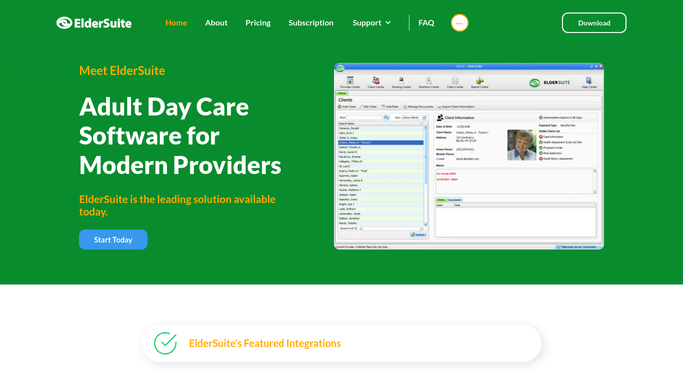
WebRun opens ElderSuite to find assessments coming due. - Open ElderSuite and check each participant's last annual comprehensive assessment date
- Calculate the next due date and flag anything due within 30 days
- Note the assigned RN or assessor for each
Done when Every assessment due within 30 days is listed with its assigned assessor.
-
2
Google Calendar - block time for each assessment
calendar.google.com How to Automate Google Calendar

WebRun opens Google Calendar to block time for each assessment. - Open the assigned assessor's calendar
- Block a tentative hold for the assessment 30 days before its due date
- Skip adding a hold if the assessment is already scheduled
Done when Every upcoming assessment due within 30 days has a tentative hold on its assessor's calendar.
-
3
Telegram - alert the team to due assessments
telegram.org How to Automate Telegram

WebRun opens Telegram to alert the team to due assessments. - Post a list to the clinical channel of every assessment due within the next two weeks
- Sort with the soonest due date first
- Flag anything already past due at the top
Done when The clinical team has a two-week look-ahead of due assessments in Telegram, with anything overdue flagged first.
How is each run configured?
Secure by default
Connect once, stays signed in
WebRun signs in once and keeps each session in a persistent environment, so every run picks up right where it left off.
Every action is checked against this policy before it runs.
Questions, answered
Does it contact the participant or family to schedule the assessment?
No. It only blocks a tentative hold on the assessor's own calendar and posts an internal Telegram alert. Reaching out to schedule with the participant or family is a step your staff takes.
How early does it flag an upcoming assessment?
It flags anything due within 30 days with a calendar hold, then escalates to a Telegram alert once a due date falls within two weeks, so there is time to prepare and time to react.
What if an assessment is already scheduled?
It checks the assessor's calendar first and will not add a duplicate hold if an appointment already exists for that participant's assessment.
Related templates
Put this on autopilot.
Turn it on in minutes - or have our team set it up for you.