Keep every care plan review on schedule
Every weekday morning, WebRun opens ElderSuite, checks which participants' care plans are due for periodic review, blocks a tentative internal reminder on the assigned nurse or case manager's Google Calendar, and posts the day's due reviews to Slack so the interdisciplinary team can prepare before the deadline.
- No credit card
- Under $0.01 per run
- Cancel anytime
What does WebRun do on every run?
The exact actions WebRun takes, in order - in plain language, so you can adjust anything.
-
WebRun signs in and gets to work
Opens
app.eldersuite.comin a real browser with your saved login - no setup, no API keys. -
1
ElderSuite - find care plans due for review
eldersuite.com How to Automate ElderSuite

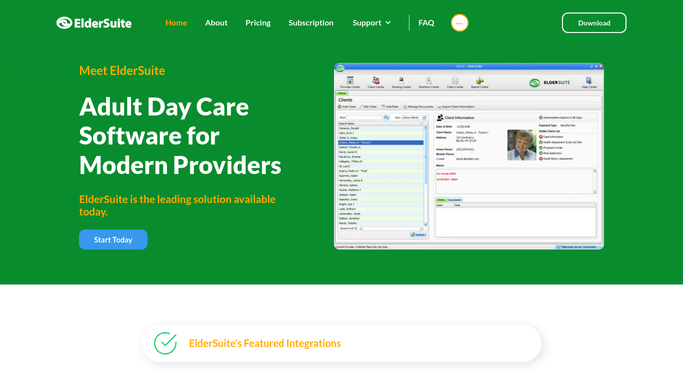
WebRun opens ElderSuite to find care plans due for review. - Open ElderSuite and check each participant's care plan review date against today
- List every care plan due for review within the next 7 days
- Note the assigned case manager or primary nurse for each
Done when Every care plan due within 7 days is listed with its assigned reviewer.
-
2
Google Calendar - block a reminder for each review
calendar.google.com How to Automate Google Calendar
WebRun opens Google Calendar to block a reminder for each review. - Open the assigned reviewer's calendar
- Add a tentative internal hold titled with the participant's initials and review type on the due date
- Skip any participant who already has a review hold on the calendar
Done when Every upcoming care plan review has a tentative hold on its reviewer's calendar.
-
3
Slack - post today's due reviews to the team
slack.com How to Automate Slack
WebRun opens Slack to post today's due reviews to the team. - Post today's list of due and upcoming care plan reviews to the clinical team channel
- Group the list by assigned reviewer
- Flag any review that is already overdue
Done when The clinical team has today's care plan review list in Slack with any overdue reviews flagged.


How do I make sure care plan reviews happen on time?
WebRun checks ElderSuite every weekday morning for care plans due their periodic review, then blocks a tentative hold on the assigned nurse or case manager's Google Calendar and posts the day's due and overdue reviews to Slack. The clinical team gets a standing, grouped checklist so no required care plan review deadline is ever missed.
- No care plan review deadline is missed because it is flagged 7 days out
- Reviewers see a standing calendar hold instead of hunting for due dates
- Overdue reviews surface at the top of the daily Slack list
Built for ADHC nursing supervisors · adult day care case managers · program directors · clinical compliance staff
How is each run configured?
Secure by default
Connect once, stays signed in
WebRun signs in once and keeps each session in a persistent environment, so every run picks up right where it left off.
Every action is checked against this policy before it runs.
Questions, answered
Will it invite the participant's family to the review?
No. WebRun only blocks a tentative internal hold on the reviewer's calendar and posts a reminder to your Slack team. Reaching out to schedule with a participant or family stays a step your staff takes.
How far ahead does it flag a review?
It looks 7 days ahead so reviewers have time to prepare, and it flags anything already overdue at the top of the Slack list so nothing gets missed.
What if a review is already scheduled?
It checks the reviewer's calendar first and skips adding a duplicate hold if a review appointment already exists for that participant.
Related templates
Put this on autopilot.
Turn it on in minutes - or have our team set it up for you.