Turn your Yoco sales into a VAT ready export
On the last day of every month, WebRun pulls the full month of Yoco transactions, sorts them into a VAT ready invoice export with the VAT portion broken out per sale, matches the totals against Xero, and emails the export to your accountant to review ahead of your VAT return.
- No credit card
- Under $0.01 per run
- Cancel anytime
How do I prepare a VAT ready export from my Yoco sales each month?
WebRun prepares a VAT ready export of your Yoco sales every month. It pulls the month's transactions, breaks out the VAT portion per sale, matches the totals against Xero, and emails the export to your accountant to review, so VAT prep starts from a clean, sorted export instead of a manual transaction pull.
- The export is sorted by VAT rate before your accountant even opens it
- Unclear VAT rates are flagged, not silently guessed
- Totals are already matched to Xero, cutting the manual pull each month
Built for VAT registered small businesses · bookkeepers · accounting firms · retail and restaurant owners
What does WebRun do on every run?
The exact actions WebRun takes, in order - in plain language, so you can adjust anything.
-
WebRun signs in and gets to work
Opens
app.yoco.comin a real browser with your saved login - no setup, no API keys. -
1
Yoco - pull the month's transactions
yoco.com How to Automate Yoco
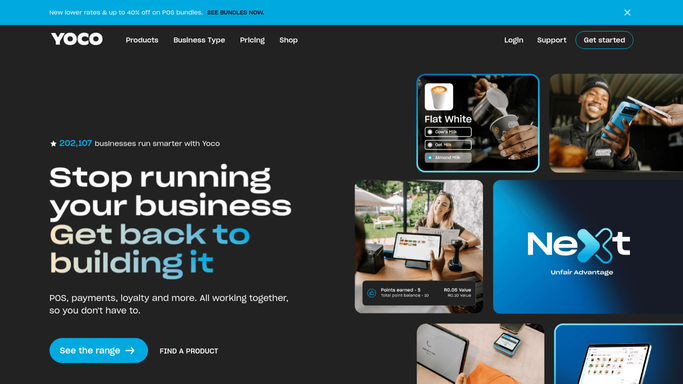
WebRun opens Yoco to pull the month's transactions. - Open Yoco and pull every transaction for the month
- Note the gross amount, VAT portion, and VAT rate applied to each
- Separate any refunds so they net off correctly
Done when Every transaction for the month is pulled with its VAT breakdown.
-
2
Xero - match totals and sort by VAT rate
xero.com How to Automate Xero

WebRun opens Xero to match totals and sort by VAT rate. - Match the month's Yoco total against the sales already recorded in Xero
- Sort transactions by VAT rate into the export format your accountant uses
- Flag any transaction that does not have a clear VAT rate
Done when The month's transactions are matched to Xero and sorted by VAT rate.
-
3
Gmail - email the export to your accountant
gmail.com How to Automate Gmail

WebRun opens Gmail to email the export to your accountant. - Email the VAT ready export to your accountant as an attachment
- Note any transaction flagged for a missing or unclear VAT rate
- Leave the return itself for your accountant to prepare and file
Done when Your accountant has the month's VAT ready export in their inbox, ready to review.
How is each run configured?
Secure by default
Connect once, stays signed in
WebRun signs in once and keeps each session in a persistent environment, so every run picks up right where it left off.
Every action is checked against this policy before it runs.
Questions, answered
Does WebRun file the VAT return with SARS?
No. WebRun only prepares and emails the export for your accountant to review. It never submits anything to SARS, filing the actual return stays with your accountant.
What if a transaction has an unclear VAT rate?
It is flagged in the export instead of guessed at. Your accountant sees exactly which transactions need a manual check before the return is filed.
How does it handle refunds in the export?
Refunds are pulled with their own VAT portion and netted off against the matching sale, so the export reflects what was actually kept, not the gross sale alone.
Related templates
Put this on autopilot.
Turn it on in minutes - or have our team set it up for you.