How to Automate Yoco
Yoco automates the counter itself: Point of Sale with stock and staff, click-to-pay invoices, Payment Link, the Loyalty Programme, and a free Business Portal holding sales and payout history. Checking payouts against the bank, pricing a reorder at the wholesaler and adding delivery app takings needs an agent like WebRun.
 Written by
Priya Raghavan
Solutions lead
Written by
Priya Raghavan
Solutions lead
 Reviewed by
Owen Hartley
Workflow engineer
Reviewed by
Owen Hartley
Workflow engineer
Yoco started as a card machine and ended up as the counter
Yoco is a South African payments company whose card machines sit on counters in coffee shops, salons, market stalls and consulting rooms. Most owners meet it as a card reader: a Khumo 2, a Neo Touch or a Yoco Counter arrives, it takes a tap, and the money shows up.
What happens after that is the part worth knowing. The reader comes with the Yoco App and a free Business Portal, and once a business has both, the card machine becomes the till. Point of Sale runs the product catalogue and the stock behind it. Payment Link and click-to-pay invoices collect from customers who are nowhere near the counter. The Loyalty Programme remembers the regulars, Yoco Capital advances money against future card sales, and Yoco Savings puts a slice aside before it reaches the bank.
For a business with one location and four staff, that is the whole system. There is no second one.
Payouts, suppliers and the bank each get opened by hand
Selling is the part Yoco made quick. Everything downstream of the sale is still a person with a laptop.
A card payment does not reach the bank as a card payment. It arrives as a payout, on its own cycle, net of a rate. So somebody opens the Business Portal, finds what the machines took, opens the bank, and works out whether the two agree. Usually they do. The morning that matters is the morning they do not.
Somebody chases the payment links that were sent and never settled, and the invoices that went out three weeks ago. Somebody opens the wholesaler's site to price the reorder, line by line, hunting for the one item that moved. Somebody adds in the delivery app orders, which never touched a Yoco terminal. Somebody reads last night's reviews and works out how much of the Capital advance is left.
Every one of those is twenty minutes, and they all land in the same hour of the same morning.
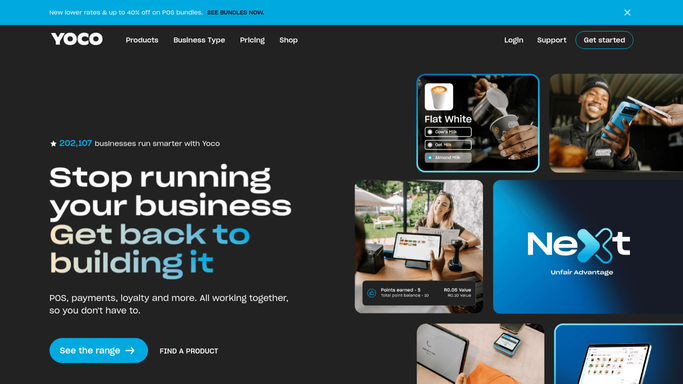
Everything Yoco automates starts at one of its own terminals
Before reaching for anything else, it is worth knowing how much of the shop Yoco already runs.
Point of Sale tracks sales and stock as they happen, and the product catalogue, staff and permissions sync across devices in real time. Its reporting exports clean sales data straight into accounting software, which removes most of month-end retyping. The Business Portal keeps the sales history and every payout in one place, with product, staff and sales reports on the Hub tab, and an instant payout moves money across the same day rather than on the standard cycle. Invoices go out click-to-pay, so the reminder and the payment are one link, and the Loyalty Programme runs off the transaction itself with no card to lose.
That is a real back office for a business this size, and all of it is assembled from transactions that passed through Yoco. What a supplier charges this week, what the bank credited on Friday once the rate came off, and what a customer wrote on a map listing live on screens the shop reaches only by signing in somewhere else.
A short settlement is worth catching on the day it happens
Reading the bank at six in the morning is a job that suits a machine better than a person.
Start with the money. Card sales out of the Business Portal set against the payout that actually reached the bank, fee included, so a short cycle is a question on Tuesday rather than a suspicion in November. The Capital balance read the same way: the advance is repaid as a share of card takings, so it moves with trading, and where it stands is two screens rather than a guess.
Then the trading side. The cash and carry's price this week, checked against the last invoice you settled, so an increase is noticed before it is paid. Delivery app takings pulled from each platform's own back end and added to the terminal figure, so the day closes on one number. Payment links sent and never opened, listed oldest first. Reviews from the map listing gathered on a Monday, since a bad week shows up there before it shows in the takings.
Nobody bought a card machine to spend mornings in a bank portal
None of that reading needs an owner. It needs a login the shop already has and forty minutes nobody has spare.
WebRun is an AI agent that drives a real Chrome browser, signed in as you. It opens the Yoco Business Portal, reads yesterday's sales, payouts and stock, then opens the bank, a wholesaler account, a delivery platform back end or the map listing, and hands back one short list: what did not match, what is short, what changed.
It runs on your schedule inside your own private environment, and any run can be watched and stopped. Reading and comparing happen unattended. Anything that spends money, edits a price in Yoco, answers a review in public or messages a customer is drafted and waits for a person to release it.
The workflows below are already built, and each one names what it opens.
Questions people ask
Will it draw down or repay my Yoco Capital advance?
No. It reads the balance and the repayments the App already shows and sets them against the card takings for the same period, so you know where the advance stands. Taking a new offer or paying one down early is money moving, and money moves only when you move it.
Our card machines are terminals, not browsers. Does this reach them?
It does not touch the terminals at all, and it does not need to. Everything a card machine records shows up in the Business Portal, which is a web login, and that is what the agent opens. Staff keep serving and nobody at the counter notices a run happening.
Is our Yoco login stored somewhere other businesses could reach?
No. Each workflow runs in your own private environment with its own browser session, sessions are not shared between workflows, and nothing about your sales is pooled with another merchant. You can watch a run live and stop it, and you can lock a workflow to a named list of sites.
12 ready-made Yoco workflows
Each one names the apps it touches and the exact steps it takes. Open one to read what it will do, then turn it on.



Want one of these running on your own Yoco?
Show WebRun the process once and it will run it on schedule, in your own private browser environment.