Kick off new yard customer onboarding without the manual follow-up
When a new customer account is created in YardView, WebRun drafts a welcome email with yard access instructions and next steps in Gmail, creates a Google Calendar kickoff call invite for your onboarding team, and posts a Slack notification to the customer-success channel so nothing is missed in the first 24 hours.
- No credit card
- Under $0.01 per run
- Cancel anytime
How do I automatically kick off customer onboarding when a new account is created in my yard management system?
When a new customer account is created in YardView, WebRun immediately drafts a welcome email in Gmail, creates a kickoff call hold on your onboarding team's Google Calendar, and posts a Slack alert to the customer-success channel. Your onboarding team reviews the draft and confirms the kickoff time before anything reaches the customer.
- New customer accounts trigger a welcome draft, calendar hold, and Slack alert within minutes
- Onboarding team never misses a new account because a manual check of YardView is no longer needed
- Welcome email is personalized and ready to send without the team writing it from scratch
Built for customer success teams · yard operations managers · 3PL account managers · logistics onboarding teams
What does WebRun do on every run?
The exact actions WebRun takes, in order - in plain language, so you can adjust anything.
-
WebRun signs in and gets to work
Opens
www.yardview.comin a real browser with your saved login - no setup, no API keys. -
1
YardView - detect new customer account creation
yardview.com How to Automate YardView
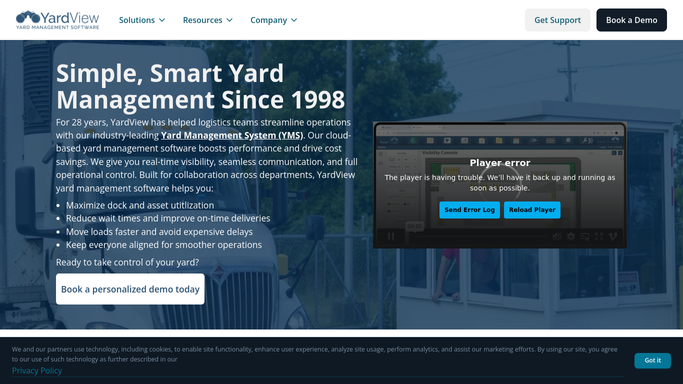
WebRun opens YardView to detect new customer account creation. - Detect when a new customer or shipper account is created in YardView
- Capture the account name, primary contact name, email address, and facility address
- Note the account type and any initial carrier or dock configurations set at account creation
Done when New customer account details are captured and ready to use in onboarding communications.
-
2
Gmail - draft welcome email with setup instructions
gmail.com How to Automate Gmail

WebRun opens Gmail to draft welcome email with setup instructions. - Draft a welcome email to the primary contact with their YardView account details and initial setup steps
- Include links to the YardView training resources and your support contact information
- Leave the draft unsent in Gmail Drafts for your onboarding team to personalize and review before sending
Done when A personalized welcome email draft is ready in Gmail for the onboarding team to review.
-
3
Google Calendar - create kickoff call invite
calendar.google.com How to Automate Google Calendar

WebRun opens Google Calendar to create kickoff call invite. - Create a 30-minute kickoff call event on your onboarding team's calendar for within the next three business days
- Set the event title to the new customer name and include their contact email in the invite description
- Leave the invite as a draft on the calendar rather than sending it until the onboarding team confirms the time
Done when A kickoff call event is on the onboarding team's calendar with the customer's contact details.
-
4
Slack - alert customer-success team
slack.com How to Automate Slack

WebRun opens Slack to alert customer-success team. - Post a notification to the customer-success Slack channel with the new account name, contact, and facility
- Include a direct link to the new YardView account and the Gmail draft for quick access
- Tag the assigned onboarding manager if one is recorded in YardView
Done when The customer-success team has a Slack notification with new account details and links to the draft and kickoff event.
How is each run configured?
Secure by default
Connect once, stays signed in
WebRun signs in once and keeps each session in a persistent environment, so every run picks up right where it left off.
Every action is checked against this policy before it runs.
Questions, answered
Does it send the welcome email to the new customer automatically?
No. The welcome email is drafted in Gmail and held in Drafts for your onboarding team to review, personalize, and send. No email reaches the customer without human approval.
What if no onboarding manager is assigned in YardView?
The Slack notification still posts to the customer-success channel without a tag. Your team can assign an owner directly from Slack after seeing the alert.
Can it handle onboarding for multiple facility locations?
Yes. Each new YardView account triggers its own onboarding sequence regardless of how many facilities are linked to the account. If a customer adds a second facility later, that addition triggers a new kickoff sequence.
Related templates
Put this on autopilot.
Turn it on in minutes - or have our team set it up for you.