How to Automate YardView
YardView automates the yard between the gate and the dock: appointment scheduling, digital gate check-in, a live yard map and a detention module that alerts as dwell accrues. The carrier's tracking page, the freight invoice and the certificate file sit outside it, which is where an agent like WebRun works.
 Written by
Clara Bennett
Revenue operations
Written by
Clara Bennett
Revenue operations
 Reviewed by
Devon Ruiz
Workflow engineer
Reviewed by
Devon Ruiz
Workflow engineer
A trailer in the yard belongs to nobody until it moves
Between the gate guard and the dock door there is a stretch of tarmac most software has no opinion about. YardView has run yard management systems for that ground since 1998, at distribution centres, carriers and manufacturers where hundreds of trailers sit at once.
Its job is to know where every trailer is and what is in it. A trailer arrives, checks in at the gate, takes a spot, waits, gets pulled to a door by a spotter, is unloaded, and leaves. Without a system that sequence lives on a clipboard, a whiteboard and a yard jockey's memory, which is how a driver spends forty minutes hunting for a box parked two rows away.
The people in it are not the people in the TMS: the gate guard, the yard coordinator with the map on a screen, the dock supervisor working out which door frees up next, and the manager who has to explain a detention invoice at the end of the month.
The gate log gets retyped into three other systems
The yard tells you what happened. Proving it, and acting on it, is where the hours go.
A carrier bills four hours of detention, and somebody digs into the yard records for the gate-in and the gate-out, then into email for what was agreed, then writes the dispute. Somebody opens each carrier's own tracking page to work out whether tomorrow's inbound will make its appointment, because the appointment was booked against a promise rather than an ETA. Somebody chases a carrier for an insurance certificate that expired, working from a list of expiry dates that is itself out of date.
Then there is the invoice pile. Lines for layover, lumper fees and driver assist, each of which either matches a yard record or does not, and checking one takes long enough that most of them simply get paid.
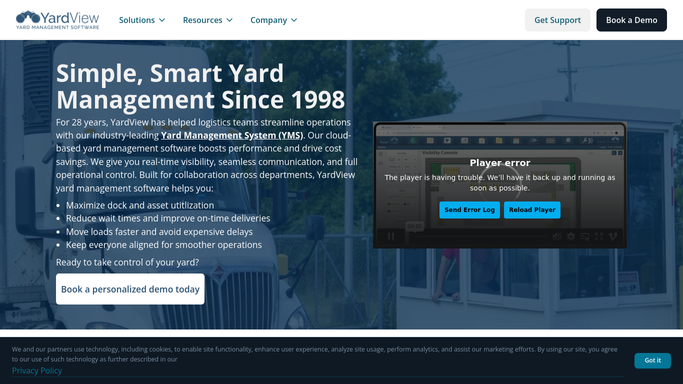
YardView knows the yard, and the yard stops at the fence
YardView is thorough about the ground it covers, and a site still on paper should fix that first.
Dock appointment scheduling lets carriers book and edit their own slots and receive an automatic email confirmation, so the schedule is not one person with a phone. Gate check-in is digital, with QR code entry to move drivers through without a clipboard. A drag-and-drop yard map holds a live picture of every trailer, container, spot and door, turning a search into a glance rather than a walk. The detention and demurrage module tracks dwell against your free time as it accrues and alerts before the charge lands, with timestamps on every gate and dock event.
That last one illustrates the ceiling. YardView holds the best evidence anybody has about what happened in the yard, precisely because it recorded it as it happened. The argument, though, takes place somewhere else.
The carrier's invoice arrives in your accounting system. The carrier's version of the timeline is on the carrier's portal. Whether the inbound will turn up at all is on a tracking page belonging to whoever is hauling it. A driver's licence and endorsement status sits with the carrier that employs them. Each decides something, and none of it is inside the fence.
Detention arguments that arrive with the timestamps attached
A yard manager arguing a detention line has one set of timestamps and the carrier has another. Both can sit on the same page before anyone opens the invoice.
Every detention and layover line on an incoming carrier invoice set against the gate-in and gate-out timestamps for that trailer, so the disputes worth raising arrive as a short list with the evidence attached. Tomorrow's appointment book checked overnight against each carrier's live tracking page, so the three loads that will not make their slots are known before the dock plan is built rather than at ten past the hour.
Carrier insurance certificates read from the sites that hold them, with real expiry dates attached. Maintenance due dates for trailers, spotters and dock levellers gathered into one list for the week. Yard performance by carrier, built out of your own arrival and departure timestamps, so the quarterly review is a table instead of an argument.
Keep the boundary at the point something leaves the building. Reading, matching and drafting can run unattended overnight. Disputing an invoice, telling a carrier they are off the schedule, or turning a driver away at the gate stays with a person.
Timestamps only help if somebody goes and compares them
The yard already recorded the evidence. What it cannot do is go to the carrier's portal, find their version, and set the two side by side.
WebRun is an AI agent that works a real Chrome browser, signed in as you. It opens YardView, the carrier's tracking page, the invoice in your accounting system or the site holding a certificate, reads what is on the screen, and produces the comparison your team would have assembled by hand.
It runs on your schedule inside your own private environment, and a run can be watched and stopped part way. Anything that disputes a charge or messages a carrier is drafted and left for approval.
The workflows below are already built, and each one names the systems it opens.
Questions people ask
The detention module already alerts us. Why add anything?
Because the alert and the invoice are different problems. YardView warns you while dwell is accruing. This handles the bill that turns up three weeks later, matching each charged hour to the gate timestamps so a wrong line gets challenged rather than paid.
Our carriers all use different tracking sites. Is that a problem?
No, it is the reason this works. It reads each carrier's site the way your coordinator would, so a dozen different tracking screens turn into one list of which inbounds are going to miss tomorrow's appointments.
Can it move appointments or check a driver in on its own?
Not unless you decide it should. The default is that it reads, compares and drafts. Anything that changes a booking, contacts a carrier or affects a driver at the gate is prepared and left for someone in the yard office to approve.
12 ready-made YardView workflows
Each one names the apps it touches and the exact steps it takes. Open one to read what it will do, then turn it on.




Want one of these running on your own YardView?
Show WebRun the process once and it will run it on schedule, in your own private browser environment.