Track detention and demurrage charges before they escalate
Throughout the day, WebRun monitors dwell times in YardView for every trailer in the yard, flags any unit approaching its free-time window, posts an alert to Slack so your team can act, and appends the event to a Google Sheet detention log so you have a full charge history.
- No credit card
- Under $0.01 per run
- Cancel anytime
What does WebRun do on every run?
The exact actions WebRun takes, in order - in plain language, so you can adjust anything.
-
WebRun signs in and gets to work
Opens
www.yardview.comin a real browser with your saved login - no setup, no API keys. -
1
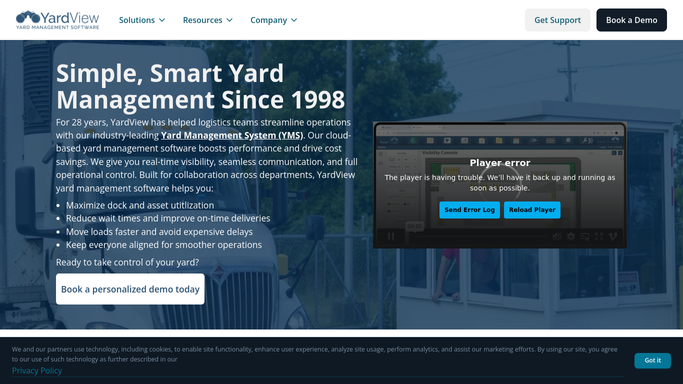
YardView - read trailer dwell times
yardview.com How to Automate YardView

WebRun opens YardView to read trailer dwell times. - Open YardView and pull the current dwell time for every trailer in the yard
- Compare each dwell time against the carrier free-time allowance on record
- Flag any trailer within two hours of its detention threshold
Done when All trailers at or near their free-time limit are identified with dwell time and carrier details.
-
2
Slack - alert team to at-risk trailers
slack.com How to Automate Slack
WebRun opens Slack to alert team to at-risk trailers. - Post an alert to the yard operations channel listing each at-risk trailer
- Include the carrier, load number, current dwell time, and time remaining before detention
- Pin a summary of the top three most urgent trailers at the top of the message
Done when The yard operations team has a Slack alert with all at-risk trailers and time remaining.
-
3
Google Sheets - log detention events and charge history
google.com How to Automate Google Sheets
WebRun opens Google Sheets to log detention events and charge history. - Append a row to the detention log for each flagged trailer
- Record the carrier, trailer number, load ID, arrival time, and dwell duration
- Update the row when the trailer eventually departs so the full dwell is captured
Done when The detention log sheet has a complete event record for every flagged trailer.


How can I track trailer detention and demurrage risk before charges accrue?
WebRun checks dwell times in YardView every 30 minutes, flags any trailer within two hours of its detention free-time limit, and posts an alert to Slack so your yard team can act before fees accrue. Every event is appended to a Google Sheet detention log for dispute reference.
- At-risk trailers are flagged two hours before detention starts, not after
- Your team gets a Slack alert before each business hour window closes
- A Google Sheet log gives you timestamped evidence for every detention dispute
Built for yard managers · logistics coordinators · warehouse operations · 3PL operators
How is each run configured?
Secure by default
Connect once, stays signed in
WebRun signs in once and keeps each session in a persistent environment, so every run picks up right where it left off.
Every action is checked against this policy before it runs.
Questions, answered
How far in advance does it warn about detention?
It flags trailers within two hours of their free-time limit so your team has a real window to act, move the trailer, or contact the carrier before fees start.
Does it automatically notify the carrier?
No. Carrier communications are not sent automatically. WebRun posts the alert internally to Slack so your team can decide how to respond and contact the carrier directly.
Can I use the sheet to dispute detention invoices later?
Yes. The Google Sheet logs arrival times, dwell durations, and departure times for every flagged trailer, giving you a timestamped record you can reference when reviewing or disputing a detention invoice.
Related templates
Put this on autopilot.
Turn it on in minutes - or have our team set it up for you.