Get real-time delay exception alerts for at-risk yard loads
Every few minutes, WebRun checks active loads in YardView for any unit that has exceeded its scheduled dock time or gate check-in window, sends an immediate Telegram alert to your operations channel with the load and carrier details, and appends the exception to a Google Sheet delay log for trend analysis.
- No credit card
- Under $0.01 per run
- Cancel anytime
What does WebRun do on every run?
The exact actions WebRun takes, in order - in plain language, so you can adjust anything.
-
WebRun signs in and gets to work
Opens
www.yardview.comin a real browser with your saved login - no setup, no API keys. -
1
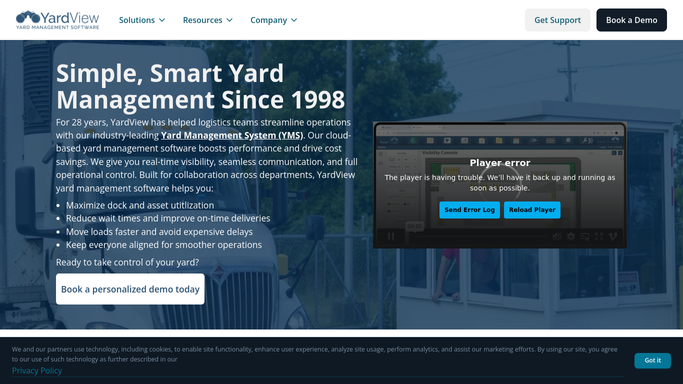
YardView - detect loads exceeding scheduled windows
yardview.com How to Automate YardView

WebRun opens YardView to detect loads exceeding scheduled windows. - Open YardView and check the current status of all active inbound and outbound loads
- Compare the actual check-in or dock time against the scheduled window for each load
- Flag any load that is currently more than 30 minutes past its scheduled window
Done when All loads currently exceeding their scheduled dock or gate window by 30 or more minutes are identified.
-
2
Telegram - send real-time delay exception alert
telegram.org How to Automate Telegram
WebRun opens Telegram to send real-time delay exception alert. - Send a Telegram alert to your operations channel for each new delay exception
- Include the load number, carrier, dock door or gate, scheduled time, and current delay in minutes
- Only alert for exceptions not already sent in a prior run to avoid duplicate notifications
Done when Your operations team has a Telegram alert for every new load delay exception.
-
3
Google Sheets - log exception for trend analysis
google.com How to Automate Google Sheets
WebRun opens Google Sheets to log exception for trend analysis. - Append a row to the delay exception log for each newly flagged load
- Record the load number, carrier, door assignment, scheduled time, actual time, and delay in minutes
- Update the row when the load eventually departs or docks so the resolution time is captured
Done when The delay exception log has a complete entry for every flagged load, including resolution time when available.


How do I get real-time alerts when a load is delayed in my yard management system?
WebRun checks active loads in YardView every 10 minutes, flags any unit more than 30 minutes past its scheduled dock or gate window, and sends a real-time Telegram alert to your operations channel with load and carrier details. Every exception is also logged in Google Sheets for delay trend analysis.
- Delay exceptions are caught and alerted within 10 to 20 minutes of the threshold crossing
- Operations team can intervene before a delayed load cascades into downstream disruption
- Google Sheet log surfaces delay trends by carrier and door for weekly review
Built for yard operations teams · dock supervisors · logistics coordinators · 3PL operations managers
How is each run configured?
Secure by default
Connect once, stays signed in
WebRun signs in once and keeps each session in a persistent environment, so every run picks up right where it left off.
Every action is checked against this policy before it runs.
Questions, answered
How quickly does it alert the team after a delay starts?
It checks every 10 minutes, so an exception is typically caught and alerted within 10 to 20 minutes of the delay threshold being crossed.
Will it contact the carrier or driver when a delay is detected?
No. Alerts go only to your internal Telegram operations channel. Any outreach to the carrier or driver is handled by your team after they see the alert.
Can I adjust the delay threshold above 30 minutes?
Yes. You can set the delay threshold to any value in your WebRun setup. Some yards prefer a 60-minute threshold to reduce alert volume during peak periods.
Related templates
Put this on autopilot.
Turn it on in minutes - or have our team set it up for you.