Catch driver document expirations before they reach your gate
Every Monday, WebRun reviews driver records in YardView for CDLs, hazmat endorsements, and medical certificates expiring within 45 days, alerts your gate team in Slack with the at-risk driver list, and drafts a renewal reminder email to the responsible carrier in Gmail for your compliance team to approve.
- No credit card
- Under $0.01 per run
- Cancel anytime
What does WebRun do on every run?
The exact actions WebRun takes, in order - in plain language, so you can adjust anything.
-
WebRun signs in and gets to work
Opens
www.yardview.comin a real browser with your saved login - no setup, no API keys. -
1
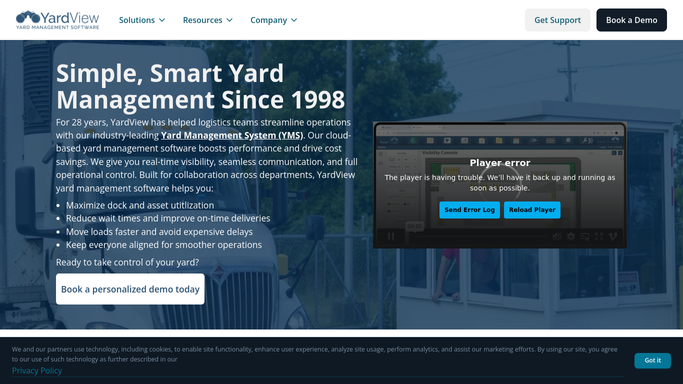
YardView - scan driver records for expiring documents
yardview.com How to Automate YardView

WebRun opens YardView to scan driver records for expiring documents. - Open YardView and navigate to the driver records section
- Filter for drivers with CDLs, hazmat endorsements, or medical certificates expiring within 45 days
- Capture the driver name, document type, expiry date, and the carrier they are assigned to
Done when All drivers with documents expiring within 45 days are listed with document type and carrier details.
-
2
Slack - alert gate team to at-risk drivers
slack.com How to Automate Slack
WebRun opens Slack to alert gate team to at-risk drivers. - Post an alert to the gate operations Slack channel listing each at-risk driver
- Group the list by urgency: expiring within 7 days, 8 to 21 days, and 22 to 45 days
- Flag any driver scheduled to arrive this week at the top of the alert
Done when Gate team has a Slack alert with all at-risk drivers grouped by urgency.
-
3
Gmail - draft renewal reminder to carrier
gmail.com How to Automate Gmail
WebRun opens Gmail to draft renewal reminder to carrier. - Draft a renewal reminder email to each carrier listing their affected drivers and document types
- Include the driver name, document type, and expiry date in the email body
- Leave the draft unsent in Gmail Drafts for your compliance team to review before sending
Done when A renewal reminder draft is in Gmail for every carrier with an affected driver.


How do I automatically track driver CDL and document expiry dates in my yard management system?
Every Monday, WebRun scans driver records in YardView for CDLs, hazmat endorsements, and medical certificates expiring within 45 days. It alerts your gate team in Slack grouped by urgency, then drafts a renewal reminder to each responsible carrier in Gmail for your compliance team to review before sending.
- Expiring driver documents are flagged 45 days out, not on arrival day
- Gate team sees a weekly Slack list grouped by urgency before shift start
- Carrier renewal reminders are drafted and ready without manual writing
Built for gate supervisors · yard compliance teams · logistics coordinators · 3PL gate operations
How is each run configured?
Secure by default
Connect once, stays signed in
WebRun signs in once and keeps each session in a persistent environment, so every run picks up right where it left off.
Every action is checked against this policy before it runs.
Questions, answered
Will it contact drivers or carriers automatically?
No. Carrier renewal reminders are drafted in Gmail and held in Drafts for your compliance team to review and send. Drivers are never contacted directly by WebRun.
Which documents does it check?
It checks CDLs, hazmat endorsements, and medical certificates as recorded in YardView. You can add other document types to the watch list in your WebRun setup.
What if a driver is not scheduled to visit our yard soon?
The Slack alert groups drivers by urgency but does not filter by upcoming visit. Your gate team can choose to prioritize drivers scheduled for near-term arrivals when reviewing the list.
Related templates
Put this on autopilot.
Turn it on in minutes - or have our team set it up for you.