Get a morning load-status digest from your yard
Every morning, WebRun opens YardView, reads the current status of every active inbound and outbound load, and posts a concise structured digest to your Slack operations channel so the whole team starts the day with a clear picture of the yard.
- No credit card
- Under $0.01 per run
- Cancel anytime
What does WebRun do on every run?
The exact actions WebRun takes, in order - in plain language, so you can adjust anything.
-
WebRun signs in and gets to work
Opens
www.yardview.comin a real browser with your saved login - no setup, no API keys. -
1
YardView - read current load statuses
yardview.com How to Automate YardView

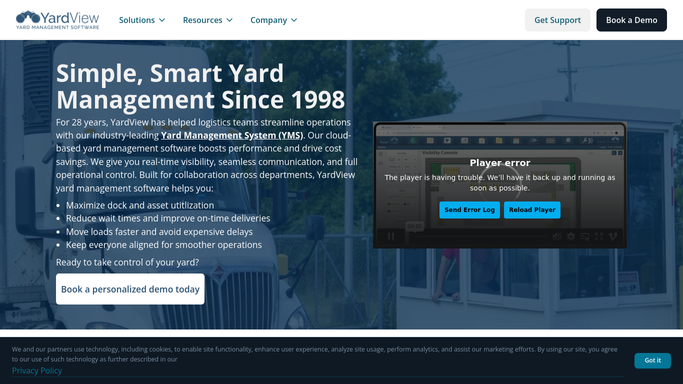
WebRun opens YardView to read current load statuses. - Open YardView and navigate to the active loads dashboard
- Capture the status, carrier, dock door, and expected departure or arrival for every active load
- Separate loads into inbound, outbound, and staged categories for the digest
Done when All active loads have a current status, carrier, and door assignment recorded.
-
2
Slack - post morning load-status digest
slack.com How to Automate Slack
WebRun opens Slack to post morning load-status digest. - Post the digest to your operations Slack channel with inbound, outbound, and staged sections
- List each load with its carrier, dock door, status, and any dwell-time flag
- Add a one-line summary count at the top: total inbound, total outbound, total staged
Done when The operations channel has today's load-status digest with all active loads organized by category.

How do I get an automatic morning load-status digest from my yard management system?
WebRun opens YardView every morning and reads the current status of every active inbound, outbound, and staged load. It then posts a structured digest to your Slack operations channel, organized by category with carrier, dock door, and dwell flags, so your whole team has a clear yard picture before the first gate move.
- Operations team starts every day knowing exactly what is in the yard
- No radio calls or manual YardView checks needed for the morning briefing
- Dock door assignments and dwell flags are visible in Slack before shift start
Built for yard operations teams · warehouse managers · logistics coordinators · 3PL operations
How is each run configured?
Secure by default
Connect once, stays signed in
WebRun signs in once and keeps each session in a persistent environment, so every run picks up right where it left off.
Every action is checked against this policy before it runs.
Questions, answered
Can it cover only specific dock doors or carriers?
Yes. You can configure WebRun to filter the digest by door range, carrier, or load type so the Slack message covers only what your team needs to see.
Does it send any messages to carriers or drivers?
No. The digest is an internal Slack post for your operations team only. WebRun never contacts carriers or drivers automatically.
How current is the data when it posts at 7 AM?
It reads live data from YardView at the moment it runs, so the digest reflects the actual yard state at the time it posts, not a cached overnight snapshot.
Related templates
Put this on autopilot.
Turn it on in minutes - or have our team set it up for you.