Follow up with hosts who miss a visitor alert
Every hour during office hours, WebRun checks Envoy for hosts who have not acknowledged a visitor's arrival, sends the host a Microsoft Teams nudge naming the waiting visitor, and if the visitor is still unacknowledged after 20 minutes, emails the host's manager a heads up so a pattern of missed alerts gets noticed and coached, not repeated.
- No credit card
- Under $0.01 per run
- Cancel anytime
How do I follow up with hosts who miss a visitor notification?
Every hour, WebRun checks Envoy for hosts who have not acknowledged a waiting visitor and sends a direct Microsoft Teams nudge naming the visitor and the wait time. If still unacknowledged after 20 minutes, it emails the host's manager privately with the visitor and the host's miss count for the month, turning missed alerts into a coaching signal.
- Hosts get a direct nudge before a manager ever hears about it
- Repeated misses surface as a pattern instead of getting lost in the noise
- Visitors wait less because hosts are reminded within minutes, not hours
Built for office managers · workplace experience teams · people managers · front desk teams
What does WebRun do on every run?
The exact actions WebRun takes, in order - in plain language, so you can adjust anything.
-
WebRun signs in and gets to work
Opens
dashboard.envoy.comin a real browser with your saved login - no setup, no API keys. -
1
Envoy - find hosts who have not acknowledged a visitor
envoy.com How to Automate Envoy
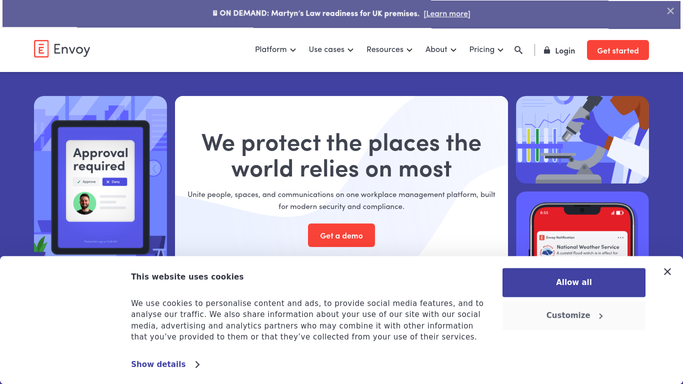
WebRun opens Envoy to find hosts who have not acknowledged a visitor. - Open Envoy and check current visitor acknowledgment status hourly
- Find hosts who have not acknowledged a visitor within 10 minutes
- Track how many times each host has missed an alert this month
Done when Every unacknowledged host this hour is identified with a running miss count.
-
2
Microsoft Teams - nudge the host directly
microsoft.com How to Automate Microsoft Teams

WebRun opens Microsoft Teams to nudge the host directly. - Message the host directly naming the waiting visitor and how long they have waited
- Link straight to the Envoy sign in so the host can acknowledge in one click
- Skip the nudge if the host acknowledges before it sends
Done when Every unacknowledged host has received a direct nudge.
-
3
Gmail - email the manager if it stays unacknowledged
gmail.com How to Automate Gmail

WebRun opens Gmail to email the manager if it stays unacknowledged. - If still unacknowledged after 20 minutes, draft a short heads up to the host's manager
- Note the visitor, the wait time, and the host's miss count this month
- Send it as an internal notice, never anything visitor facing
Done when A pattern of missed acknowledgments has reached the host's manager.
How is each run configured?
Secure by default
Connect once, stays signed in
WebRun signs in once and keeps each session in a persistent environment, so every run picks up right where it left off.
Every action is checked against this policy before it runs.
Questions, answered
Does the manager email get sent every single time?
No. It only sends after a visitor has gone unacknowledged for 20 minutes despite the direct Teams nudge, so a manager hears about a real gap, not one busy morning.
Will it embarrass a host in front of the whole team?
No. Both the nudge and the manager email are sent privately, one to one. Nothing about a missed acknowledgment is posted to a shared channel.
Does it count one off misses the same as a pattern?
It tracks a running miss count per host for the month, so the manager email shows whether this is a one off or a repeated pattern worth a conversation.
Related templates
Put this on autopilot.
Turn it on in minutes - or have our team set it up for you.