How to Automate Envoy
Envoy automates the doorway. Configurable sign-in flows, identity checks against blocklists and watchlists, digital NDAs, host notifications and printed badges all happen without a receptionist. Checking a contractor's insurance, a moved interview or an inbound delivery happens in other systems, and a browser agent such as WebRun covers that layer.
 Written by
Hannah Vogel
Finance operations
Written by
Hannah Vogel
Finance operations
 Reviewed by
Elliot Nakamura
Platform writer
Reviewed by
Elliot Nakamura
Platform writer
The lobby iPad holds the record of who was in the building
Envoy is the workplace platform behind the sign-in screen in the lobby. Envoy Visitors takes the guest, Envoy Rooms and Envoy Desks handle the space they end up in, Envoy Deliveries handles the parcel that arrives for them, and the same account knows the building was half empty on Wednesday.
That makes it a security record as much as a convenience. When an auditor asks who was on the manufacturing floor on the fourteenth, or a fire warden needs to know who is inside right now, the answer comes out of Envoy rather than a paper book in a drawer.
The people who live in it are the office manager, the workplace team, the receptionist where there still is one, and a security lead who cares about a narrow set of questions: who came in, who let them in, what did they sign, and did they leave.
The front desk is still a manual switchboard
Most of the work around a lobby is not greeting anybody.
A contractor arrives for a job in the plant room, and somebody has to know whether their insurance is current and their site induction is still valid, both of which sit on a compliance portal belonging to another company. A candidate is due at ten, the interview was moved yesterday in the recruiting system, and the invite in Envoy still says ten. A parcel signed for at the desk turns out to be the delivery a project manager has been tracking on a carrier site all week.
Then the reporting. Somebody exports the visitor log at month end and lines it up against the access control system, because a badge issued and never handed back matters to whoever owns the building. Occupancy numbers get pulled for the finance team arguing about a floor. Each of those is a person opening two screens and comparing them by eye.
Sign-in flows and host notifications cover the doorway itself
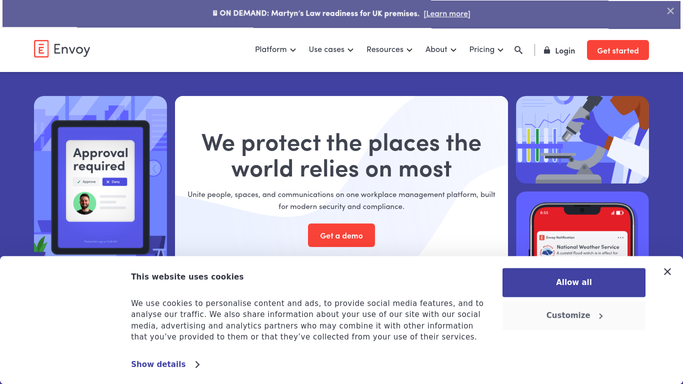
For the doorway, Envoy is thorough, and it is worth knowing what is already there before adding anything.
Sign-in flows are configurable per visitor type, so a contractor answers different questions from a candidate. Identity verification scans an ID, and visitors can be screened against internal blocklists and third-party watchlists before they arrive. Digital documents cover the NDA and any safety material, and legal documents can be set to be re-signed at an interval instead of being tracked by hand. Host notifications reach the employee by mobile app, email, Slack or Teams the moment their guest checks in, and badges print with a photo, a timestamp and the host's name. Under all of it, the visitor audit trail and occupancy analytics turn the day into an exportable record.
What those have in common is that each one acts on the visit.
Whether the contractor's insurance is still valid, whether the interview time moved, whether the supplier's van is an hour away, whether the engineer signing in still works for the vendor who sent them: those answers live in other companies' systems, and a sign-in screen has no way to ask.
Tomorrow's visitor list can be checked overnight
Take the arrivals expected tomorrow, check each one against the system that actually holds the answer, and the morning looks different.
Contractors due on site checked against the compliance portal holding their insurance and induction records, so the one whose certificate expired last week is stopped the night before instead of at the desk in front of a waiting crew. Interviews cross-checked against the recruiting system, so a moved slot becomes a message to the hiring manager rather than a candidate reading a magazine in reception. Deliveries expected today matched to the carrier's tracking pages, so the dock knows what is coming and who it is for.
The record-keeping side is duller and just as useful. Visitors who signed in and never signed out, listed every evening. Badges issued against the access control system and never returned. Desk bookings still recurring for people who left last month. NDAs approaching the point where they need signing again, gathered before the visit rather than at the screen with a guest waiting.
None of that decides who gets in. A watchlist match, a refused entry and anything touching a person's identity is a security judgement, and it stays one.
Reception keeps the welcome, and security keeps the call
By eight tomorrow morning the lobby needs one list, and building it means three separate sites read the night before: the compliance portal, the recruiting system, the carrier's page.
WebRun is an AI agent that works a real Chrome browser, signed in as you. It opens Envoy the way your workplace team does, reads the invites, the visitor log, the deliveries and the bookings, checks the outside systems the front desk depends on, and hands back the exceptions next to the visit they belong to.
It runs on your schedule in your own private environment, and a run can be restricted to an explicit list of domains. Nobody is admitted, blocked or messaged automatically: anything reaching a visitor, a host or a security lead is drafted and waits.
The workflows below each name the systems they sign into.
Questions people ask
Will it let someone in or turn a visitor away?
No. Admitting a visitor, acting on a watchlist match and anything touching access control stay with your security team. It gathers the checks and drafts the message, then stops and waits for a person.
Our contractor compliance system has no API. Is that a problem?
No. It reads the screen the way your office manager does, so a portal with no export and no integration is handled the same as one that has both. Signing in happens once and the session is reused after that.
Can one run cover several offices?
Yes. It works the same screens your workplace team works, so a single run can cover every location you sign into and group what it finds by site, instead of somebody checking each lobby in turn.
12 ready-made Envoy workflows
Each one names the apps it touches and the exact steps it takes. Open one to read what it will do, then turn it on.





Want one of these running on your own Envoy?
Show WebRun the process once and it will run it on schedule, in your own private browser environment.