Chase visitors whose NDA has expired
Every morning, WebRun opens Envoy, checks which recurring visitors and contractors have a signed NDA or agreement expiring within 14 days, drafts a renewal reminder email to each one for a human to review and send, and posts compliance a Slack summary of who still needs to resign before their next visit.
- No credit card
- Under $0.01 per run
- Cancel anytime
How do I remind visitors and contractors to renew an expiring NDA?
Every morning, WebRun checks Envoy for signed NDAs expiring within 14 days, drafts a renewal reminder to each visitor or contractor and leaves it unsent in Gmail for review, and posts compliance a Slack summary of who still needs to resign, flagging anyone with a visit already booked after their agreement expires.
- Nobody visits on an expired NDA because the renewal was never sent
- Compliance reviews a ready to send draft instead of writing one from scratch
- Visits booked after an expiry date get flagged before the visit, not during it
Built for compliance teams · legal operations · facilities and security · office managers
What does WebRun do on every run?
The exact actions WebRun takes, in order - in plain language, so you can adjust anything.
-
WebRun signs in and gets to work
Opens
dashboard.envoy.comin a real browser with your saved login - no setup, no API keys. -
1
Envoy - find NDAs expiring within 14 days
envoy.com How to Automate Envoy
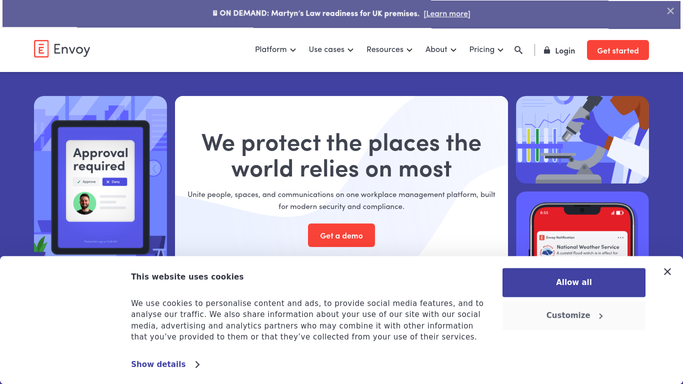
WebRun opens Envoy to find NDAs expiring within 14 days. - Open Envoy agreements and filter to signed NDAs expiring within 14 days
- Capture each visitor's name, company, and expiry date
- Note anyone with a visit already scheduled after their NDA expires
Done when Every NDA expiring within 14 days is listed with its expiry date.
-
2
Gmail - draft a renewal reminder for review
gmail.com How to Automate Gmail

WebRun opens Gmail to draft a renewal reminder for review. - Draft a polite renewal reminder to each visitor or their company contact
- Include the expiry date and a link to resign
- Leave every draft unsent in the outbox for compliance to review
Done when A reviewable draft reminder exists for every expiring NDA.
-
3
Slack - summarize who still needs to resign
slack.com How to Automate Slack

WebRun opens Slack to summarize who still needs to resign. - Post compliance a summary of who still needs to resign
- Flag anyone with an upcoming visit booked after their NDA expires first
- Note which drafts are ready to send once reviewed
Done when Compliance has today's list of expiring NDAs and drafted reminders to review.
How is each run configured?
Secure by default
Connect once, stays signed in
WebRun signs in once and keeps each session in a persistent environment, so every run picks up right where it left off.
Every action is checked against this policy before it runs.
Questions, answered
Will it email visitors without review?
No. Every renewal reminder is drafted in Gmail and left unsent. Nothing goes out to a visitor or their company until a person on your compliance team reviews and sends it.
What happens if someone visits after their NDA expires?
WebRun flags it as the highest priority in the Slack summary, since that person has a scheduled visit with no valid agreement on file, so compliance can chase it before the visit rather than after.
Does it track contractors as well as one time visitors?
Yes. It checks every signed agreement in Envoy, whether it belongs to a recurring contractor, vendor, or an occasional visitor, so nobody with an expiring NDA is missed because they do not visit often.
Related templates
Put this on autopilot.
Turn it on in minutes - or have our team set it up for you.