Flag lab results the moment they land
Every morning, WebRun checks Gmail for new lab analysis emails, reads each lot's TA, pH, VA, free and total SO2, and alcohol, logs the results against that lot in InnoVint, and posts a Slack alert for any reading outside your target spec.
- No credit card
- Under $0.01 per run
- Cancel anytime
How do I get notified as soon as wine lab results come back out of spec?
WebRun gets your lab results into InnoVint and in front of your winemaker the same day. Every morning, it checks Gmail for new lab analysis emails, logs each lot's TA, pH, VA, SO2, and alcohol results into InnoVint, and posts a Slack alert naming any reading outside your target spec, so nothing sits unread in an inbox during harvest or aging.
- Lab results are logged the same morning they arrive instead of sitting in an inbox
- Out of spec readings get flagged by lot within hours, not at the next tasting
- No result gets logged twice from a resent report
Built for winemakers · lab technicians · cellar masters · QC teams
What does WebRun do on every run?
The exact actions WebRun takes, in order - in plain language, so you can adjust anything.
-
WebRun signs in and gets to work
Opens
mail.google.comin a real browser with your saved login - no setup, no API keys. -
1
Gmail - check for new lab analysis emails
gmail.com How to Automate Gmail

WebRun opens Gmail to check for new lab analysis emails. - Search the inbox for new lab report emails from your analysis lab
- Open each report and read the results per lot or barrel group
- Mark the email as processed once logged
Done when Every new lab report email this morning has been opened and read.
-
2
InnoVint - log each lot's results
innovint.us How to Automate InnoVint
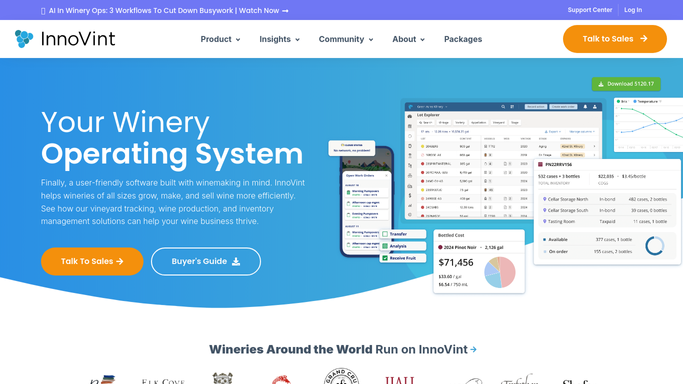
WebRun opens InnoVint to log each lot's results. - Open the matching lot in InnoVint
- Log the TA, pH, VA, SO2, and alcohol results from the report
- Note the sample date so the result lines up with the right point in the wine's life
Done when Every result from today's lab reports is logged against the right lot in InnoVint.
-
3
Slack - alert the winemaker to anything out of spec
slack.com How to Automate Slack

WebRun opens Slack to alert the winemaker to anything out of spec. - Post a summary of today's lab results to the winemaking channel
- Flag any lot with a reading outside your target spec, naming the lot and the value
- Leave in spec results out of the alert, just the daily summary
Done when The winemaking channel has today's results summary and any out of spec flags.
How is each run configured?
Secure by default
Connect once, stays signed in
WebRun signs in once and keeps each session in a persistent environment, so every run picks up right where it left off.
Every action is checked against this policy before it runs.
Questions, answered
Does it decide what to do about an out of spec result?
No. It only flags the reading and who to tell. Any addition, blend adjustment, or retest is still a decision your winemaker makes.
What lab report formats does it read?
It reads the results straight out of the email your lab sends, whether that is a PDF attachment or numbers in the email body, and logs them against the matching lot.
Will it log a result twice if the lab resends a report?
No. It checks what is already logged against that lot and sample date in InnoVint before adding a new entry, so a resent email will not duplicate the result.
Related templates
Put this on autopilot.
Turn it on in minutes - or have our team set it up for you.