Confirm every bottling run before the line shows up
Every morning, WebRun opens InnoVint to check for any bottling run scheduled in the next 3 days, reads the run's SKU, case count, and materials needed, drafts a confirmation email to your mobile bottling contractor in Gmail for you to review and send, and posts the run plan to Slack so cellar and case goods staff know what to stage.
- No credit card
- Under $0.01 per run
- Cancel anytime
What does WebRun do on every run?
The exact actions WebRun takes, in order - in plain language, so you can adjust anything.
-
WebRun signs in and gets to work
Opens
cellar.innovint.usin a real browser with your saved login - no setup, no API keys. -
1
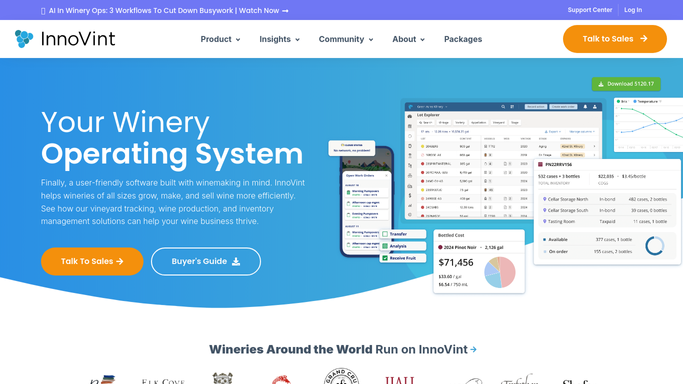
InnoVint - check for a bottling run coming up in 3 days
innovint.us How to Automate InnoVint

WebRun opens InnoVint to check for a bottling run coming up in 3 days. - Open InnoVint and find any bottling run scheduled in the next 3 days
- Read the SKU, target case count, and bottle, cork, and label needs
- Note which lots are being bottled and their current volume
Done when Any run scheduled in the next 3 days has its SKU, case count, and material needs captured.
-
2
Gmail - draft a confirmation to the bottling line
gmail.com How to Automate Gmail
WebRun opens Gmail to draft a confirmation to the bottling line. - Draft a confirmation email to your mobile bottling line contact with the date, SKU, and case count
- Leave the email in Drafts for a manager to review and send. Never send it automatically
- Include the materials your winery is responsible for supplying
Done when A confirmation draft is ready in Gmail for a manager to review and send.
-
3
Slack - share the run plan with staff
slack.com How to Automate Slack
WebRun opens Slack to share the run plan with staff. - Post the run plan to the cellar and case goods channel: date, SKU, case count, and materials needed
- Flag any material that looks short based on current inventory
- Remind staff of the staging deadline the day before
Done when Cellar and case goods staff have the run plan in Slack ahead of the bottling date.


How do I confirm a bottling run and materials before the mobile bottling line arrives?
WebRun keeps your bottling runs from getting caught by surprise. Every morning, it checks InnoVint for any run scheduled in the next 3 days, reads the SKU, case count, and materials needed, drafts a confirmation email to your mobile bottling contractor in Gmail for a manager to review and send, and posts the run plan to Slack so cellar and case goods staff know exactly what to stage.
- Bottling line confirmations go out as a reviewed draft, never unattended
- Materials shortfalls surface 3 days out instead of on bottling day
- Cellar and case goods staff see the same run plan ahead of time
Built for production managers · cellar masters · case goods staff · small wineries using mobile bottling
How is each run configured?
Secure by default
Connect once, stays signed in
WebRun signs in once and keeps each session in a persistent environment, so every run picks up right where it left off.
Every action is checked against this policy before it runs.
Questions, answered
Will it email the bottling line without me seeing it first?
No. WebRun leaves the confirmation as a Gmail draft. A manager reads it and sends it, so nothing goes to your bottling contractor without a human checking the details first.
How far ahead does it check for upcoming runs?
It checks every morning and flags any run 3 days out by default, so there is time to fix a materials shortfall before the truck arrives. You can change that window.
Does it order more bottles, corks, or labels if something is short?
No. It only flags a likely shortfall in Slack. Placing an order with a supplier is still a decision and an action for your team.
Related templates
Put this on autopilot.
Turn it on in minutes - or have our team set it up for you.