See today's well drilling revenue at a glance every evening
Every evening, WebRun opens ServiceM8 and totals today's invoices raised, payments received, and any outstanding balances created during the day. It then posts a clean revenue digest to Slack so you close the day with a clear financial picture without logging into ServiceM8 after hours.
- No credit card
- Under $0.01 per run
- Cancel anytime
How do I get an automatic daily revenue summary for my well drilling business?
Every evening, WebRun opens ServiceM8 and totals the day's invoices raised, payments received, and new outstanding balances across all well drilling jobs. It posts a clean revenue digest to Slack so the owner sees today's financial picture in seconds, without logging in or building a manual report.
- Owner sees today's revenue in Slack without opening ServiceM8 after hours
- Daily totals for invoiced, received, and outstanding at a glance
- Zero manual reporting effort to produce the end-of-day summary
Built for well drilling business owners · water well company operators · field service managers
What does WebRun do on every run?
The exact actions WebRun takes, in order - in plain language, so you can adjust anything.
-
WebRun signs in and gets to work
Opens
app.servicem8.comin a real browser with your saved login - no setup, no API keys. -
1
ServiceM8 - total today's invoices and payments
servicem8.com How to Automate ServiceM8
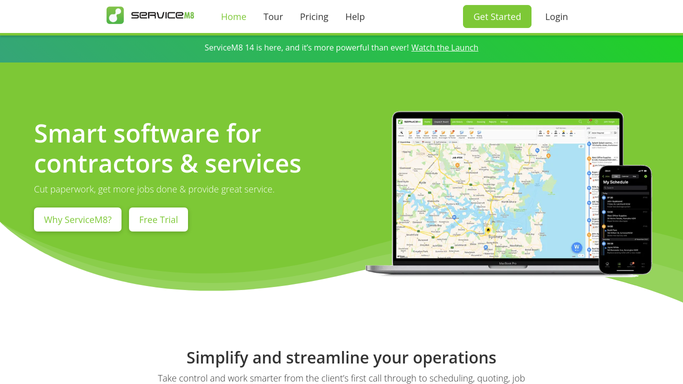
WebRun opens ServiceM8 to total today's invoices and payments. - Open ServiceM8 and filter invoices and payments dated today
- Total the invoice amounts raised today, payments received today, and any new outstanding balances
- Count the number of jobs invoiced today and note the highest-value job
Done when Today's revenue figures are totalled: invoiced, received, and outstanding.
-
2
Slack - post evening revenue digest to owner
slack.com How to Automate Slack

WebRun opens Slack to post evening revenue digest to owner. - Post the end-of-day revenue digest to the Slack owner or management channel
- Include: total invoiced today, total received today, new outstanding, jobs invoiced, and the top job by value
- Compare to yesterday's figures if available for a quick trend read
Done when Revenue digest is posted to Slack and visible to the owner.
How is each run configured?
Secure by default
Connect once, stays signed in
WebRun signs in once and keeps each session in a persistent environment, so every run picks up right where it left off.
Every action is checked against this policy before it runs.
Questions, answered
Does the digest include GST or is it exclusive?
It mirrors the figures as they appear in ServiceM8, including or excluding tax based on how your invoices are set up in the app.
Is this the same as my accounting software totals?
The digest reflects ServiceM8 invoice and payment data only. For reconciled accounting totals, refer to your accounting software after syncing with ServiceM8.
Can I get the digest on a different channel or at a different time?
Yes. When you set up the workflow, tell WebRun which Slack channel to post to and what time suits your close-of-business, and it will run accordingly.
Related templates
Put this on autopilot.
Turn it on in minutes - or have our team set it up for you.