Keep your drilling rigs and pumps on schedule with automated maintenance alerts
Every Monday, WebRun opens ServiceM8, reads the service notes and last maintenance dates on your drilling equipment, identifies anything due for service in the next two weeks, logs it in Airtable, and posts a maintenance schedule to Slack so your team can plan downtime without surprises.
- No credit card
- Under $0.01 per run
- Cancel anytime
What does WebRun do on every run?
The exact actions WebRun takes, in order - in plain language, so you can adjust anything.
-
WebRun signs in and gets to work
Opens
app.servicem8.comin a real browser with your saved login - no setup, no API keys. -
1
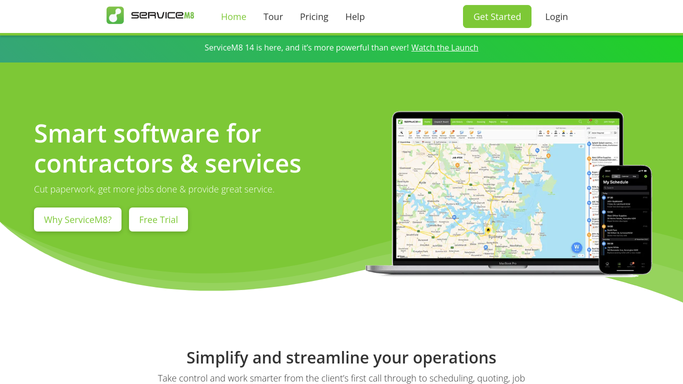
ServiceM8 - read equipment records and last service dates
servicem8.com How to Automate ServiceM8

WebRun opens ServiceM8 to read equipment records and last service dates. - Open ServiceM8 and review job and asset notes for drilling equipment
- Identify rigs, pumps, and tools with a service date or interval note due within the next 14 days
- Capture the equipment name, last service date, next due date, and the type of service required
Done when All equipment due for maintenance within 14 days is listed with service details.
-
2
Airtable - log upcoming maintenance items and due dates
airtable.com How to Automate Airtable
WebRun opens Airtable to log upcoming maintenance items and due dates. - Open the equipment maintenance base in Airtable
- Add or update records for each piece of equipment due for service
- Set the due date, service type, and status field so the team can track completion
Done when Airtable maintenance records are up to date for all equipment due in the next two weeks.
-
3
Slack - post weekly maintenance schedule to operations team
slack.com How to Automate Slack
WebRun opens Slack to post weekly maintenance schedule to operations team. - Post a weekly maintenance schedule to the Slack operations channel
- List each item with equipment name, service type, and days until due
- Flag anything due within three days as urgent
Done when Operations team has this week's equipment maintenance schedule in Slack.


How do I track drilling equipment maintenance automatically?
Every Monday, WebRun reads your ServiceM8 equipment records for drilling rigs, pumps, and tools with service due within 14 days. It logs each item in Airtable and posts a maintenance schedule to Slack, so your team can plan downtime and book service before a rig breaks down mid-job.
- No maintenance due date missed because it was buried in a job card note
- Urgent service items flagged three days in advance every week
- Equipment downtime planned ahead instead of discovered on site
Built for well drilling contractors · water well companies · drilling fleet managers
How is each run configured?
Secure by default
Connect once, stays signed in
WebRun signs in once and keeps each session in a persistent environment, so every run picks up right where it left off.
Every action is checked against this policy before it runs.
Questions, answered
How does it know when each piece of equipment is due for service?
It reads service interval notes and last service dates recorded on ServiceM8 job cards and asset notes to calculate when each item is next due.
Will it book the service or schedule a job automatically?
No. WebRun alerts and logs only. Your team books the maintenance job in ServiceM8 after reviewing the weekly schedule in Slack.
What if a piece of equipment was serviced this week but not yet updated?
Update the service record in ServiceM8 or Airtable and it will be excluded from next Monday's alerts automatically.
Related templates
Put this on autopilot.
Turn it on in minutes - or have our team set it up for you.