How to Automate ServiceM8
ServiceM8 automates the client conversation through its Automation add-on: booking confirmations and reminders, quote and payment follow-ups, badge-triggered service reminders and feedback requests. What stays manual is everything on someone else's website, from laboratory results and council permits to warranty claims and wholesaler statements. That is the layer WebRun works.
 Written by
Ben Kirkwood
Solutions engineer
Written by
Ben Kirkwood
Solutions engineer
 Reviewed by
Aiko Tanabe
Product researcher
Reviewed by
Aiko Tanabe
Product researcher
ServiceM8 puts the whole job on the phone in the van
Most job management software was built for an office. ServiceM8 was built for a phone in a van, and it shows in every part of it.
It is job management software for trades and service contractors, born in Australia and heaviest there, in New Zealand and in the UK: electricians, plumbers, HVAC engineers, locksmiths, pool technicians, lawn care crews and appliance repairers.
A job card carries the client's full history, the notes, the photos and videos taken on site, the checklists that keep the work consistent, the electronic form filled in at the kitchen table and the signature at the end. Simple Stock Control keeps materials visible and syncs them to Xero, MYOB or QuickBooks Online. The schedule and the staff map show who is where without ringing anyone.
For a business of two vans that is the entire operating system. The quote, the visit, the certificate and the invoice all sit on one card, and the card closes when the money lands.
Signing off a job and closing it are two different tasks
Ask a contractor what is still on the list at the end of a week and it is rarely the work.
A bore has been drilled and the water sample has gone to a laboratory that publishes results on its own portal, with the client waiting on the number. A permit sits with a council that will not email when its status changes. A defective part is going back to a manufacturer whose warranty claim form is a web page with a serial number field. The wholesaler's statement has to be downloaded before the bookkeeper can code it. In many places the compliance certificate has been completed on the phone and now has to be lodged on a scheme's own site.
None of it is difficult, and none of it can be done from a van at four in the afternoon. It all happens at a keyboard, on somebody else's website, in the hour a contractor was hoping to get back.
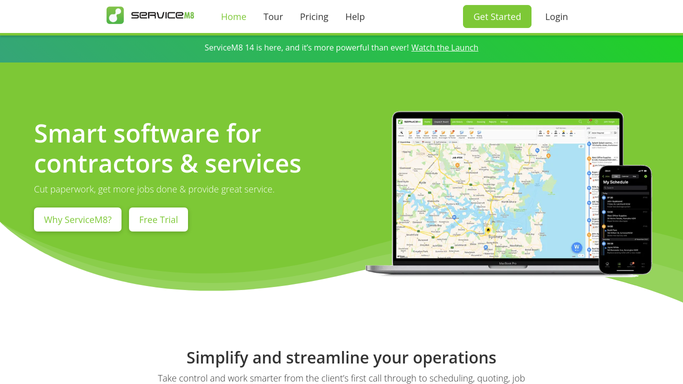
The Automation add-on covers the client conversation
ServiceM8 is honest about its own shape: much of what it does arrives as an add-on, and the Automation add-on is the one to switch on first.
It schedules communications to clients and staff off events inside the account. Booking Confirmation goes out when the job is scheduled and Booking Reminder before the appointment. Quote Follow Up chases a quote that has had no answer. Payment Follow Up nudges an overdue account. Customer Feedback asks for a review once the invoice is paid. Badge Follow Up is the interesting one, since badges are labels you attach to a job or a client and a badge can trigger a message months later, so a pump serviced in March can generate its own reminder next March. Form Inbox Follow Up reacts to a completed form, and Live Invoice Statements sends a periodic statement of what is outstanding. Online Booking lets a client take a slot without ringing.
Every trigger in that list is something that already happened inside ServiceM8.
Nothing in it can open a laboratory portal, a council website or a manufacturer's warranty form. Those sit behind logins ServiceM8 was never designed to hold.
The lab, the regulator and the wholesaler each have a login
Jobs close late for reasons that have nothing to do with the plumbing. Most of those reasons are a website somebody has not had time to open.
Water test results collected from the laboratory portal the morning they appear, written onto the job card, with the client update drafted and waiting. Permit and consent status checked daily against the council's own search page, so a crew is not mobilised for a site that is still pending. Warranty claims lodged with each manufacturer as the faulty part goes back, and the ones needing a serial number or a purchase date flagged rather than quietly abandoned.
Supplier statements and invoices pulled from each wholesaler account and filed against the right job, so the bookkeeper is not chasing PDFs. Payments taken on site checked against what actually reached the bank. Job totals compared with Xero or MYOB while a gap is still one week wide.
Draw the line where the client is. Reading a portal and filing a document runs unattended safely enough. Anything that goes to a customer should be prepared and read first, because in a trade a badly judged message becomes a public review with the business name on it.
Working someone else's website is not a trade skill
The licence, the experience and the judgement are all in the work. Opening a browser and moving a number from one page to another has no craft in it at all, and it is still sitting on somebody's list.
WebRun is an AI agent that works a real Chrome browser, signed in as you. It opens the laboratory portal, the council search page, the manufacturer's warranty form or the wholesaler account, reads what is there, and updates the ServiceM8 job or your accounts package to match.
It runs on the schedule you set, inside your own private environment, and you can watch a run and stop it mid-way. Anything a client would see is drafted and waits for you.
Each workflow below is already built, and every one names the sites it signs into.
Questions people ask
Does this replace the ServiceM8 Automation add-on?
No, and keep it. The add-on handles client messaging off events inside ServiceM8 and does that well for the money. This covers the laboratory, council, manufacturer and wholesaler sites the add-on has no way to reach.
Our council and lab sites are old and clunky. Does that matter?
No. It works a page the way a person does, by reading the screen and clicking, so an ageing portal with no API and no export is exactly the case it exists for.
Will it change a job card without asking me?
It writes only what you told it to write, on a schedule you set, and you can watch a run and stop it. Anything a client would see is left as a draft.
18 ready-made ServiceM8 workflows
Each one names the apps it touches and the exact steps it takes. Open one to read what it will do, then turn it on.




Want one of these running on your own ServiceM8?
Show WebRun the process once and it will run it on schedule, in your own private browser environment.