Start every day with a clear well drilling job digest in Slack
Every morning, WebRun opens ServiceM8, reads all jobs scheduled for today, summarises the crew assignments, job types, and site addresses, and posts a clean daily job digest to your Slack operations channel so the whole team starts the day aligned.
- No credit card
- Under $0.01 per run
- Cancel anytime
How do I automatically send a daily well drilling job schedule to my team?
Every morning, WebRun reads all of today's scheduled well drilling jobs from ServiceM8, including crew assignments, site addresses, start times, and any priority flags, then posts a structured daily digest to your Slack operations channel so the whole team starts the day with a clear picture of what is on.
- Every team member starts the day knowing their assignments without a morning huddle
- Priority jobs and permit deadlines surface automatically in the digest
- Zero manual effort to produce the daily schedule summary
Built for well drilling contractors · water well companies · drilling operations managers
What does WebRun do on every run?
The exact actions WebRun takes, in order - in plain language, so you can adjust anything.
-
WebRun signs in and gets to work
Opens
app.servicem8.comin a real browser with your saved login - no setup, no API keys. -
1
ServiceM8 - read today's scheduled jobs and crew assignments
servicem8.com How to Automate ServiceM8
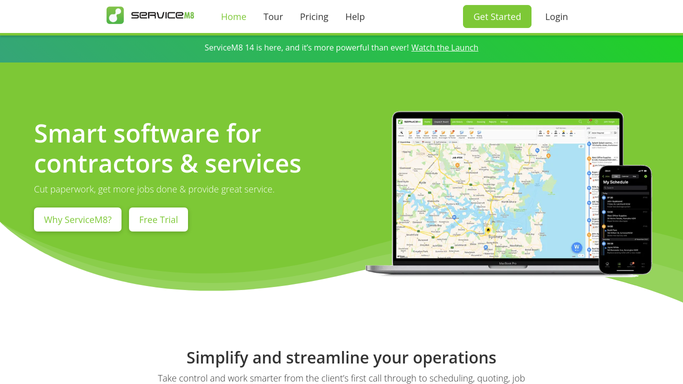
WebRun opens ServiceM8 to read today's scheduled jobs and crew assignments. - Open ServiceM8 and filter jobs scheduled for today
- For each job, read the job number, client name, site address, job type, assigned crew, and start time
- Note any jobs flagged as high priority or with a permit requirement today
Done when All of today's scheduled jobs are captured with crew and site details.
-
2
Slack - post daily job digest to operations channel
slack.com How to Automate Slack

WebRun opens Slack to post daily job digest to operations channel. - Post a structured daily job digest to the Slack operations channel
- List each job by start time with crew name, site address, and job type
- Highlight any jobs with permit deadlines or special requirements today
Done when Today's job digest is posted and visible to the operations team in Slack.
How is each run configured?
Secure by default
Connect once, stays signed in
WebRun signs in once and keeps each session in a persistent environment, so every run picks up right where it left off.
Every action is checked against this policy before it runs.
Questions, answered
Does the digest go to clients or just the internal team?
The digest is posted only to your internal Slack operations channel. No information is sent to clients automatically.
What if a job is added or changed after the morning digest runs?
The digest reflects the ServiceM8 schedule as of the morning run time. You can run it again manually at any point to get an updated snapshot.
Can I customise which fields appear in the digest?
Yes. When you set up the workflow, tell WebRun which job details matter most to your team, such as depth targets, rig type, or water authority contact, and it will include them.
Related templates
Put this on autopilot.
Turn it on in minutes - or have our team set it up for you.