Schedule second visits before customers have to ask
Each morning, WebRun opens ServiceM8, finds jobs completed in the last three days that are tagged as requiring a follow-up visit, drafts a scheduling email to each customer via Gmail, and posts a list of pending second visits to your Slack channel for the dispatcher.
- No credit card
- Under $0.01 per run
- Cancel anytime
What does WebRun do on every run?
The exact actions WebRun takes, in order - in plain language, so you can adjust anything.
-
WebRun signs in and gets to work
Opens
app.servicem8.comin a real browser with your saved login - no setup, no API keys. -
1
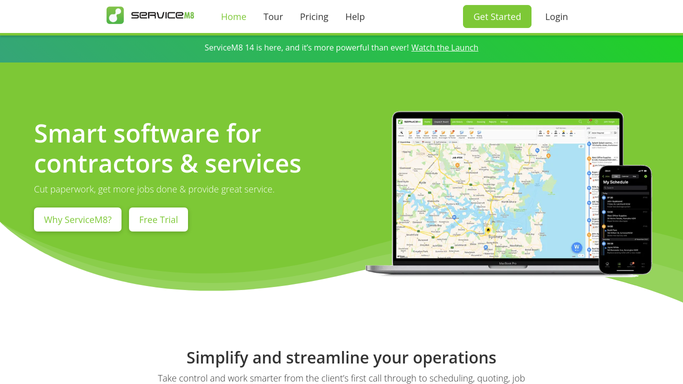
ServiceM8 - find completed jobs requiring a second visit
servicem8.com How to Automate ServiceM8

WebRun opens ServiceM8 to find completed jobs requiring a second visit. - Open ServiceM8 and filter recently completed jobs tagged with a follow-up or second-visit note
- Identify jobs completed in the last three days that do not yet have a follow-up appointment booked
- Capture the customer name, appliance type, original job notes, and the reason a second visit is needed
Done when Every completed job needing a second visit is listed with its customer and job details.
-
2
Gmail - draft second-visit scheduling email to customer
gmail.com How to Automate Gmail
WebRun opens Gmail to draft second-visit scheduling email to customer. - Draft a scheduling email to each customer explaining that the technician would like to arrange a brief follow-up visit
- Reference the appliance type and the original repair to give context
- Leave every draft unsent for your team to review and confirm availability before sending
Done when One second-visit scheduling draft exists for each flagged job, ready for approval.
-
3
Slack - notify dispatcher of pending second visits
slack.com How to Automate Slack
WebRun opens Slack to notify dispatcher of pending second visits. - Post a list of pending second visits to the dispatcher Slack channel
- Include the customer name, appliance type, original job date, and reason for the return visit
- Sort by earliest original job date so the longest-waiting customers are scheduled first
Done when The dispatcher has today's pending second-visit list in Slack, sorted by priority.


How do I automatically schedule second visits for appliance repair jobs?
WebRun opens ServiceM8 each morning, finds recently completed jobs tagged as needing a follow-up visit, and drafts a second-visit scheduling email via Gmail for each customer. It also posts a prioritised list to Slack for your dispatcher. Every email is held for approval before it reaches the customer.
- Customers needing a second visit are contacted the morning after the job is flagged, not days later
- Dispatchers see a prioritised return-visit list in Slack before the day begins
- Jobs already rebooked are skipped automatically so no duplicate messages are sent
Built for appliance repair companies · field service dispatchers · repair shop managers · service coordinators
How is each run configured?
Secure by default
Connect once, stays signed in
WebRun signs in once and keeps each session in a persistent environment, so every run picks up right where it left off.
Every action is checked against this policy before it runs.
Questions, answered
Will it email customers to schedule the second visit without my team reviewing the message first?
No. Every scheduling email is left as a Gmail draft for your team to approve. Nothing is sent to the customer until a human reviews it and confirms the available appointment windows.
How does it know a job needs a second visit?
It reads follow-up tags and notes on completed jobs in ServiceM8. Your technicians can add a follow-up flag when closing a job, and WebRun picks it up on the next morning run.
What if the second visit was already booked before the morning run?
WebRun checks whether a follow-up appointment is already scheduled in ServiceM8. Jobs with a confirmed second visit already booked are skipped so your team does not send a duplicate message.
Related templates
Put this on autopilot.
Turn it on in minutes - or have our team set it up for you.