Keep warranty claims moving until they are resolved
Every Monday, WebRun opens ServiceM8, finds jobs with an open warranty claim that has had no update in more than five business days, drafts a follow-up email to the manufacturer or warranty provider via Gmail, and posts a summary of all open claims to Slack.
- No credit card
- Under $0.01 per run
- Cancel anytime
How do I automatically follow up on stalled appliance warranty claims?
WebRun opens ServiceM8 every Monday, finds warranty claims with no update in more than five business days, and drafts a follow-up email to the relevant manufacturer via Gmail for each. It also posts a summary of all open claims to Slack, giving your team a clear view of every claim and its age before any message is sent.
- Stalled claims get a timely follow-up before they age past manufacturer deadlines
- Your team sees the full open-claims pipeline ranked by age every Monday
- Resolved claims are skipped automatically from the live ServiceM8 status
Built for appliance repair companies · field service businesses · repair shop managers · warranty service providers
What does WebRun do on every run?
The exact actions WebRun takes, in order - in plain language, so you can adjust anything.
-
WebRun signs in and gets to work
Opens
app.servicem8.comin a real browser with your saved login - no setup, no API keys. -
1
ServiceM8 - find jobs with stalled warranty claims
servicem8.com How to Automate ServiceM8
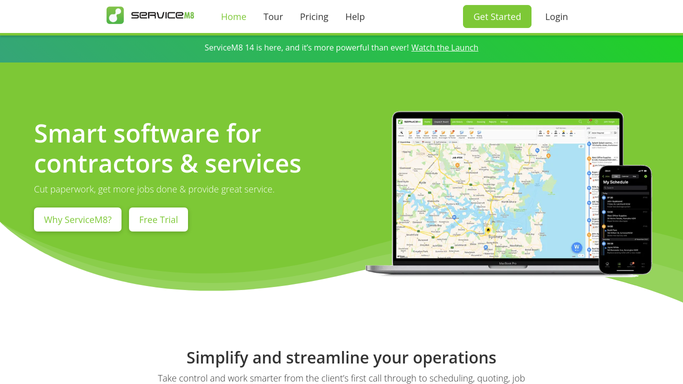
WebRun opens ServiceM8 to find jobs with stalled warranty claims. - Open ServiceM8 and filter jobs tagged with warranty claim status
- Identify claims with no recorded update or response in the last five business days
- Capture the claim reference, appliance brand, customer name, and last update date for each
Done when Every stalled warranty claim is listed with its reference number and last update date.
-
2
Gmail - draft follow-up to manufacturer or warranty provider
gmail.com How to Automate Gmail

WebRun opens Gmail to draft follow-up to manufacturer or warranty provider. - Draft a polite follow-up email to the relevant manufacturer or warranty provider for each claim
- Reference the claim number, appliance model, and the date the claim was first submitted
- Leave every draft unsent for your team to review and personalise before sending
Done when A follow-up email draft exists for every stalled warranty claim, ready for approval.
-
3
Slack - alert team to open claims status
slack.com How to Automate Slack

WebRun opens Slack to alert team to open claims status. - Post a summary of all open warranty claims to the operations Slack channel
- Include the claim reference, customer name, appliance brand, and days since last update
- Flag claims over 10 business days old as urgent
Done when The team has today's open warranty claim list in Slack with age and urgency flags.
How is each run configured?
Secure by default
Connect once, stays signed in
WebRun signs in once and keeps each session in a persistent environment, so every run picks up right where it left off.
Every action is checked against this policy before it runs.
Questions, answered
Will it send follow-up emails to manufacturers without my review?
No. Every follow-up is left as a Gmail draft for your team to approve. Nothing is sent until a human reviews the message and the claim details.
Can it track claims across multiple manufacturers or warranty providers?
Yes. WebRun reads the warranty provider details from the job record in ServiceM8 and addresses each draft to the correct manufacturer, so you get per-provider follow-ups in a single run.
What if a claim was resolved over the weekend before the Monday run?
WebRun reads the live job status in ServiceM8 at run time, so any claims already marked resolved are skipped and will not appear in the Slack summary or draft emails.
Related templates
Put this on autopilot.
Turn it on in minutes - or have our team set it up for you.