Track well drilling warranty callbacks and close them before they become complaints
Every Monday, WebRun opens ServiceM8 and finds jobs tagged as warranty callbacks, defect follow-ups, or client-reported issues. It logs each open item in Airtable with the age of the callback and the client details, then posts a prioritised worklist to Slack so your team can close every warranty issue before it escalates.
- No credit card
- Under $0.01 per run
- Cancel anytime
What does WebRun do on every run?
The exact actions WebRun takes, in order - in plain language, so you can adjust anything.
-
WebRun signs in and gets to work
Opens
app.servicem8.comin a real browser with your saved login - no setup, no API keys. -
1
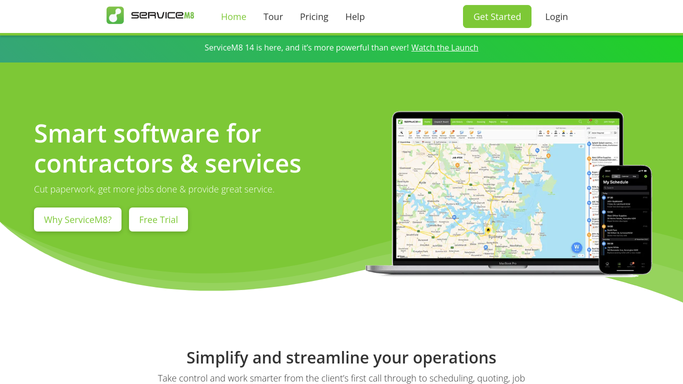
ServiceM8 - find open warranty callback jobs
servicem8.com How to Automate ServiceM8

WebRun opens ServiceM8 to find open warranty callback jobs. - Open ServiceM8 and filter jobs by tag or status indicating a warranty callback or defect return
- For each open callback, capture the job number, client name, site address, original job date, callback reason, and days since the callback was raised
- Sort the list by days open, oldest first
Done when All open warranty callback jobs are listed with client details and age.
-
2
Airtable - log callbacks with age and priority
airtable.com How to Automate Airtable
WebRun opens Airtable to log callbacks with age and priority. - Open the warranty callback base in Airtable
- Add or update a record for each open callback with job number, client, reason, date raised, and resolution status
- Flag callbacks open for more than 14 days as overdue
Done when Airtable is updated with all open callbacks and their current resolution status.
-
3
Slack - post weekly callback worklist to operations team
slack.com How to Automate Slack
WebRun opens Slack to post weekly callback worklist to operations team. - Post a weekly warranty callback worklist to the Slack operations channel
- List each open callback with client name, reason, and days open
- Flag overdue callbacks (over 14 days) as urgent at the top of the list
Done when Operations team has this week's prioritised warranty callback list in Slack.


How do I track and manage well drilling warranty callbacks automatically?
WebRun opens ServiceM8 every Monday and finds all open warranty callback and defect-return jobs for well drilling clients. It logs each item in Airtable with its age and priority, then posts a ranked worklist to Slack so your operations team can close every callback before it becomes a formal complaint or repeat callout.
- Every open warranty callback surfaces on Monday before clients follow up again
- Callbacks older than 14 days flagged as overdue so nothing slips past the team
- Resolved callbacks removed automatically from the live list
Built for well drilling contractors · water well companies · field service operations managers
How is each run configured?
Secure by default
Connect once, stays signed in
WebRun signs in once and keeps each session in a persistent environment, so every run picks up right where it left off.
Every action is checked against this policy before it runs.
Questions, answered
Will it contact the client about the warranty callback automatically?
No. WebRun tracks and alerts internally only. Any client communication regarding a warranty issue is handled by your team after reviewing the Slack worklist.
How does it identify warranty callback jobs?
It looks for jobs in ServiceM8 tagged or categorised as warranty, defect return, or callback. You define the tags or status values when setting up the workflow.
What happens when a callback is resolved?
Mark the job as complete or update its status in ServiceM8 and it will be removed from next Monday's callback list automatically.
Related templates
Put this on autopilot.
Turn it on in minutes - or have our team set it up for you.