Schedule truck repairs the moment parts arrive
Throughout the day, WebRun monitors Fullbay for newly received parts, matches each arrival to its open work order, drafts a scheduling email to the fleet contact, and creates a calendar hold for the repair bay so the job is ready to book the moment parts are confirmed.
- No credit card
- Under $0.01 per run
- Cancel anytime
How do I automatically schedule truck repairs when parts arrive?
WebRun monitors Fullbay throughout the day for newly received parts and instantly matches each arrival to its open work order. It then drafts a scheduling email to the fleet contact in Gmail and creates a tentative bay hold in Google Calendar, so your team can confirm the appointment with one click instead of making a series of manual calls.
- Repairs are scheduled the same day parts arrive, not the next morning
- Fleet contacts get a prompt scheduling message without manual phone calls
- Bay capacity is held automatically so no slot is double-booked
Built for truck repair shops · fleet service coordinators · heavy-duty service centers · commercial vehicle repair
What does WebRun do on every run?
The exact actions WebRun takes, in order - in plain language, so you can adjust anything.
-
WebRun signs in and gets to work
Opens
app.fullbay.comin a real browser with your saved login - no setup, no API keys. -
1
Fullbay - detect parts received
fullbay.com How to Automate Fullbay
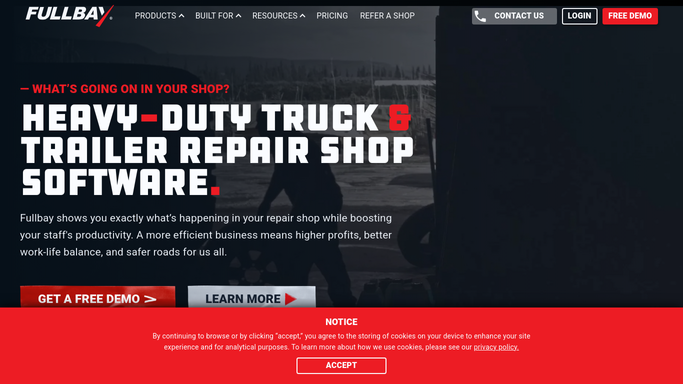
WebRun opens Fullbay to detect parts received. - Open Fullbay and check the Parts section for items whose status changed to Received since the last run
- Match each received part to its associated work order and fleet account
- Capture the unit number, repair type, customer contact, and any special scheduling notes
Done when Every newly received part is matched to its work order and customer contact.
-
2
Gmail - draft scheduling message to customer
gmail.com How to Automate Gmail

WebRun opens Gmail to draft scheduling message to customer. - Draft a scheduling email for each fleet contact confirming the parts have arrived
- Propose two or three available appointment windows based on current bay capacity
- Save the email as a draft for a service writer to review and send
Done when A draft scheduling email is ready for each customer whose parts have arrived.
-
3
Google Calendar - create repair bay hold
calendar.google.com How to Automate Google Calendar

WebRun opens Google Calendar to create repair bay hold. - Create a tentative calendar hold for the repair bay matching the proposed appointment windows
- Label the event with the unit number and work order reference
- Mark the hold as tentative until the customer confirms
Done when A bay hold is on the calendar for each arrived-parts work order, ready to confirm.
How is each run configured?
Secure by default
Connect once, stays signed in
WebRun signs in once and keeps each session in a persistent environment, so every run picks up right where it left off.
Every action is checked against this policy before it runs.
Questions, answered
Will it send the scheduling email to the customer automatically?
No. Every scheduling message is saved as a Gmail draft for a service writer to review and send. The customer does not hear from anyone until your team approves the message.
What if only some of the parts for a job have arrived?
It checks whether all required parts for the work order are marked Received before triggering. If only partial parts are in, it waits and re-checks on the next run.
How does it know which bay slots are available?
It reads your Google Calendar for existing confirmed appointments and creates the hold in an open window. Your team confirms the final slot when they send the email.
Related templates
Put this on autopilot.
Turn it on in minutes - or have our team set it up for you.