Start every day with a clear bay schedule across your service department
Every morning before opening, WebRun opens Karmak Fusion, checks every scheduled repair order against the day's Google Calendar bay bookings, and posts your service department a Microsoft Teams digest showing which bay each job is in, which technician is assigned, and which bays are open for a walk in.
- No credit card
- Under $0.01 per run
- Cancel anytime
How do I get a daily bay schedule digest for my truck dealership's service department?
WebRun checks every repair order scheduled in Karmak Fusion each morning, matches it against the day's Google Calendar bay bookings, and posts your service department a Microsoft Teams digest showing what is in every bay, who is assigned, and which bays are still open. Repair orders missing a bay or technician are called out separately, so gaps get caught before the first bay opens.
- Every technician and advisor starts the day with the same bay by bay schedule
- Unassigned repair orders are caught before the first bay opens, not mid morning
- Open bays are visible immediately for same day walk in or emergency repairs
Built for commercial truck dealerships · service department managers · service advisors · shop foremen
What does WebRun do on every run?
The exact actions WebRun takes, in order - in plain language, so you can adjust anything.
-
WebRun signs in and gets to work
Opens
www.karmak.comin a real browser with your saved login - no setup, no API keys. -
1
Karmak Fusion - pull today's scheduled repair orders
karmak.com How to Automate Karmak Fusion
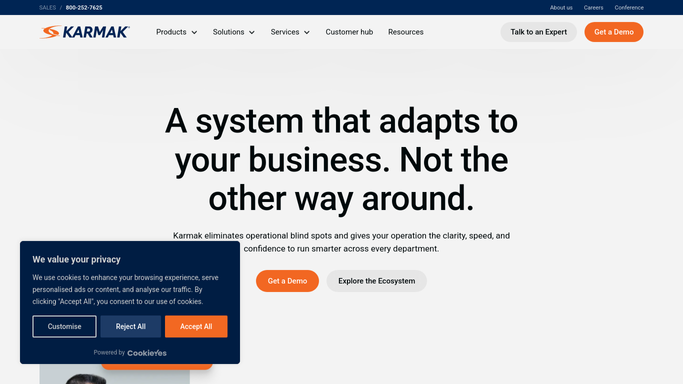
WebRun opens Karmak Fusion to pull today's scheduled repair orders. - Open Karmak Fusion and pull every repair order scheduled for today
- Capture the unit number, fleet account, assigned technician, and estimated hours for each
- Flag any repair order without an assigned bay or technician
Done when Every repair order scheduled for today is listed with its assigned technician and estimated hours.
-
2
Google Calendar - check bay bookings for the day
calendar.google.com How to Automate Google Calendar

WebRun opens Google Calendar to check bay bookings for the day. - Check the shared bay calendar for today's confirmed bookings
- Match each scheduled repair order to its booked bay
- Identify any bay left open for the day
Done when Every scheduled repair order is matched to a bay, and open bays for the day are identified.
-
3
Microsoft Teams - post the bay schedule digest
microsoft.com How to Automate Microsoft Teams

WebRun opens Microsoft Teams to post the bay schedule digest. - Post a bay by bay digest to the service department channel for the day
- List the unit, fleet account, technician, and estimated hours in each occupied bay
- Call out any repair order missing a bay or technician assignment, and any bay still open
Done when Your service department has today's full bay schedule in Microsoft Teams before the first bay opens.
How is each run configured?
Secure by default
Connect once, stays signed in
WebRun signs in once and keeps each session in a persistent environment, so every run picks up right where it left off.
Every action is checked against this policy before it runs.
Questions, answered
Does this book or move bay appointments on its own?
No. WebRun only reads scheduled repair orders and bay bookings to build the digest. Moving a job to a different bay is still your service writer's call.
What happens if a repair order has no bay or technician assigned yet?
It is called out separately in the Teams digest, so your service manager can assign one before the day gets busy instead of discovering the gap mid morning.
Can the whole service department see the digest, or just managers?
That is up to you. Post it to any Microsoft Teams channel your service department already uses, so every advisor and technician starts the day with the same schedule.
Related templates
Put this on autopilot.
Turn it on in minutes - or have our team set it up for you.