Recover failed towing payments before they age into write-offs
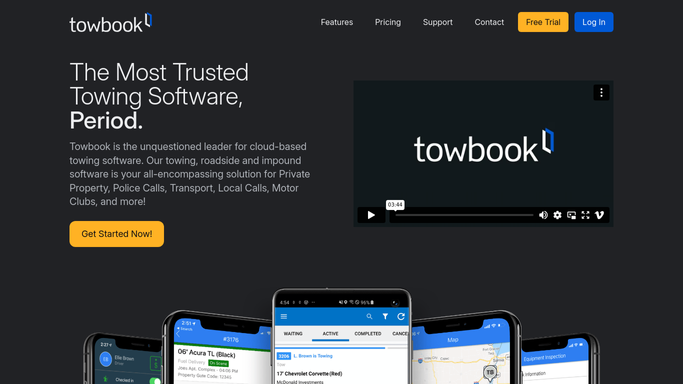
When a payment fails in Stripe, WebRun cross-references the charge with the corresponding Towbook invoice, drafts a polite recovery email for the customer in Gmail, leaves it unsent for your billing team to review, and posts an immediate Slack alert with the failure details.
- No credit card
- Under $0.01 per run
- Cancel anytime
What does WebRun do on every run?
The exact actions WebRun takes, in order - in plain language, so you can adjust anything.
-
WebRun signs in and gets to work
Opens
dashboard.stripe.comin a real browser with your saved login - no setup, no API keys. -
1
Stripe - detect failed payment
stripe.com How to Automate Stripe

WebRun opens Stripe to detect failed payment. - Detect a failed payment event in Stripe
- Capture the customer name, amount, failure reason, and charge ID
- Note whether this is a first failure or a retry attempt
Done when Failed payment details are captured with the failure reason.
-
2
Towbook - match invoice details
towbook.com How to Automate Towbook
WebRun opens Towbook to match invoice details. - Look up the corresponding invoice in Towbook by customer name or charge reference
- Capture the invoice number, service date, and service type for context
- Confirm the balance still shows as unpaid
Done when The matching Towbook invoice is identified and confirmed unpaid.
-
3
Gmail - draft payment recovery message
gmail.com How to Automate Gmail
WebRun opens Gmail to draft payment recovery message. - Draft a polite payment recovery email referencing the service date and invoice number
- Include a request to update payment details and a link to pay online if available
- Leave the draft unsent in Gmail for billing team review. Do not send automatically.
Done when A draft recovery email exists in Gmail, unsent, ready for billing team approval.
-
4
Slack - alert billing team
slack.com How to Automate Slack
WebRun opens Slack to alert billing team. - Post an immediate alert to the billing Slack channel with customer name, amount, and failure reason
- Include a link to the Gmail draft for quick review and send
- Flag repeat failures separately so billing can decide on an escalation path
Done when Billing team has the failed payment alert in Slack with the draft ready to review.



How do I automatically follow up on failed towing payments?
When a Stripe payment fails, WebRun identifies the matching Towbook invoice, drafts a polite payment recovery email for the customer in Gmail, and immediately alerts your billing team in Slack. The draft is left unsent for human review. No retry or charge happens automatically.
- Failed payments flagged and a recovery draft ready within minutes of the failure
- No charge retried or email sent without billing team approval
- Repeat failures flagged separately to inform escalation decisions
Built for towing companies · roadside assistance operators · tow billing teams · owner-operators accepting card payments
How is each run configured?
Secure by default
Connect once, stays signed in
WebRun signs in once and keeps each session in a persistent environment, so every run picks up right where it left off.
Every action is checked against this policy before it runs.
Questions, answered
Will it charge the customer's card again automatically?
No. WebRun does not initiate retries or new charges. It drafts a recovery email and alerts your team. Your billing team decides on the next payment action.
What does the recovery email say?
A polite, professional note referencing the service date and invoice number, asking the customer to update their payment details. You can provide a preferred tone or template.
What if the same customer has multiple failed payments?
It flags repeat failures separately in Slack so your billing team can treat them differently. Persistent failures may warrant a call rather than another email.
Related templates
Put this on autopilot.
Turn it on in minutes - or have our team set it up for you.