Fill open driver shifts before they cause a gap
Every morning, WebRun checks Towbook for uncovered driver shifts in the next 48 hours, drafts an outreach message to available drivers in Gmail, leaves each message unsent for your dispatcher to review, and posts an urgent Slack alert if any same-day shift is still open.
- No credit card
- Under $0.01 per run
- Cancel anytime
What does WebRun do on every run?
The exact actions WebRun takes, in order - in plain language, so you can adjust anything.
-
WebRun signs in and gets to work
Opens
app.towbook.comin a real browser with your saved login - no setup, no API keys. -
1
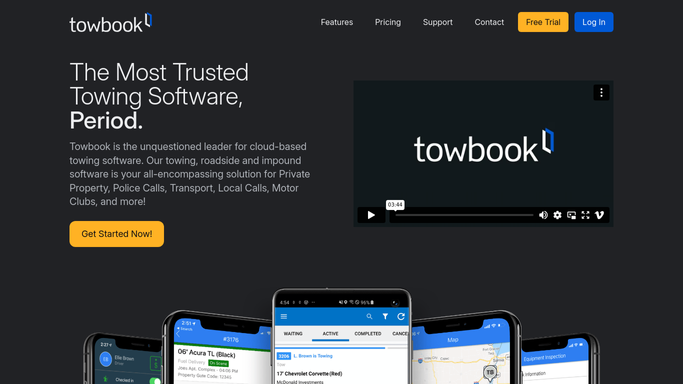
Towbook - check for uncovered shifts
towbook.com How to Automate Towbook

WebRun opens Towbook to check for uncovered shifts. - Open Towbook and check the driver schedule for the next 48 hours
- Identify any shift slots with no assigned driver
- Capture shift date, time, and zone for each open slot
- List available drivers who are not already scheduled during that window
Done when All uncovered shifts in the next 48 hours are identified with candidate drivers listed.
-
2
Gmail - draft outreach to available drivers
gmail.com How to Automate Gmail
WebRun opens Gmail to draft outreach to available drivers. - Draft a shift coverage request for each uncovered slot
- Address it to the available drivers who could cover, personalizing the shift details
- Leave every draft unsent in Gmail for dispatcher review. Do not send automatically.
Done when A draft outreach message exists in Gmail for each open shift, all unsent.
-
3
Slack - alert dispatcher to open shifts
slack.com How to Automate Slack
WebRun opens Slack to alert dispatcher to open shifts. - Post an alert to the dispatch Slack channel listing open shifts by date and zone
- Flag any same-day or next-shift gap as urgent
- Include a reminder to review Gmail drafts before sending to drivers
Done when Dispatcher has an open-shift alert in Slack and knows drafts are ready to review.


How do I automatically draft shift coverage outreach when a tow driver slot is open?
Every morning, WebRun checks Towbook for uncovered driver shifts in the next 48 hours, drafts a coverage request for each open slot in Gmail, and leaves every draft unsent for dispatcher review. A Slack alert flags same-day gaps urgently. No driver is contacted before a human approves the message.
- Open driver shifts identified and outreach drafted 48 hours in advance
- No driver contacted without dispatcher reviewing the message first
- Same-day gaps flagged urgently so coverage is never a last-minute scramble
Built for towing companies · roadside assistance operators · tow dispatchers · towing fleet managers
How is each run configured?
Secure by default
Connect once, stays signed in
WebRun signs in once and keeps each session in a persistent environment, so every run picks up right where it left off.
Every action is checked against this policy before it runs.
Questions, answered
Will it contact drivers without dispatcher approval?
No. Every outreach message is drafted and left unsent in Gmail. The dispatcher reviews and sends each one, because shift assignments need human confirmation.
How does it know which drivers are available?
It reads the current driver schedule in Towbook to find drivers not assigned to another shift during the open window. You can also maintain a separate availability note per driver.
What if all shifts are covered?
If no open shifts exist, WebRun skips the Gmail drafts and posts a brief 'all shifts covered' confirmation to Slack so your dispatcher knows the check ran.
Related templates
Put this on autopilot.
Turn it on in minutes - or have our team set it up for you.