Catch vendor receiving discrepancies before you pay the bill
Every night, WebRun opens MicroBiz to pull that day's receiving against each purchase order, compares the received quantity and cost to the matching vendor bill in QuickBooks, flags any line that does not match, and emails your purchasing manager a discrepancy list before the bill is approved for payment.
- No credit card
- Under $0.01 per run
- Cancel anytime
What does WebRun do on every run?
The exact actions WebRun takes, in order - in plain language, so you can adjust anything.
-
WebRun signs in and gets to work
Opens
microbiz.comin a real browser with your saved login - no setup, no API keys. -
1
MicroBiz - pull the day's receiving against each PO
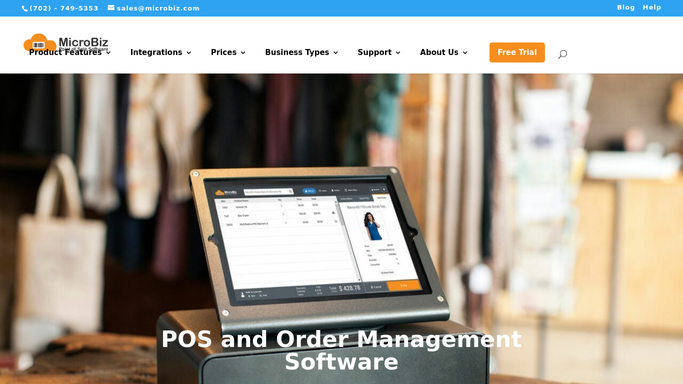
microbiz.com How to Automate MicroBiz

WebRun opens MicroBiz to pull the day's receiving against each PO. - Open MicroBiz and pull items received today against their original purchase order
- Capture the ordered quantity, received quantity, and expected cost for each line
- Note any line received short, over, or damaged
Done when Every line received today is listed against its original purchase order quantity and cost.
-
2
QuickBooks - compare quantity and cost to the vendor bill
- Open QuickBooks and pull the vendor bill matching each purchase order
- Compare the billed quantity and cost per line to what MicroBiz shows as received
- Flag any line where quantity or cost differs by more than a small rounding amount
Done when Every received line has been compared to its vendor bill, with mismatches flagged.
-
3
Gmail - email the purchasing manager a discrepancy list
gmail.com How to Automate Gmail
WebRun opens Gmail to email the purchasing manager a discrepancy list. - Send yourself and your purchasing manager an email listing every discrepancy found
- Show the ordered, received, and billed figures side by side for each flagged line
- Recommend holding payment on any bill with an unresolved discrepancy
Done when Your purchasing manager has an email with every discrepancy before the bill is paid.

How do I catch vendor receiving discrepancies before I pay the bill?
WebRun compares what MicroBiz shows as received each night against the matching vendor bill in QuickBooks, checking quantity and cost line by line. It flags any mismatch and emails your purchasing manager a discrepancy list showing ordered, received, and billed figures side by side, so a short shipment or an overcharge gets caught before the bill is paid.
- Short shipments and overcharges get caught before a bill is paid
- Every receiving line is checked, not just the largest purchase orders
- Purchasing managers get a side by side figure comparison every night
Built for stationery shop owners · purchasing managers · independent stationery retailers · multi-vendor gift and paper stores
How is each run configured?
Secure by default
Connect once, stays signed in
WebRun signs in once and keeps each session in a persistent environment, so every run picks up right where it left off.
Every action is checked against this policy before it runs.
Questions, answered
Will WebRun pay or dispute the vendor bill itself?
No. It only compares MicroBiz receiving to the QuickBooks vendor bill and emails you a discrepancy list. Paying, disputing, or adjusting the bill is still up to your purchasing manager.
What counts as a discrepancy?
Any line where the quantity or cost billed by the vendor differs from what MicroBiz shows as actually received, beyond a small rounding amount you can adjust.
Does it check every purchase order or just large ones?
It checks every purchase order received that day, regardless of size, so a small but repeated overcharge gets caught just as fast as one big mismatch.
Related templates
Put this on autopilot.
Turn it on in minutes - or have our team set it up for you.