Reorder fountain pen ink before you sell out
Every morning, WebRun opens MicroBiz, checks bottled ink, cartridges, and converters against their reorder points across every color and brand, drafts a QuickBooks purchase order grouped by supplier for anything low, and messages you on Telegram to review and approve before it is sent.
- No credit card
- Under $0.01 per run
- Cancel anytime
How do I reorder fountain pen ink before a color runs out?
WebRun checks your fountain pen ink, cartridges, and converters in MicroBiz every morning against their reorder points across every brand and color. It drafts a QuickBooks purchase order grouped by supplier for anything low, then messages you on Telegram to review it, so a bestselling color never runs out and no order goes to a supplier unapproved.
- Bestselling ink colors get reordered before they sell out
- A supplier ready purchase order is drafted every morning
- No order reaches a supplier without your approval first
Built for fountain pen shops · stationery retailers · pen and ink specialty stores · independent pen shop owners
What does WebRun do on every run?
The exact actions WebRun takes, in order - in plain language, so you can adjust anything.
-
WebRun signs in and gets to work
Opens
microbiz.comin a real browser with your saved login - no setup, no API keys. -
1
MicroBiz - check ink stock against reorder levels
microbiz.com How to Automate MicroBiz
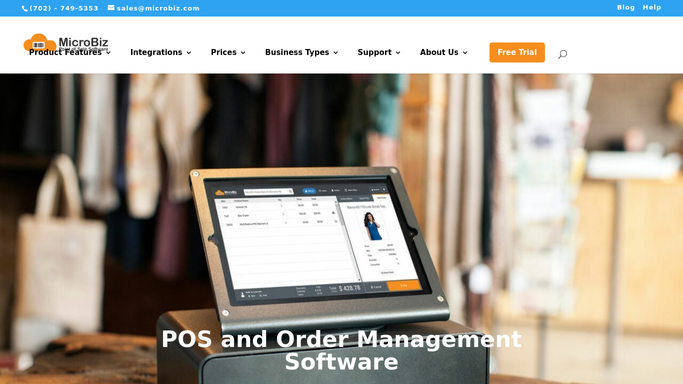
WebRun opens MicroBiz to check ink stock against reorder levels. - Open MicroBiz and pull bottled ink, cartridge, and converter stock by brand and color
- Compare each matrix item against its reorder point and reorder quantity
- Note the preferred supplier and last cost for every color at or below its reorder point
Done when Every ink and cartridge color at or below its reorder point is listed with supplier and cost.
-
2
QuickBooks - draft a purchase order for low colors
- Open QuickBooks and draft a purchase order grouping low colors by supplier
- Fill in each line with the color, quantity, and last cost from MicroBiz
- Save the purchase order as a draft. Do not send it to the supplier
Done when A draft QuickBooks purchase order covers every low ink color, unsent.
-
3
Telegram - ping you to approve it
telegram.org How to Automate Telegram

WebRun messages you on Telegram to approve the draft order. - Message you on Telegram with the count of low colors and a link to the draft purchase order
- Flag any color that is fully out of stock at the top of the message
- Wait for your approval before the order is sent to the supplier
Done when You have a Telegram message with the draft order, waiting on your approval.
How is each run configured?
Secure by default
Connect once, stays signed in
WebRun signs in once and keeps each session in a persistent environment, so every run picks up right where it left off.
Every action is checked against this policy before it runs.
Questions, answered
Will WebRun send the purchase order to my supplier automatically?
No. It only drafts the order in QuickBooks and messages you on Telegram to review it. Nothing reaches a supplier until you approve and send it yourself.
How does it know which ink colors are running low?
It reads the reorder point you have set for each color and format in MicroBiz, comparing current stock against that point every morning so a popular color never runs out unnoticed.
What if a color has no reorder point set yet?
WebRun flags it in the Telegram message so you can set one. Without a reorder point, an item is not included in the draft purchase order.
Related templates
Put this on autopilot.
Turn it on in minutes - or have our team set it up for you.