Clear overstocked greeting cards before the season passes
Every Monday, WebRun opens MicroBiz to find seasonal and everyday greeting card lines carrying more stock than the coming weeks of that occasion can sell through, checks each line's cost in QuickBooks to set a markdown that still clears cost, and posts your team a Slack suggestion to approve before any price is changed in the store.
- No credit card
- Under $0.01 per run
- Cancel anytime
How do I clear overstocked greeting cards before the season passes?
WebRun checks MicroBiz every Monday for greeting card lines carrying more than 90 days of stock, pays close attention to seasonal cards within 30 days of their occasion, and uses QuickBooks cost data to suggest a markdown that still clears cost where possible. It posts the suggestions to Slack, so a manager approves every price change before it happens.
- Seasonal cards get flagged for markdown before the occasion passes
- Every suggested price still accounts for cost, not just guesswork
- No card price changes without a manager approving it first
Built for stationery shop owners · greeting card retailers · gift and card boutiques · seasonal stationery stores
What does WebRun do on every run?
The exact actions WebRun takes, in order - in plain language, so you can adjust anything.
-
WebRun signs in and gets to work
Opens
microbiz.comin a real browser with your saved login - no setup, no API keys. -
1
MicroBiz - find overstocked card lines
microbiz.com How to Automate MicroBiz
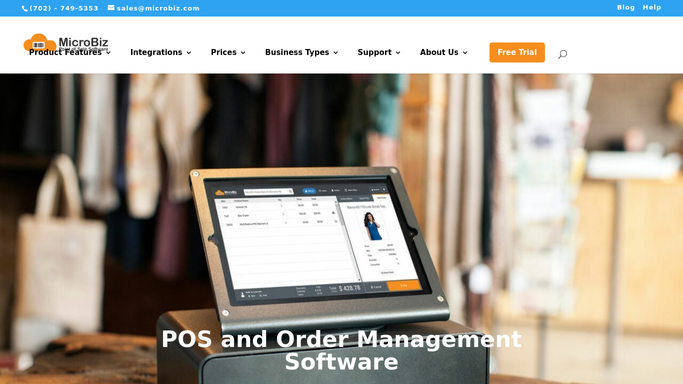
WebRun opens MicroBiz to find overstocked card lines. - Open MicroBiz and pull greeting card lines carrying more than 90 days of stock at the current sales pace
- Flag any occasion-specific line, holiday or seasonal, where the occasion is within 30 days
- Capture on-hand quantity and current retail price for each line
Done when Every overstocked greeting card line is listed with stock, price, and occasion timing.
-
2
QuickBooks - check cost to set a markdown floor
- Open QuickBooks and pull the unit cost for each flagged card line
- Calculate a markdown price that stays at or above cost, or flags a below-cost clearance if the occasion has nearly passed
- Note the margin impact of the suggested markdown for each line
Done when Every flagged line has a suggested markdown price and its margin impact.
-
3
Slack - suggest markdowns for approval
slack.com How to Automate Slack

WebRun posts to Slack to suggest markdowns for approval. - Post the markdown suggestions to Slack, sorted by how soon the occasion passes
- Flag any line recommended for a below-cost clearance separately
- Leave the markdowns for a manager to approve and apply in MicroBiz
Done when A manager has the markdown suggestions in Slack, waiting for approval before any price changes.
How is each run configured?
Secure by default
Connect once, stays signed in
WebRun signs in once and keeps each session in a persistent environment, so every run picks up right where it left off.
Every action is checked against this policy before it runs.
Questions, answered
Will WebRun change greeting card prices on its own?
No. It only suggests a markdown and posts it to Slack for a manager to approve. No price changes happen in MicroBiz until someone applies it.
How does it decide a card line is overstocked?
It flags lines carrying more than 90 days of stock at the current sales pace, and pays extra attention to seasonal cards once their occasion is within 30 days.
Does it ever suggest selling below cost?
Only when a seasonal occasion has nearly passed and the alternative is unsold stock after the date. It flags any below-cost suggestion separately so a manager can decide.
Related templates
Put this on autopilot.
Turn it on in minutes - or have our team set it up for you.