Reconcile daily seller payouts and catch discrepancies fast
Every evening, WebRun opens ScrapRight, pulls the day's completed seller payout records, compares them to QuickBooks cash transactions, flags any amount mismatches or missing entries, and posts a reconciliation digest to the #accounting Slack channel.
- No credit card
- Under $0.01 per run
- Cancel anytime
What does WebRun do on every run?
The exact actions WebRun takes, in order - in plain language, so you can adjust anything.
-
WebRun signs in and gets to work
Opens
portal.scrapright.comin a real browser with your saved login - no setup, no API keys. -
1
ScrapRight - pull completed payout records
scrapright.com How to Automate ScrapRight

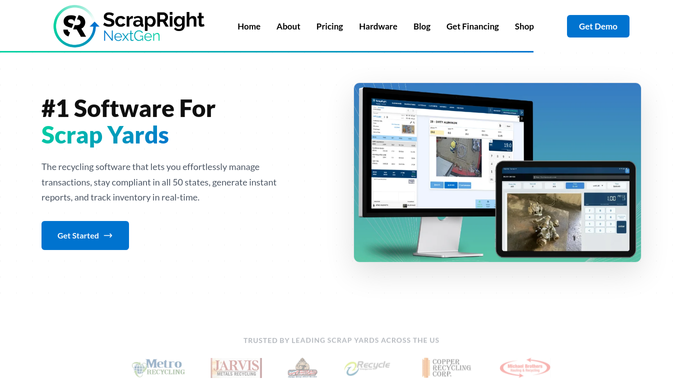
WebRun opens ScrapRight to pull completed payout records. - Open ScrapRight and filter payout records to today's completed transactions
- Capture each payout: seller name, ticket number, commodity, weight, price, and total amount
- Note whether each payout was cash, check, or ATM
Done when All of today's completed payouts are listed with method and amount.
-
2
QuickBooks - compare to accounting transactions
- Open QuickBooks and find today's purchase disbursement transactions
- Match each QuickBooks entry to its corresponding ScrapRight ticket by amount and date
- Flag any ScrapRight payout that has no matching QuickBooks entry, or where amounts differ
Done when Every ScrapRight payout is matched or flagged against QuickBooks.
-
3
Slack - post reconciliation digest
slack.com How to Automate Slack
WebRun opens Slack to post reconciliation digest. - Post the reconciliation digest to #accounting: total payouts, total matched, and count of mismatches
- List each mismatch with the ticket number, ScrapRight amount, and QuickBooks amount
- Note the total payout by method: cash, check, and ATM
Done when Accounting has today's payout reconciliation summary in Slack before close of business.

How do I automatically reconcile daily seller payouts between ScrapRight and QuickBooks?
Every evening WebRun pulls the day's completed seller payout records from ScrapRight, matches each against QuickBooks disbursements, flags any amounts that do not match or are missing entirely, and posts a reconciliation digest to Slack. Accounting catches discrepancies the same evening rather than discovering them days later.
- Payout discrepancies are flagged the same evening rather than discovered in month-end close
- Accounting sees a breakdown by payout method every day without running a manual report
- No QuickBooks entry is corrected automatically. Every fix is a human decision
Built for scrap yard accountants · metal recycler finance teams · yard managers · multi-location scrap operations
How is each run configured?
Secure by default
Connect once, stays signed in
WebRun signs in once and keeps each session in a persistent environment, so every run picks up right where it left off.
Every action is checked against this policy before it runs.
Questions, answered
Does it correct mismatches automatically in QuickBooks?
No. WebRun only flags mismatches and reports them in Slack. Your accounting team reviews each flagged item and makes any corrections manually.
What payout methods does it track?
It tracks cash, check, and ATM payouts as recorded in ScrapRight, and breaks down the daily total by method in the digest.
What if the QuickBooks sync to ScrapRight is delayed?
It notes any ScrapRight payouts for which no QuickBooks entry exists yet, so your team knows to check whether the sync posted later rather than assuming a discrepancy.
Related templates
Put this on autopilot.
Turn it on in minutes - or have our team set it up for you.