Roll out commodity price changes to your buyers in minutes
Every morning, WebRun opens ScrapRight, compares today's commodity prices to yesterday's, drafts a price-change notice for active seller accounts in Gmail for human review, and posts an internal update to the buyers' Telegram group so the team is aligned before the first load.
- No credit card
- Under $0.01 per run
- Cancel anytime
What does WebRun do on every run?
The exact actions WebRun takes, in order - in plain language, so you can adjust anything.
-
WebRun signs in and gets to work
Opens
portal.scrapright.comin a real browser with your saved login - no setup, no API keys. -
1
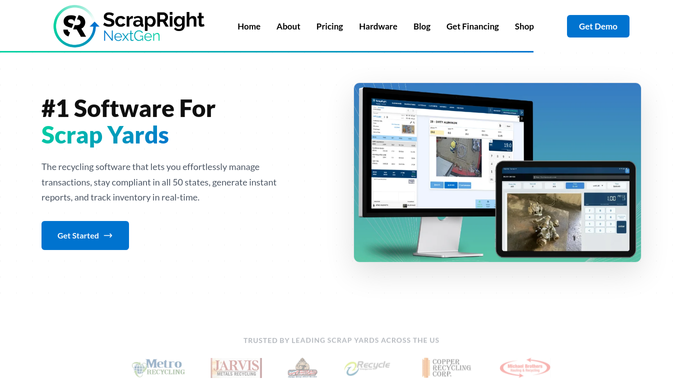
ScrapRight - detect commodity price changes
scrapright.com How to Automate ScrapRight

WebRun opens ScrapRight to detect commodity price changes. - Open ScrapRight and open the commodity pricing screen
- Compare current prices to the prior day's prices for each active commodity
- List every commodity with a price change: the old price, the new price, and the direction
Done when All commodity price changes since yesterday are identified and listed.
-
2
Gmail - draft seller price-change notice
gmail.com How to Automate Gmail
WebRun opens Gmail to draft seller price-change notice. - Draft a price-change notice for active seller accounts listing which commodities moved and by how much
- Leave the draft unsent in Gmail for a manager to review and send
- Do not send any email to sellers without human approval
Done when A seller price-change notice draft is ready in Gmail for manager review.
-
3
Telegram - post internal price update to buyers
telegram.org How to Automate Telegram
WebRun opens Telegram to post internal price update to buyers. - Post the price-change summary to the internal buyers' Telegram group: commodity, old price, new price, and percent change
- Flag commodities that moved more than 5 percent with a note
- Include the time of the update so buyers know prices are current
Done when Buyers have today's price changes in Telegram before the yard opens.


How do I automatically notify buyers and sellers when scrap commodity prices change?
Every morning WebRun compares today's ScrapRight commodity prices to yesterday's, drafts a seller price-change notice in Gmail for manager approval, and auto-posts the price movements to the internal buyers' Telegram group. Buyers arrive knowing what changed, and no seller receives a price notice without human sign-off.
- Buyers see every commodity price change in Telegram before the first load of the day
- Seller price notices are drafted and ready but never sent without manager approval
- Large price moves are flagged automatically so managers prioritize their review
Built for scrap yard managers · metal recycler buyers · ferrous and non-ferrous yards · multi-commodity scrap operations
How is each run configured?
Secure by default
Connect once, stays signed in
WebRun signs in once and keeps each session in a persistent environment, so every run picks up right where it left off.
Every action is checked against this policy before it runs.
Questions, answered
Will it email sellers about the new prices without my approval?
No. The seller notice is drafted in Gmail and left unsent. A manager reviews and sends it. WebRun only auto-posts the internal Telegram update to your buying team.
What if prices did not change today?
If no commodity prices changed since yesterday, WebRun posts a brief confirmation to Telegram noting that prices held steady, so buyers know the check ran and nothing was missed.
Which commodities does it track?
It tracks every commodity code active in your ScrapRight account. You can filter the Telegram digest to a subset of high-volume materials if preferred.
Related templates
Put this on autopilot.
Turn it on in minutes - or have our team set it up for you.