Get an instant alert the moment something goes wrong in the yard
Every few minutes, WebRun scans Checkmate for new exception events: cancelled orders, failed or reversed payments, parts found damaged during pull, and returned items. For each exception it posts an immediate Telegram alert to the on-duty manager with the order number, part, customer, and the type of exception, so nothing slips through unnoticed.
- No credit card
- Under $0.01 per run
- Cancel anytime
How can I get instant alerts when an order exception happens in Checkmate?
WebRun scans Checkmate every few minutes for order exceptions including cancellations, payment failures, damage-during-pull events, and returns. Each exception triggers an instant Telegram alert to the on-duty manager with the order number, part, customer, and exception type so no incident waits more than a few minutes to be seen.
- Every order exception reaches the on-duty manager within minutes instead of being discovered at end of day
- Payment failures are flagged before the part leaves the yard
- Damage events are logged and escalated the moment they are recorded in Checkmate
Built for auto salvage yards · yard managers · operations supervisors · salvage yard owners
What does WebRun do on every run?
The exact actions WebRun takes, in order - in plain language, so you can adjust anything.
-
WebRun signs in and gets to work
Opens
products.car-part.com/checkmatein a real browser with your saved login - no setup, no API keys. -
1
Checkmate - scan for new order exceptions and incidents
products.car-part.com
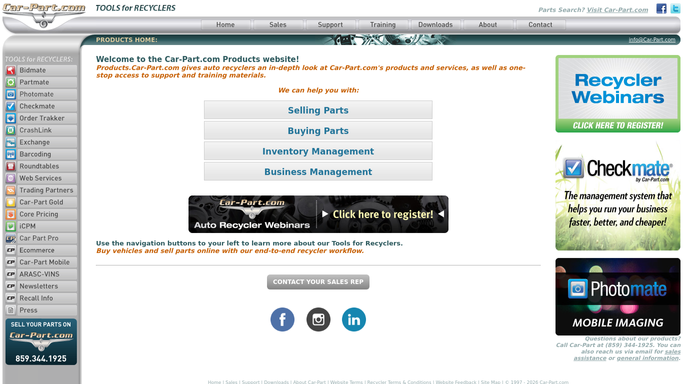
WebRun opens Checkmate to scan for new order exceptions and incidents. - Open Checkmate and check the work order queue for status changes since the last run
- Flag events matching exception types: cancelled orders, payment failures or reversals, damage-during-pull notes, and customer returns
- Capture the order number, part description, customer name, exception type, and timestamp for each
Done when Every new exception event since the last check is captured with its order details and type.
-
2
Telegram - post instant exception alert to on-duty manager
telegram.org How to Automate Telegram

WebRun opens Telegram to post instant exception alert to on-duty manager. - Post an instant alert to the on-duty manager's Telegram for each exception detected
- Format the alert with: exception type, order number, part, customer, and time
- For payment failures, include the amount; for damage events, include the yard location and dismantler name
Done when The on-duty manager has a Telegram alert for every exception detected in this run.
How is each run configured?
Secure by default
Connect once, stays signed in
WebRun signs in once and keeps each session in a persistent environment, so every run picks up right where it left off.
Every action is checked against this policy before it runs.
Questions, answered
Does it take any action when an exception is detected?
No. WebRun only alerts the on-duty manager in Telegram. All corrective action, such as reversing a charge or reassigning an order, is taken by your team.
Which exception types can it detect?
It monitors for cancelled orders, payment failures or reversals, parts flagged as damaged during pull, and customer returns, all based on status changes in Checkmate.
What if the same exception triggers multiple alerts?
WebRun deduplicates by order number and exception type, so a single event only fires one alert even if it is checked multiple times within the same monitoring window.
Related templates
Put this on autopilot.
Turn it on in minutes - or have our team set it up for you.