Renew every vendor and service contract before it expires unnoticed
Every Monday, WebRun reads vendor and service contract expiry dates from a Google Sheet, checks Car-Part.com data service renewal dates, drafts reminder emails in Gmail for contracts expiring within 60 days, and tracks the renewal pipeline in Google Sheets. When a renewed contract is ready to sign, WebRun prepares a DocuSign envelope for management to send.
- No credit card
- Under $0.01 per run
- Cancel anytime
How can I automatically track and renew vendor contracts for my auto salvage yard?
WebRun reads vendor and service contract expiry dates from Google Sheets and Car-Part.com every Monday, drafts renewal reminder emails in Gmail for contracts expiring within 60 days, and prepares DocuSign envelopes for contracts ready to sign. Management reviews and approves every communication before it leaves the yard.
- No contract expires unnoticed because every expiry is flagged 60 days in advance
- Management spends minutes approving drafts instead of hours tracking renewals manually
- DocuSign envelopes are ready the moment a renewal is approved, cutting turnaround time
Built for auto salvage yards · yard managers · operations managers · salvage yard owners
What does WebRun do on every run?
The exact actions WebRun takes, in order - in plain language, so you can adjust anything.
-
WebRun signs in and gets to work
Opens
docs.google.com/spreadsheetsin a real browser with your saved login - no setup, no API keys. -
1
Google Sheets - read contract expiry dates and renewal pipeline
google.com How to Automate Google Sheets

WebRun opens Google Sheets to read contract expiry dates and renewal pipeline. - Open the contract tracker sheet and read every row with an expiry date
- Calculate days remaining for each contract: tow contracts, dismantling services, equipment leases, and software licences
- Flag contracts expiring within 60 days as due for renewal and those within 14 days as urgent
Done when Every contract has a days-remaining count and a renewal priority flag.
-
2
Car-Part.com - check data service and subscription renewal dates
car-part.com
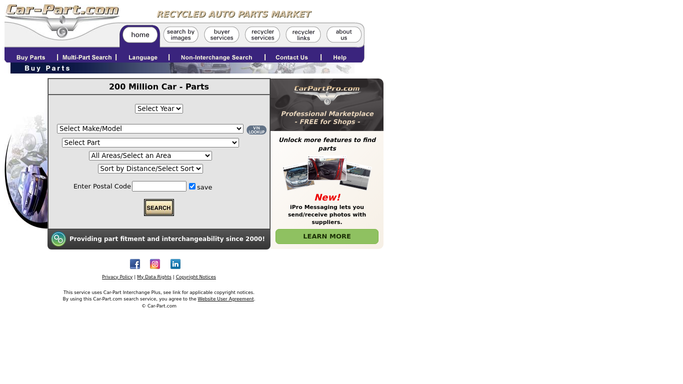
WebRun opens Car-Part.com to check data service and subscription renewal dates. - Check the Car-Part.com account for data service subscription renewal dates
- Note the renewal cost and auto-renewal status for each active subscription
- Add these to the contract renewal list in Google Sheets
Done when Car-Part.com subscription renewal dates and terms are added to the tracker.
-
3
Gmail - draft renewal reminder emails for contracts expiring within 60 days
gmail.com How to Automate Gmail

WebRun opens Gmail to draft renewal reminder emails for contracts expiring within 60 days. - Draft a renewal reminder email for each vendor or service expiring within 60 days
- Include the contract name, expiry date, and a prompt to confirm renewal terms
- Leave every draft unsent for management to review and approve before sending
Done when A reminder draft is queued in Gmail for every contract expiring within 60 days, pending management approval.
-
4
DocuSign - prepare signature envelope for contracts ready to renew
docusign.com How to Automate DocuSign

WebRun opens DocuSign to prepare signature envelope for contracts ready to renew. - For contracts flagged as ready to renew and confirmed by management, prepare a DocuSign envelope with the renewed agreement
- Add the correct signers based on the contract type
- Leave the envelope in draft status for management to review and send. Never send without approval
Done when A DocuSign envelope is prepared and waiting in draft for every contract that has been approved for renewal.
How is each run configured?
Secure by default
Connect once, stays signed in
WebRun signs in once and keeps each session in a persistent environment, so every run picks up right where it left off.
Every action is checked against this policy before it runs.
Questions, answered
Will it send renewal emails or DocuSign envelopes without management approval?
No. Every Gmail reminder and every DocuSign envelope is left as a draft for management to review, personalise, and send. Nothing goes to a vendor without a human approving it.
Which types of contracts can it track?
Any contract you log in the Google Sheet with an expiry date: tow and dismantling contracts, equipment leases, Car-Part.com subscriptions, insurance policies, and software licences.
What happens to contracts that auto-renew?
Auto-renewing contracts are still flagged in the tracker so management can confirm the renewal terms and price are still acceptable before the auto-renewal date passes.
Related templates
Put this on autopilot.
Turn it on in minutes - or have our team set it up for you.