Track every core return so you never miss a credit
Every morning, WebRun opens Checkmate, finds all core sales where the return has not been logged, calculates days outstanding, cross-references the original Car-Part.com sale, and logs the full core-return chase list to a Google Sheet for your team to action.
- No credit card
- Under $0.01 per run
- Cancel anytime
What does WebRun do on every run?
The exact actions WebRun takes, in order - in plain language, so you can adjust anything.
-
WebRun signs in and gets to work
Opens
products.car-part.com/checkmatein a real browser with your saved login - no setup, no API keys. -
1
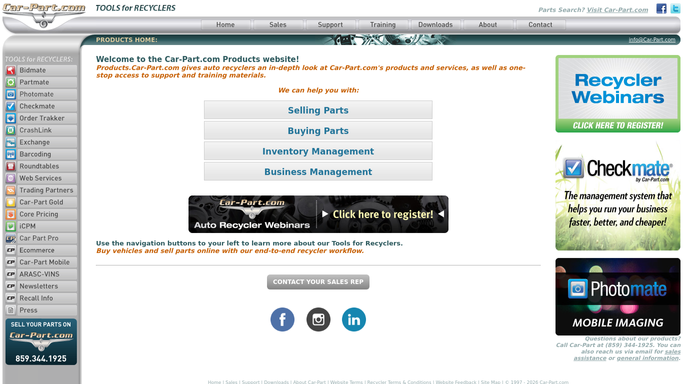
Checkmate - find cores sold but not yet returned
products.car-part.com

WebRun opens Checkmate to find cores sold but not yet returned. - Open Checkmate and filter sales to lines with a core charge where the return date is blank
- Capture the invoice number, part description, core charge amount, sale date, and customer contact
- Calculate how many days each core has been outstanding since the sale date
Done when Every unreturned core has its invoice, charge amount, customer, and days outstanding captured.
-
2
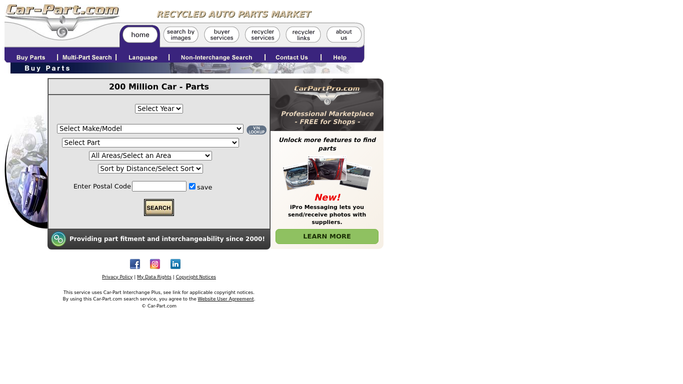
Car-Part.com - confirm original sale and core charge details
car-part.com
WebRun opens Car-Part.com to confirm original sale and core charge details. - Look up the original Car-Part.com order reference for each core sale
- Confirm the buyer name and contact details match the Checkmate invoice
- Note any buyer messages or prior contact recorded in iCPM
Done when Each core record has its Car-Part.com order reference and buyer contact confirmed.
-
3
Google Sheets - log core-return chase list with days outstanding
google.com How to Automate Google Sheets
WebRun opens Google Sheets to log core-return chase list with days outstanding. - Open the core-return tracker sheet and update or add a row for each outstanding core
- Include invoice number, part, core charge, sale date, days outstanding, buyer contact, and last follow-up date
- Sort the sheet by days outstanding so the oldest cores appear at the top
Done when The Google Sheet is updated with every open core return, sorted by age, ready for the team to chase.

How can I automatically track outstanding core returns from Checkmate?
WebRun checks Checkmate every morning for cores sold but not yet returned, calculates days outstanding for each one, confirms the original sale details in Car-Part.com, and logs the full chase list in Google Sheets. Your team opens one sorted sheet and knows exactly which cores to chase first.
- No core credit is lost because every outstanding return is tracked daily
- Oldest cores surface at the top of the sheet for fastest recovery
- Time spent manually searching Checkmate for open cores drops to zero
Built for auto salvage yards · used parts dealers · parts managers · salvage yard accountants
How is each run configured?
Secure by default
Connect once, stays signed in
WebRun signs in once and keeps each session in a persistent environment, so every run picks up right where it left off.
Every action is checked against this policy before it runs.
Questions, answered
Will it contact the buyer to chase the core?
No. WebRun only updates the Google Sheet with the outstanding cores and their details. Your team decides when and how to contact the buyer.
What happens when a core is returned and logged in Checkmate?
On the next morning run, that core no longer appears in the sheet because WebRun only logs cores with a blank return date in Checkmate.
Can it track core charges above a certain threshold?
Yes. You can set a minimum core charge amount when you configure the workflow, and WebRun will only track cores above that value to keep the list focused.
Related templates
Put this on autopilot.
Turn it on in minutes - or have our team set it up for you.