Track returns in transit and update your records
Every hour, WebRun checks the tracking status of all open return shipments in ShipStation, logs any that have been delivered to your warehouse in the Returns Receipt sheet, and pings your team in Slack so the refund or exchange can be triggered without delay.
- No credit card
- Under $0.01 per run
- Cancel anytime
How can I automatically track returns in transit and update my records?
Every hour, WebRun checks the tracking status of all open return shipments in ShipStation, logs any that have been delivered to your warehouse in the Returns Receipt sheet, and pings your team in Slack - so refunds and exchanges can be triggered immediately without waiting for someone to spot the delivery.
- Returns receipt logged within the hour of warehouse delivery
- Refund and exchange processes triggered without manual intervention
- Customer wait times reduced by eliminating returns receipt delays
Built for e-commerce operations teams · customer service managers · fulfilment managers · retail operations teams
What does WebRun do on every run?
The exact actions WebRun takes, in order - in plain language, so you can adjust anything.
-
WebRun signs in and gets to work
Opens
ship.shipstation.comin a real browser with your saved login - no setup, no API keys. -
1
ShipStation - check return shipment tracking
shipstation.com How to Automate ShipStation
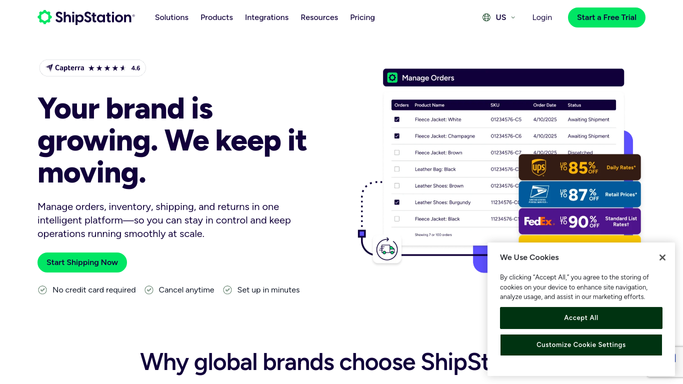
WebRun opens ShipStation to check return shipment tracking. - Open ShipStation and filter to return orders with status In Transit
- Check the carrier tracking for each return and look for a Delivered scan at your warehouse address
- Note the return order number, original order number, customer, and contents for each newly delivered return
Done when Every return that arrived at the warehouse since the last check is identified.
-
2
Google Sheets - log newly received returns
google.com How to Automate Google Sheets

WebRun opens Google Sheets to log newly received returns. - Open the Returns Receipt sheet
- Add a row for each newly received return: return order number, original order, customer, item, and received timestamp
- Update the return status column to Received - Awaiting Inspection
Done when All newly arrived returns are logged in the sheet with their status updated.
-
3
Slack - alert warehouse to process the return
slack.com How to Automate Slack

WebRun opens Slack to alert warehouse to process the return. - Post an alert to #returns for each newly received return listing the customer, item, and return reason
- Remind the team of the SLA for processing returns and how long this one has been in transit
Done when Your warehouse team is alerted to process every newly arrived return.
How is each run configured?
Secure by default
Connect once, stays signed in
WebRun signs in once and keeps each session in a persistent environment, so every run picks up right where it left off.
Every action is checked against this policy before it runs.
Questions, answered
Does it issue refunds or exchanges automatically?
No - it logs the receipt and alerts your team that the return has arrived. Issuing a refund or triggering an exchange is always a human-approved action.
What if the carrier scan says Delivered but the package is not physically in the warehouse?
The alert prompts your team to check and confirm receipt. The Google Sheet status stays as Received - Awaiting Inspection until someone manually marks it Inspected, so discrepancies are caught.
Can I track returns from multiple carriers?
Yes - ShipStation consolidates tracking from all your connected carriers, so WebRun sees returns regardless of which carrier the customer used.
Related templates
Put this on autopilot.
Turn it on in minutes - or have our team set it up for you.