How to Automate ShipStation
ShipStation automates everything up to the label. Automation rules tag and assign services on import, presets apply a saved carrier and package combination, rate shopping picks the service, and batch printing handles volume. Tracking, carrier invoice audits and claims happen on the carrier's own website, which is where an agent like WebRun works.
 Written by
Sofia Marchetti
Marketing operations
Written by
Sofia Marchetti
Marketing operations
 Reviewed by
Marta Ellison
Automation strategist
Reviewed by
Marta Ellison
Automation strategist
The label is the moment an order becomes a parcel
ShipStation is order fulfilment software for anyone who ships things: online sellers, wholesalers, subscription boxes, small manufacturers and the third-party warehouses that pack for all of them. Orders arrive from every store and marketplace a business sells on, land in one queue, and leave as labels.
That single queue is the reason it exists. A seller with a Shopify store, an Amazon listing, a wholesale account and a phone order otherwise has four places to look and four ways to make a mistake. ShipStation puts them on one screen, rate shops across carriers, and prints in batches.
It also sits at the exact hinge of the business. Everything upstream of it is commerce and everything downstream is logistics, and the label is the moment one becomes the other. Once it prints, the order stops being a row in a database and becomes a physical object in somebody else's van.
Everything after the label is somebody refreshing a carrier site
Ask a shipping team where the day goes and it is almost never the packing.
It is the customer who emails asking where their parcel is, which means opening the carrier's tracking page, reading the last scan, working out whether it is stuck or just slow, and writing back. It is the weekly sweep for parcels that have not scanned in four days, done by pasting tracking numbers into a carrier site one at a time. It is filing a lost package claim on the carrier's claims portal, which takes twenty minutes and a photograph of the packing slip.
Then there is the money. The carrier invoice arrives with address correction charges, dimensional weight adjustments and residential surcharges on shipments that were quoted at something else. Checking them means logging into the carrier's billing portal and comparing line by line against what was actually paid, which is why almost nobody does it, and why carriers keep billing it.
Automation rules run before the label prints, not after
ShipStation automates the label itself thoroughly, and a shipper who has not set this up is losing hours to clicking.
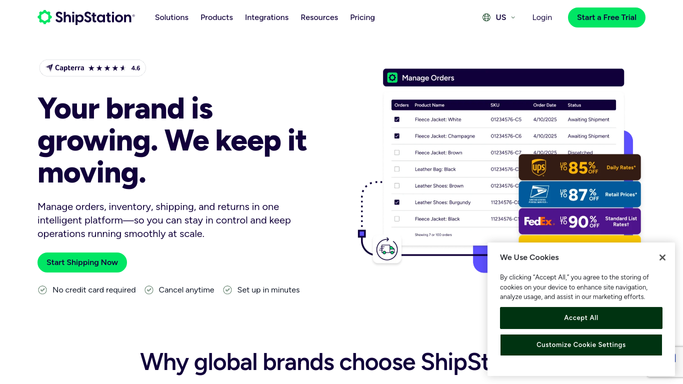
Automation rules work on simple if-then logic: an order matching your criteria gets tagged, assigned a service, or given shipment details automatically on import. Shipping presets save a combination of carrier, service, package type, weight, dimensions and insurance, then apply it from a dropdown, a hotkey or a barcode scan. Rate shopping compares carriers so the cheapest workable service is chosen without anybody pricing it by hand. Batch label printing turns a hundred orders into one print job. A Branded Tracking Page sends the customer to your own page instead of the carrier's, and a branded returns portal issues labels, exchanges and return authorisations on rules you set, including automatic approval on delivery.
Every one of those acts on an order, and an order is a thing ShipStation holds. The rules fire on import, at rate selection and at print. After that the parcel belongs to the carrier, and what happens to it is published on the carrier's own website, to whoever goes and looks.
A parcel that stops moving can raise its own alarm
On the carrier's own website, every parcel you sent is already reporting where it stopped.
Every open shipment checked each morning against its last scan, with anything stalled for three days pulled onto a short list, sorted by how annoyed the customer is going to be. The buyer who emails asking where it is gets a reply drafted with the actual scan history in it, ready before anybody opens the ticket. A delivery exception picked up on the carrier's site the day it appears, rather than the day the customer notices.
The money side is where it pays for itself. Carrier invoices read off the billing portal and compared against what each shipment was rated at, so address correction fees and dimensional reweighs show up as a list to dispute instead of a number nobody checks. Claims for lost parcels assembled with the tracking history and the order detail attached. Marketplace seller dashboards checked for the late shipment and valid tracking metrics that quietly decide whether you keep selling well there.
Keep the boundary at the customer. Gathering, comparing and drafting can run overnight quite safely. Sending an apology, promising a refund or committing to a reship is a person's call.
Carrier sites get checked without anyone opening them
Pasting a tracking number into a carrier's site and reading the scan back takes fifteen seconds, and a busy week has hundreds of them. What you say to the buyer afterwards is where you come in.
WebRun is an agent that works a real Chrome browser, signed in as you. It opens the carrier's tracking page, the billing portal, the claims form or the marketplace seller dashboard, reads what is on the screen, and turns it into the thing you actually wanted: an exception list, a drafted reply, a billing dispute, a claim ready to submit.
It runs on your schedule in your own private environment. You can watch a run and stop it mid-way, and anything that goes to a customer or a carrier is drafted and waits for approval.
The workflows below are already built, and each one names the sites it opens.
Questions people ask
Our automation rules already do a lot. Where does this start?
After the label. Automation rules act on orders inside ShipStation, at import and at print. This covers what happens once the parcel is with the carrier: tracking, exceptions, claims and the billing portal.
Can it file a claim with the carrier for us?
It assembles the claim, with the tracking history, order detail and value attached, then leaves it for a person to submit. Anything that commits you to a carrier or a customer is drafted, not sent.
Do we need carrier API credentials or a developer?
No. It signs into the carrier's website the same way your team does, so any carrier with a web portal is reachable, including the regional and freight carriers that never appear on an integration list.
23 ready-made ShipStation workflows
Each one names the apps it touches and the exact steps it takes. Open one to read what it will do, then turn it on.







 Shopify›
Want one of these running on your own ShipStation?
Show WebRun the process once and it will run it on schedule, in your own private browser environment.