Flag address errors before your shipments go out
Every morning, WebRun opens ShipStation, reads all orders awaiting shipment, checks each delivery address for common errors - missing apartment numbers, invalid postcodes, undeliverable locations - logs the problems in a correction sheet, and pings your team in Slack so they can fix the issues before the packing run begins.
- No credit card
- Under $0.01 per run
- Cancel anytime
What does WebRun do on every run?
The exact actions WebRun takes, in order - in plain language, so you can adjust anything.
-
WebRun signs in and gets to work
Opens
ship.shipstation.comin a real browser with your saved login - no setup, no API keys. -
1
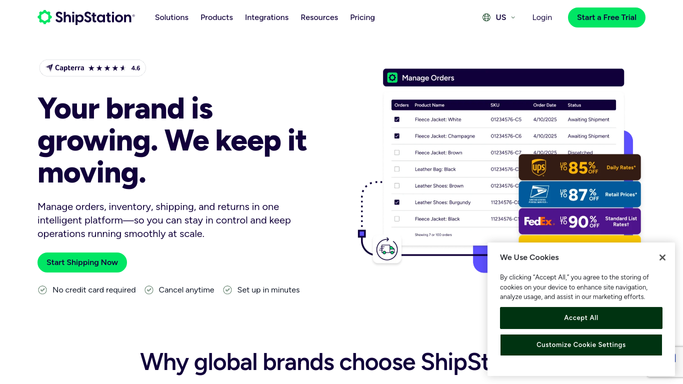
ShipStation - read orders awaiting shipment
shipstation.com How to Automate ShipStation

WebRun opens ShipStation to read orders awaiting shipment. - Open ShipStation and filter to Awaiting Shipment orders
- For each order, read the delivery address: street, city, state, postcode, and country
- Check for common errors: missing suite or apartment, postcode that does not match city/state, PO Box on a carrier that does not accept them, or an international format issue
- Flag any address ShipStation itself has marked with a validation warning
Done when Every awaiting-shipment order has had its address checked and problem orders are identified.
-
2
Google Sheets - log address errors for correction
google.com How to Automate Google Sheets
WebRun opens Google Sheets to log address errors for correction. - Open the Address Corrections sheet
- Add a row for each flagged order: order number, customer name, current address, and the specific error detected
- Mark the error type so whoever fixes it knows exactly what to correct
Done when All address problems are logged with their error type, ready for correction.
-
3
Slack - alert team to fix before pack run
slack.com How to Automate Slack
WebRun opens Slack to alert team to fix before pack run. - Post a morning alert to #warehouse listing the orders with address issues
- Include the count of clean orders so the team knows the overall pack run status
Done when Your team is alerted to address errors before packing begins.

How can I automatically flag address errors before shipments go out?
Every morning, WebRun opens ShipStation, reads all orders awaiting shipment, checks each delivery address for errors such as missing apartment numbers, invalid postcodes, and undeliverable locations, logs problems in a correction sheet, and pings your team in Slack - so issues are fixed before the packing run begins.
- Address errors caught before shipments leave the warehouse
- Failed deliveries and reshipment costs reduced
- Correction sheet kept current so fixes are quick and traceable
Built for e-commerce operations teams · fulfilment managers · warehouse teams · customer service managers
How is each run configured?
Secure by default
Connect once, stays signed in
WebRun signs in once and keeps each session in a persistent environment, so every run picks up right where it left off.
Every action is checked against this policy before it runs.
Questions, answered
Does it correct the addresses automatically?
No - it flags the problem and logs what needs fixing. Correcting an address changes what a customer receives, so that decision stays with your team.
How thorough is the address check?
It checks for missing required fields, postcode-city-state mismatches, PO Box restrictions, and any carrier-level validation warnings already shown in ShipStation.
What happens to orders with good addresses?
They are counted and included in the Slack summary as clean and ready to ship, so your team knows exactly how many orders can go straight to packing.
Related templates
Put this on autopilot.
Turn it on in minutes - or have our team set it up for you.