Watch for delivery delays and flag them before customers do
Every morning, WebRun opens ShipStation and scans all in-transit shipments for packages that have not received a new tracking scan in more than 48 hours, compiles a delay watchlist sorted by days stalled, and posts it to your Telegram ops channel so your team can contact the carrier before the customer raises a support ticket.
- No credit card
- Under $0.01 per run
- Cancel anytime
What does WebRun do on every run?
The exact actions WebRun takes, in order - in plain language, so you can adjust anything.
-
WebRun signs in and gets to work
Opens
ship.shipstation.comin a real browser with your saved login - no setup, no API keys. -
1
ShipStation - identify shipments with no tracking update in 48-plus hours
shipstation.com How to Automate ShipStation

WebRun opens ShipStation to identify shipments with no tracking update in 48-plus hours. - Open ShipStation and navigate to In Transit shipments
- Calculate hours since the last carrier tracking scan for each shipment
- Flag any shipment with no new scan in 48 hours or more
- Capture order number, carrier, tracking number, last scan location, hours stalled, and original estimated delivery date
Done when All stalled shipments identified and ranked by hours without a tracking update.
-
2
Telegram - post delay watchlist to ops channel
telegram.org How to Automate Telegram
WebRun opens Telegram to post delay watchlist to ops channel. - Post the delay watchlist to the designated Telegram ops channel
- Sort by hours stalled descending so the longest-delayed packages appear first
- Include the carrier tracking link for each package so the team can check directly
Done when Ops team has the stalled-shipment watchlist in Telegram with tracking links.
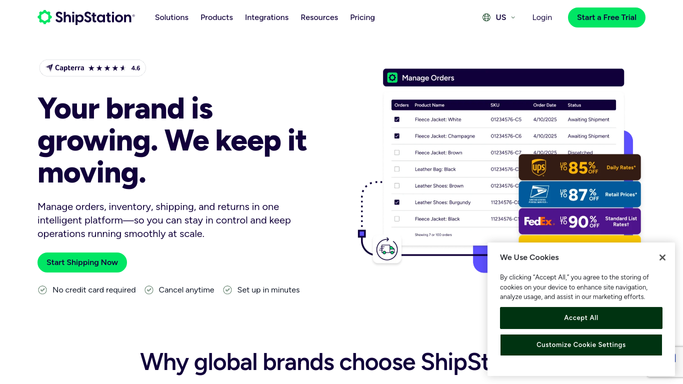

How do I automatically monitor ShipStation for shipments that have stopped tracking?
WebRun opens ShipStation every morning and scans all in-transit shipments for packages with no carrier tracking update in 48 hours or more. It ranks them by hours stalled and posts the delay watchlist to your Telegram ops channel so your team can investigate with the carrier before customers notice and open support tickets.
- Stalled shipments flagged within 48 hours instead of being discovered by a customer complaint
- Ops team gets a ranked watchlist with carrier links every morning
- Weekend scan gaps configurable to avoid Monday morning false positives
Built for e-commerce customer service teams · fulfillment managers · online retailers · DTC brands with high shipment volumes
How is each run configured?
Secure by default
Connect once, stays signed in
WebRun signs in once and keeps each session in a persistent environment, so every run picks up right where it left off.
Every action is checked against this policy before it runs.
Questions, answered
Does it contact the carrier or the customer automatically?
No. WebRun only posts the watchlist to your Telegram ops channel. Any carrier contact or customer communication is handled by your team after reviewing the list.
Can I change the stall threshold from 48 hours?
Yes. At setup, specify the stall threshold that fits your carrier mix. Priority carriers might trigger at 24 hours while economy services might use 72 hours.
What if a package is stalled because of a weekend with no carrier scans?
You can configure WebRun to exclude weekends from the stall count for carriers that do not scan on weekends, preventing false positives on Monday mornings.
Related templates
Put this on autopilot.
Turn it on in minutes - or have our team set it up for you.