Get a daily shipping performance digest every morning
Every morning, WebRun opens ShipStation, pulls yesterday's shipping activity, calculates total orders shipped, on-time rate, average label cost, and top carriers used, then posts a concise performance digest to your ops Slack channel so your team starts the day with clear numbers.
- No credit card
- Under $0.01 per run
- Cancel anytime
What does WebRun do on every run?
The exact actions WebRun takes, in order - in plain language, so you can adjust anything.
-
WebRun signs in and gets to work
Opens
ship.shipstation.comin a real browser with your saved login - no setup, no API keys. -
1
ShipStation - pull yesterday's shipment volume and performance metrics
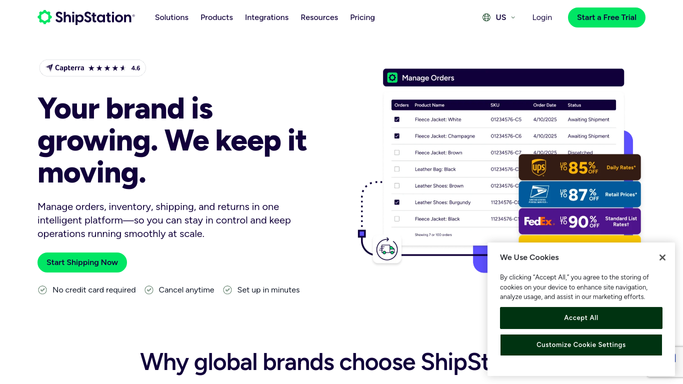
shipstation.com How to Automate ShipStation

WebRun opens ShipStation to pull yesterday's shipment volume and performance metrics. - Open ShipStation and navigate to Insights or Shipments filtered to yesterday's date range
- Capture total orders shipped, orders with exceptions, and orders delivered on time
- Calculate on-time delivery rate and average label cost per shipment
- Note the top 3 carriers by volume and any carrier with an exception rate above 5%
Done when Yesterday's shipping metrics are compiled: volume, on-time rate, cost, and carrier breakdown.
-
2
Slack - post daily shipping digest to ops channel
slack.com How to Automate Slack
WebRun opens Slack to post daily shipping digest to ops channel. - Format the metrics as a short, scannable digest with clear labels
- Flag any carrier whose exception rate exceeded the prior 7-day average
- Post to the designated ops channel at the scheduled time
Done when Ops team has yesterday's shipping digest in Slack before the morning standup.

How can I get a daily shipping performance report from ShipStation automatically?
WebRun opens ShipStation every morning, pulls the previous day's shipping activity, calculates orders shipped, on-time delivery rate, average label cost, and carrier breakdown, then posts a concise digest to your ops Slack channel before the morning standup. Your team starts the day with clear, actionable numbers.
- Team sees yesterday's key shipping metrics in Slack before the morning standup
- Carrier exception spikes flagged automatically without manual reporting
- On-time rate and label cost tracked daily without logging into ShipStation
Built for e-commerce operations teams · fulfillment managers · DTC brand owners · logistics directors
How is each run configured?
Secure by default
Connect once, stays signed in
WebRun signs in once and keeps each session in a persistent environment, so every run picks up right where it left off.
Every action is checked against this policy before it runs.
Questions, answered
Can I customize which metrics appear in the digest?
Yes. Tell WebRun which metrics matter most at setup and it will focus the digest on those fields, whether that is label cost, carrier mix, exception counts, or by-channel volume.
Does it compare to previous days?
It flags any carrier whose exception rate has risen above the prior 7-day average. You can ask WebRun to add a week-over-week comparison for any metric at setup.
What if ShipStation has no shipments yesterday?
WebRun skips the Slack post on days with zero shipments so your channel stays clean. You can switch it to always post a zero-count summary if you prefer.
Related templates
Put this on autopilot.
Turn it on in minutes - or have our team set it up for you.