Keep customers updated with tracking milestones
Every few minutes, WebRun checks ShipStation for shipments that have hit a new milestone - out for delivery, delivered, or exception - drafts a personalised update email to each customer, queues it in Gmail for your approval, and pings you in Slack with a summary of what needs sending.
- No credit card
- Under $0.01 per run
- Cancel anytime
What does WebRun do on every run?
The exact actions WebRun takes, in order - in plain language, so you can adjust anything.
-
WebRun signs in and gets to work
Opens
ship.shipstation.comin a real browser with your saved login - no setup, no API keys. -
1
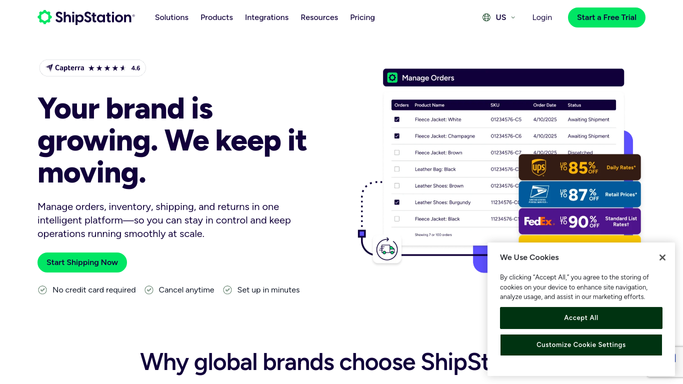
ShipStation - detect new tracking milestones
shipstation.com How to Automate ShipStation

WebRun opens ShipStation to detect new tracking milestones. - Open ShipStation and scan recent tracking events for all active shipments
- Identify shipments that have moved to a new milestone since the last run: Out for Delivery, Delivered, or Exception
- Capture order number, customer name, customer email, and the milestone event details
Done when Every new milestone event is captured with the customer's contact details.
-
2
Gmail - draft personalised update per customer
gmail.com How to Automate Gmail
WebRun opens Gmail to draft personalised update per customer. - For each milestone event, draft a short, on-brand update email to the customer naming their order and the new status
- For delivery confirmations, include a friendly thank-you and returns policy link
- For exceptions, draft a reassuring message and save it for your review - never send exception notices automatically
- Save all drafts in the Drafts folder, not Sent
Done when A personalised email draft exists for each customer who hit a new milestone.
-
3
Slack - notify you of drafts to approve
slack.com How to Automate Slack
WebRun opens Slack to notify you of drafts to approve. - Post a brief summary to #logistics listing which customers have new drafts awaiting approval
- Flag exception-related drafts separately so they get priority review
Done when You are notified of every draft needing approval before it reaches a customer.

How can I automatically keep customers updated with shipment tracking milestones?
Every few minutes, WebRun checks ShipStation for shipments that have hit a new milestone - out for delivery, delivered, or exception - drafts a personalised update email to each customer, queues it in Gmail for your approval, and pings you in Slack with a summary of what needs sending.
- Customers receive personalised updates at every key tracking milestone
- Every email held for approval before sending
- Proactive communication reduces inbound tracking enquiries
Built for ecommerce businesses · online retailers · logistics customer service teams · fulfillment operators
How is each run configured?
Secure by default
Connect once, stays signed in
WebRun signs in once and keeps each session in a persistent environment, so every run picks up right where it left off.
Every action is checked against this policy before it runs.
Questions, answered
Does it send emails to customers without me?
No - every message is a Gmail draft that waits for you. Exception notices especially must be reviewed before sending; WebRun never auto-sends those.
What if a customer already got an update from the carrier?
Carrier automated emails and yours serve different purposes. You can choose to only draft for exceptions and deliveries, skipping intermediate scans, to avoid message fatigue.
Can I customise the email template?
Yes - give WebRun your brand tone, a sample message, or specific language for each milestone type and it will match your style exactly.
Related templates
Put this on autopilot.
Turn it on in minutes - or have our team set it up for you.