Draft lost package carrier claims before the filing window closes
Every morning, WebRun opens ShipStation and identifies shipments that have exceeded the carrier's lost-package threshold with no delivery scan, collects the order value, carrier, and tracking data needed for a claim, logs the claim packet details to Google Sheets, and alerts your team in Slack so claims are filed before the carrier's filing window expires.
- No credit card
- Under $0.01 per run
- Cancel anytime
What does WebRun do on every run?
The exact actions WebRun takes, in order - in plain language, so you can adjust anything.
-
WebRun signs in and gets to work
Opens
ship.shipstation.comin a real browser with your saved login - no setup, no API keys. -
1
ShipStation - identify shipments past carrier lost-package threshold
shipstation.com How to Automate ShipStation

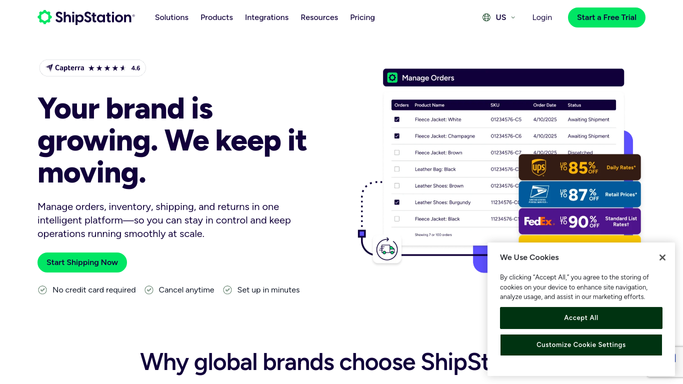
WebRun opens ShipStation to identify shipments past carrier lost-package threshold. - Open ShipStation and filter In Transit shipments with no delivered scan past the carrier's lost-package threshold, typically 15 to 20 days without movement
- Capture the order number, ship date, carrier, tracking number, declared value, destination address, and last known tracking event
- Note the carrier-specific claim filing window and calculate days remaining to file
Done when All shipments qualifying as lost are listed with claim data and days remaining to file.
-
2
Google Sheets - log claim packet details for each lost shipment
google.com How to Automate Google Sheets
WebRun opens Google Sheets to log claim packet details for each lost shipment. - Append each lost-shipment claim packet as a new row in the Claims Tracker sheet
- Include order number, carrier, tracking number, declared value, ship date, last tracking event, and claim filing deadline
- Set a Status column defaulting to Pending Review for each new row
Done when Every lost-shipment candidate has a claim packet row in Google Sheets with filing deadline.
-
3
Slack - alert team to claim candidates with days remaining to file
slack.com How to Automate Slack
WebRun opens Slack to alert team to claim candidates with days remaining to file. - Post a Slack alert to the ops channel listing how many new claim candidates were found today
- Highlight any claims whose filing deadline is within 3 days and list them specifically
- Include the link to the Google Sheets Claims Tracker for immediate action
Done when Team is alerted in Slack with the count of new claims and any filing-deadline urgencies.


How do I automatically track lost packages in ShipStation and prepare carrier claims?
WebRun opens ShipStation every morning and identifies shipments that have passed the carrier's lost-package threshold with no delivery scan. It logs the claim packet details to Google Sheets and alerts your team in Slack with the filing deadline so claims are filed before the carrier's window closes. Actual claim submission stays with your team.
- Lost-package candidates identified daily before the carrier filing window expires
- Complete claim packet logged in Google Sheets without manual data gathering
- Urgent deadlines highlighted in Slack so no claim is missed due to a late discovery
Built for e-commerce operations teams · online retailers filing carrier claims · fulfillment managers · high-volume Shopify sellers
How is each run configured?
Secure by default
Connect once, stays signed in
WebRun signs in once and keeps each session in a persistent environment, so every run picks up right where it left off.
Every action is checked against this policy before it runs.
Questions, answered
Does it file the claim with the carrier automatically?
No. WebRun prepares the claim packet data in Google Sheets for your team to review and submit. Filing a claim with a carrier is completed by a human to ensure accuracy and proper authorization.
How does it know the carrier's lost-package threshold?
You configure the threshold per carrier at setup, for example 15 days for USPS and 10 days for UPS. WebRun applies the correct threshold to each shipment based on the carrier recorded in ShipStation.
What if the package is found and delivered after being flagged?
WebRun reads live ShipStation tracking each morning, so any package that receives a delivered scan is not flagged again and the team can mark the corresponding Google Sheets row as Resolved.
Related templates
Put this on autopilot.
Turn it on in minutes - or have our team set it up for you.