Follow up on no-shows and late cancels before fees are applied
Every morning, WebRun opens CourtReserve, finds members who no-showed or cancelled late since the last run, drafts a polite policy follow-up email for each one in Gmail for staff review, and posts a no-show and late-cancel report to Slack.
- No credit card
- Under $0.01 per run
- Cancel anytime
How do I automatically follow up with members who no-show or cancel late?
WebRun opens CourtReserve every morning, finds all no-shows and late cancellations since the last run, and drafts a polite policy follow-up email for each member in Gmail. Staff review every draft before sending. A report with pending fees and repeat offenders is posted to Slack so the team can apply policy consistently.
- Every no-show and late cancel gets a consistent follow-up instead of falling through the cracks
- Repeat offenders are flagged in Slack so staff can address patterns early
- Staff review every draft before sending so policy is applied with human judgment
Built for tennis clubs · pickleball clubs · racquet sports clubs · court operations managers
What does WebRun do on every run?
The exact actions WebRun takes, in order - in plain language, so you can adjust anything.
-
WebRun signs in and gets to work
Opens
app.courtreserve.comin a real browser with your saved login - no setup, no API keys. -
1
CourtReserve - find no-shows and late cancellations
courtreserve.com
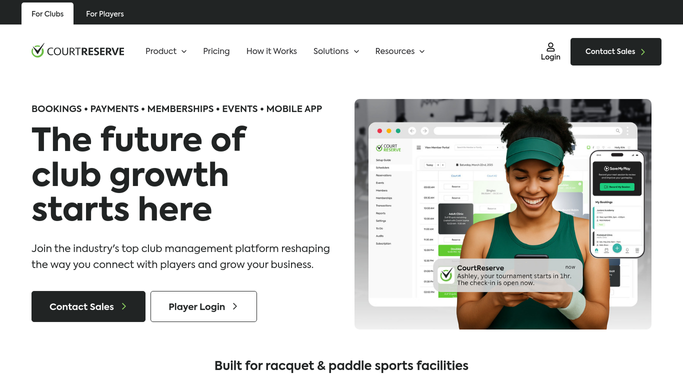
WebRun opens CourtReserve to find no-shows and late cancellations. - Open CourtReserve and check yesterday's and today's reservations for no-show and late-cancel flags
- Capture each affected member's name, email, reservation time, court, and flag type
- Note whether a fee has already been applied
- Skip members already followed up in the last 24 hours for the same incident
Done when Every no-show and late cancellation since the last run is listed with the member's details and fee status.
-
2
Gmail - draft policy follow-up emails
gmail.com How to Automate Gmail

WebRun opens Gmail to draft policy follow-up emails. - Draft a polite follow-up email for each affected member referencing the specific reservation and explaining the policy
- If a fee applies, name the amount and note how it will be charged
- Keep the tone firm but courteous
- Save every email as a draft for staff review. Do not send without approval
Done when A policy follow-up draft is queued in Gmail for every no-show and late cancellation.
-
3
Slack - post no-show and late-cancel report
slack.com How to Automate Slack

WebRun opens Slack to post no-show and late-cancel report. - Post a no-show and late-cancel report listing each incident with member name, court, time, and flag type
- Note which incidents have a fee pending and which are already resolved
- Flag repeat offenders in the past 30 days
Done when Staff have a full no-show and late-cancel report in Slack with pending fees and repeat offenders highlighted.
How is each run configured?
Secure by default
Connect once, stays signed in
WebRun signs in once and keeps each session in a persistent environment, so every run picks up right where it left off.
Every action is checked against this policy before it runs.
Questions, answered
Will it email members about a no-show or fee without staff approval?
No. Every follow-up is saved as a Gmail draft for staff to review and approve before it is sent. No member receives a fee notice without a human reviewing it first.
Does it automatically apply no-show fees in CourtReserve?
No. It flags incidents and notes whether a fee is pending, but it does not apply or charge fees on its own. Fee application is left for staff to confirm.
What if a no-show had a legitimate reason?
Staff review every draft before approving it, so they can discard or edit the follow-up for members with an extenuating circumstance before anything is sent.
Related templates
Put this on autopilot.
Turn it on in minutes - or have our team set it up for you.